MTG200 Trunk Gateway User Manual | Dinstar
83
Caller White List: Calls from the numbers on the Caller White List will be allowed to pass. If a
caller number cannot match with one of the numbers on the Caller White List, calls from the
caller number will be rejected.
Caller Black List: Calls from the numbers on the Caller Black List will be rejected to pass. If a
caller number match with one of the numbers on the Caller Black List, calls will be rejected.
Callee White List: Calls to the numbers on the Callee White List will be allowed to pass. If a
callee number cannot match with one of one of the numbers on the Caller White List, calls to the
callee number will be rejected.
Callee Black List: Calls to the numbers on the Callee Black List will be rejected to pass. If a
callee number match with one of the numbers on the Callee Black List, calls to the callee number
will be rejected.
4.12.1 Procedures to add a number on the Caller White
List
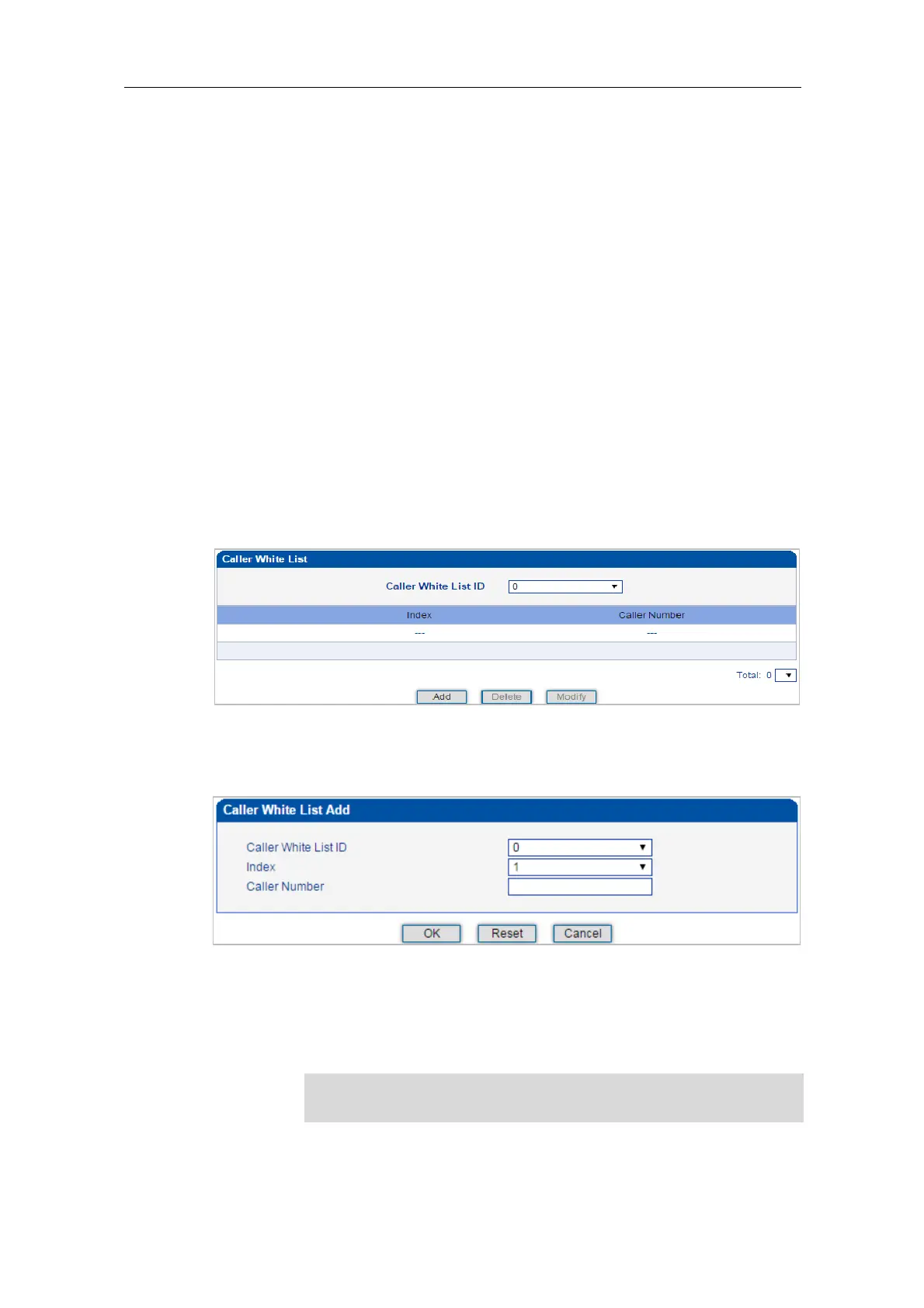
1) Click Number Filter -> Caller White List to enter into the following interface.
2) Click Add to enter into the following interface to add a caller number on the Caller White
List.
3) Choose an ID for the caller white list and an index for the caller number, and then enter
the caller number.
4) Click OK.
You can add 8 white or black lists at most, with ID from 0 to 7. And each
white or black list can contain 1024 numbers at most.















 To Next Page