MTG200 Trunk Gateway User Manual | Dinstar
85
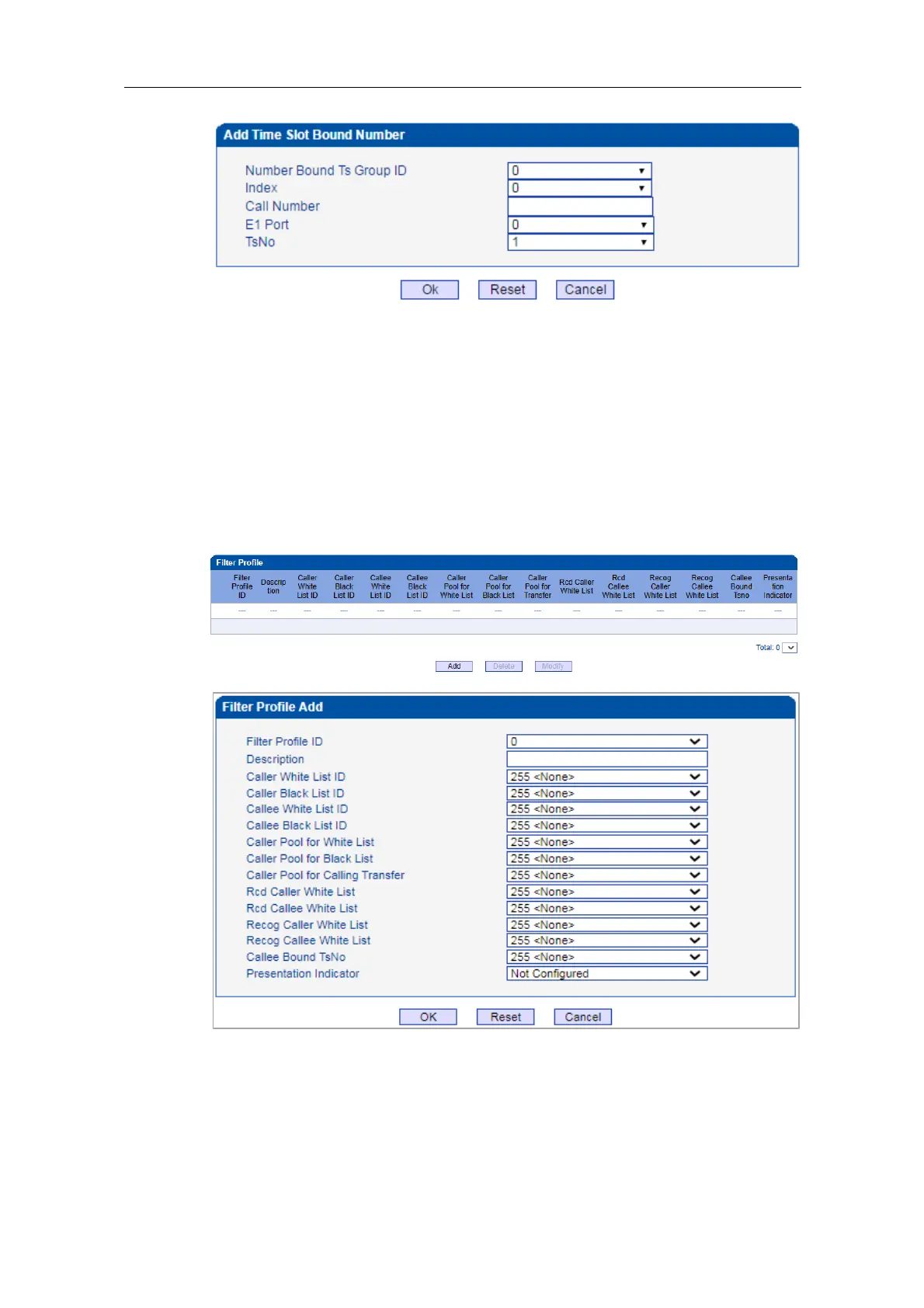
Each TsNo is bound to a number. If the called number is the bound TsNo, it means the call
is normal. When the called number is not the bound TsNo, the MTG200 device will reply
“503” to refuse the call.
4.12.4 Filter Profile
On the Filter Profile interface, you can put white lists and black lists that have been set
before in a filter profile or several profiles. The white lists and black lists will not take effect
until you set them in filter profiles.
Select a white list ID, and the calls of the numbers on the white list will be passed. Select a
black list ID, and the calls of the numbers on the black list will be prohibited.
If you select 255<None>, it means no while lists or black lists are set in filter profile, and
no numbers will be filtered.















 To Next Page