MTG200 Trunk Gateway User Manual | Dinstar
18
4.4 Status & Statistics
This interface menu displays all the main operating information related to the MTG gateway,
including system information, DTU status, physical connection status, PRI/SS7/R2 signaling
status, SIP registration status, other call statuses and other call statistics. This menu bar allows
users to get most of the operating information of the MTG device. Through this information, users
can access relevant statistics and basic MTG operation data.
Note: Depending on the different models, the information displayed in this interface and
submenus may be different. If you have any questions, please contact the official technical staff.
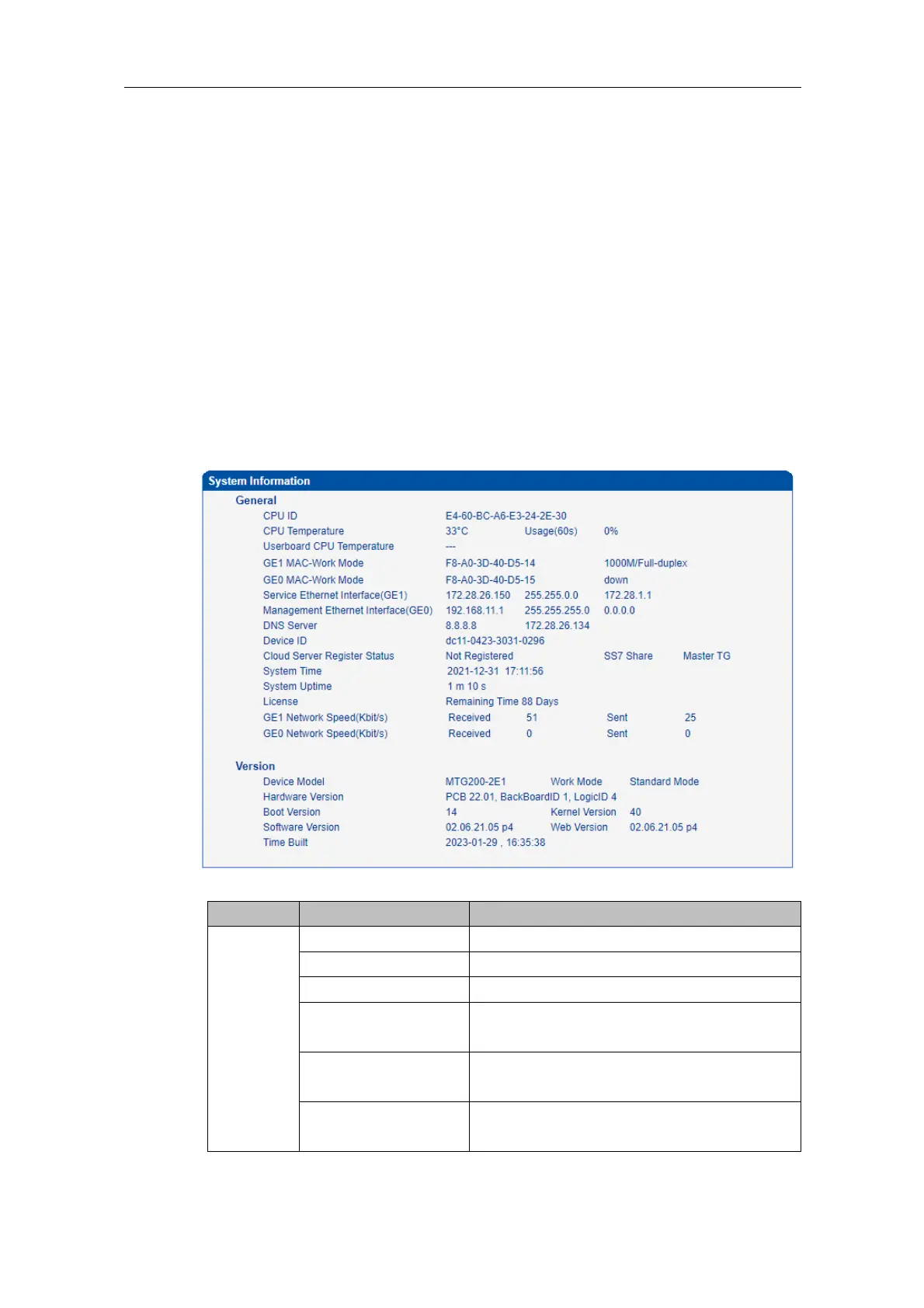
4.4.1 System Information
Click Status & Statistics -> System Information in the navigation tree on the left, and the
following interface will be displayed. On the interface, information about the system, such
as Mac address, CPU usage, hardware version and software version, are shown.















 To Next Page