EasyManua.ls Logo

Dinstar MTG200 - Page 52

Dinstar MTG200
139 pages
Print Icon
To Next Page IconTo Next Page
To Previous Page IconTo Previous Page
Loading...
MTG200 Trunk Gateway User Manual | Dinstar
46
Parameter
Explanation
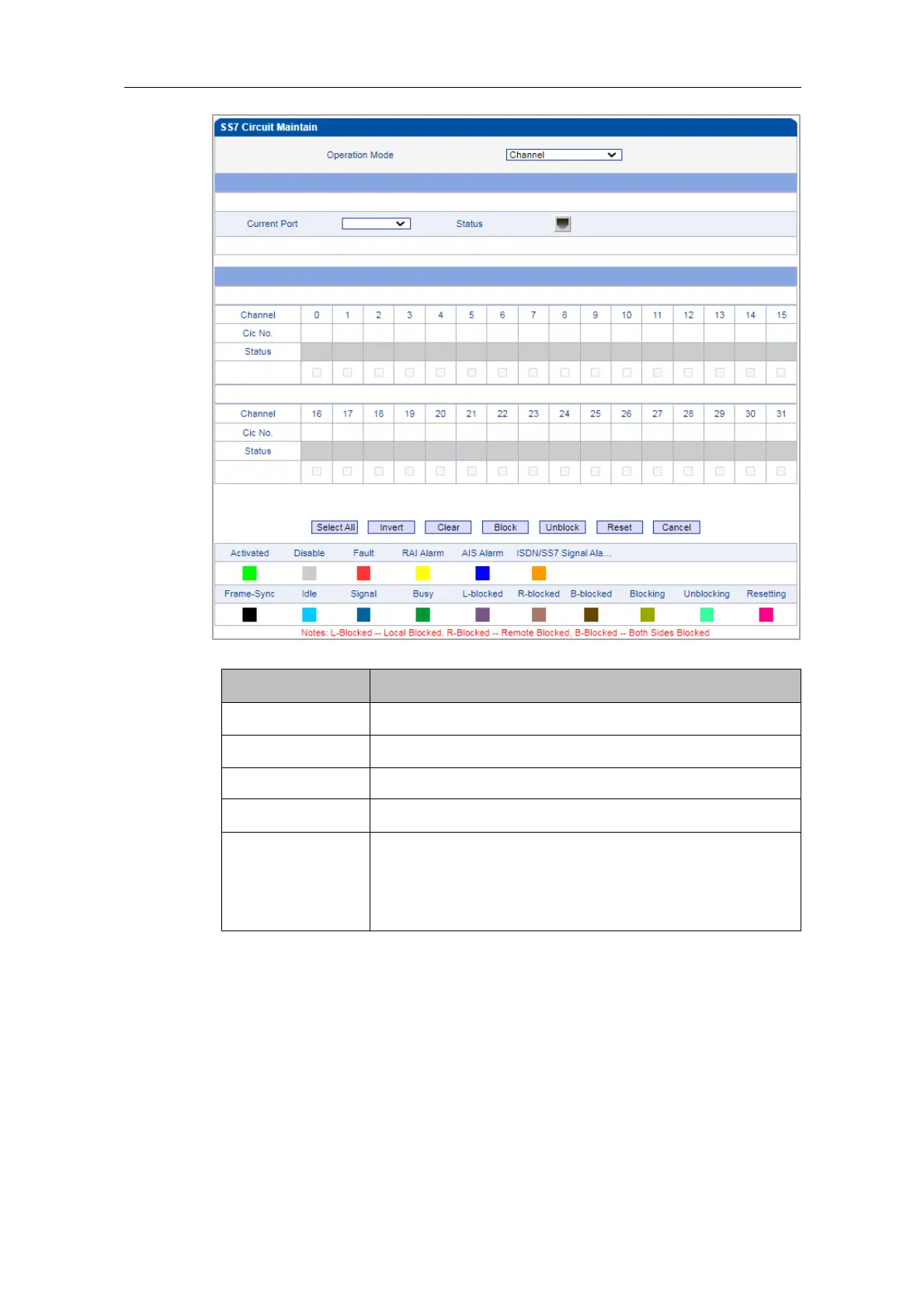
Operation Mode
Channel
Current Port
The No. of the current E1/T1 port
Channel
The No. of channels
CIC No.
The CIC No. of channels
Status
The statuses of channels, including Activated, Disabled, Fault,
RAI Alarm, AIS Alarm, ISDN/SS7 Signal Alarm, Frame-Sync,
Idle, Signal, Busy, L-block, R-blocked, B-blocked, Blocking,
Unblocking and Resetting.
Meanwhile, you can carry out maintenance on the channels of E1/T1 ports through the
following buttons:
Select All, Invert, Clear, Block, Unblock, Reset and Cancel.


Table of Contents

Other manuals for Dinstar MTG200

Related product manuals