MTG200 Trunk Gateway User Manual | Dinstar
65
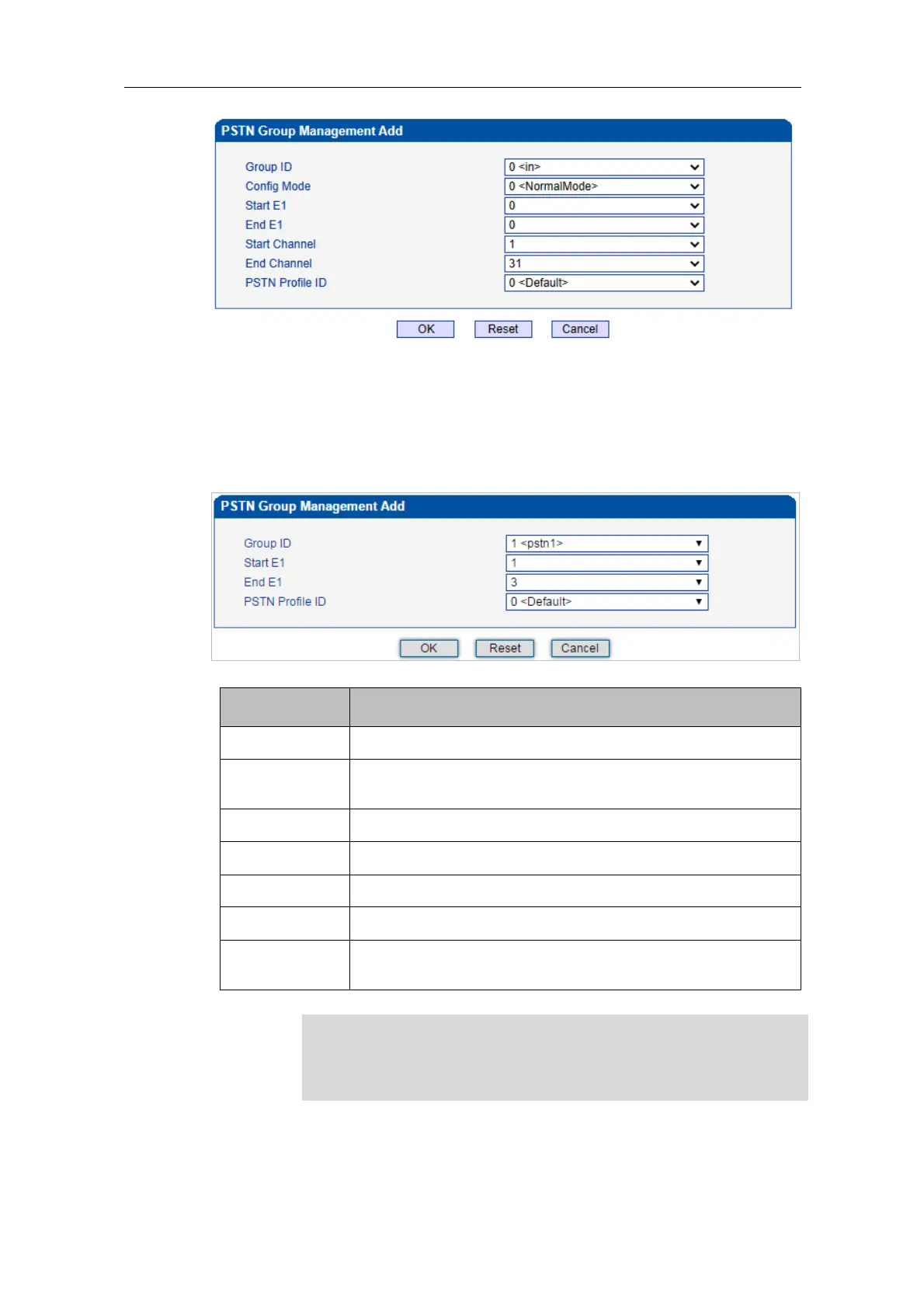
In the above figure, as start E1 is the same with end E1, only one E1 port is used in the
PSTN group and you need to set start channel and end channel.
When there is a need to set several E1 ports, it defaults that all the 32 channels of each E1
port are used by the PSTN group.
Configure E1 in normal mode and add PSTN Group in a special
mode.
The start E1/T1 port in this PSTN group
The end E1/T1 port in this PSTN group
The start channel in this PSTN group
The end channel in this PSTN group
The ID of the PSTN profile in this PSTN group (the PSTN profile
needs to be created at the PSTN Profile interface first.
When the start E1/T1 port is different from the end E1/T1 port, the start
channel is channel 0 by default and the end channel is channel 31 by default
(it means there is no need to choose a start channel and a end channel).















 To Next Page