Page 63
AIM 2 Operation Manual
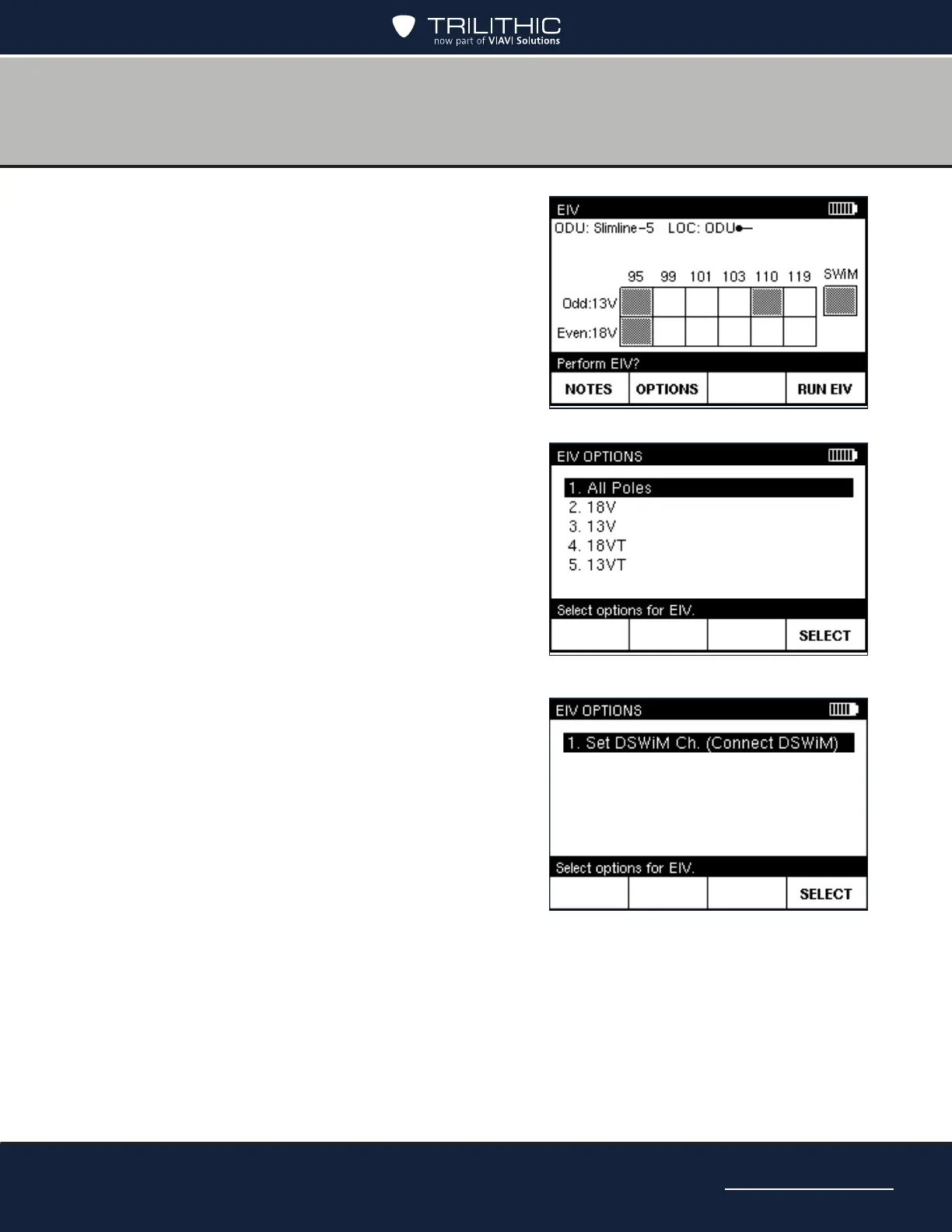
6. On the EIV screen, you can do one of the
following:
• To select an individual polarity for the
EIV, press OPTIONS. On the EIV
OPTIONS screen, highlight the polarity
for the EIV. Then press SELECT to
continue.
• To select the channel for an installation
with a DSWiM-13, where the test
location is between the DSWiM and IRD,
press OPTIONS. On the EIV OPTIONS
screen, press SELECT. Then highlight
the DSWiM channel and press SELECT.
• To add a note about the EIV, such as
details about where the EIV is being
performed, press NOTES. Then enter
the note.
• To run the test, press RUN EIV and wait
briey for the results.


 To Next Page