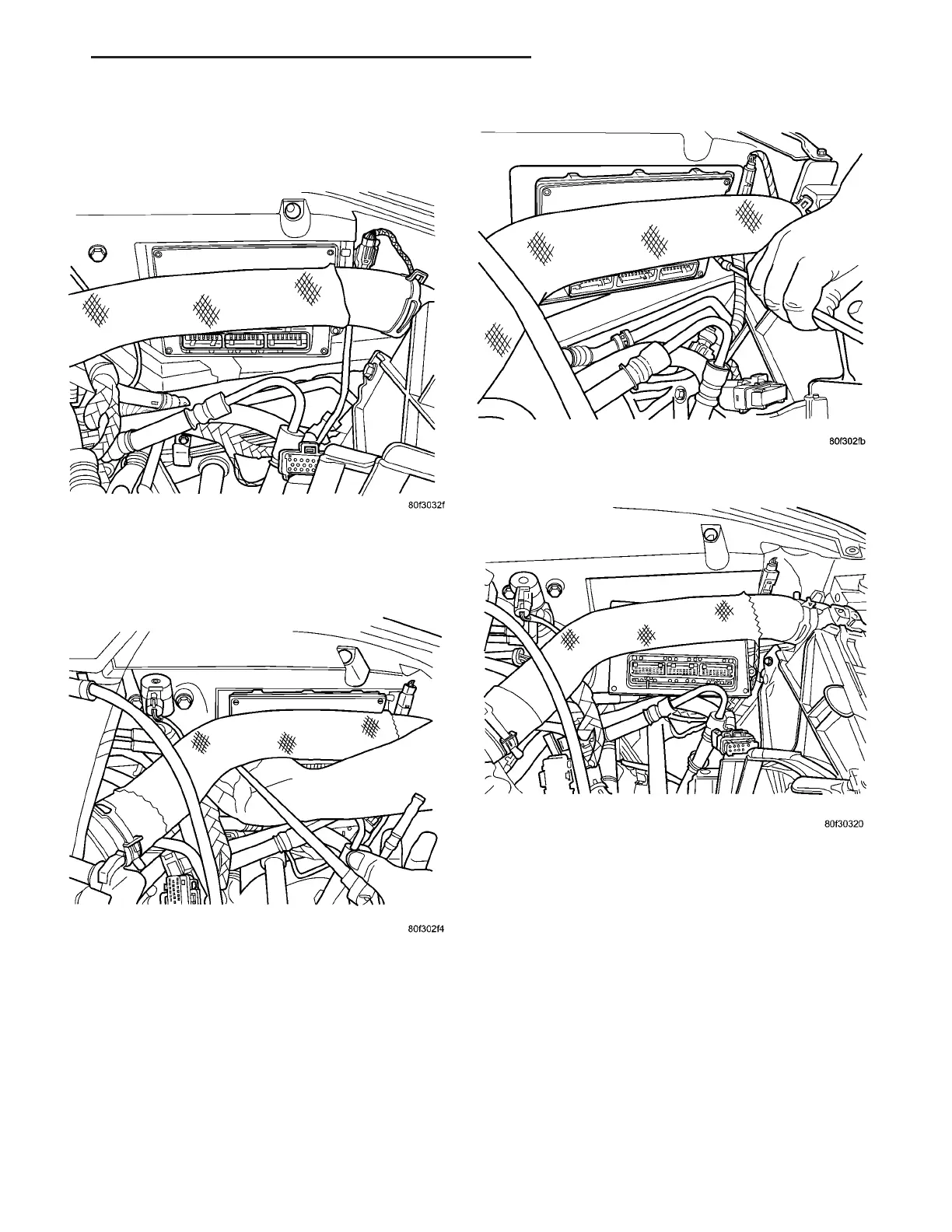
(1) Disconnect the negative battery cable.
(2) Remove the air cleaner.
(3) Disconnect the electrical connectors (Fig. 5).
(4) Remove the 2 mounting bolts (Fig. 6) and (Fig.
7).
(5) Remove the controller out the bottom of the
mounting cavity (Fig. 8).
INSTALLATION
If the PCM is replaced of usage, update the mile-
age and vehicle identification number (VIN) in the
new PCM. Use the DRBIIIt scan tool to change the
mileage and VIN in the PCM. If this step is not done
a Diagnostic Trouble Code (DTC) may be set. Refer to
the appropriate Powertrain Diagnostic Manual and
the DRBIIIt scan tool.
(1) Install PCM and tighten bolts.
(2) Install the three connector to PCM.
(3) Install the cleaner assembly, refer to the
Engine section for more information.
(4) Connect negative battery cable and reprogram
radio and clock.
(5) Using DRBIIIt scan tool, program mileage and
vehicle identification number (VIN) into PCM. Refer
to the DRBIIIt scan tool and the appropriate Power-
train Diagnostic Manual.
Fig. 5 ELECTRICAL CONNECTIONS REMOVED
Fig. 6 PCM MOUNTING BOLTS
Fig. 7 PCM MOUNTING BOLTS
Fig. 8 PCM REMOVAL/INSTALLATION
ZB ELECTRONIC CONTROL MODULES 8E - 7
POWERTRAIN CONTROL MODULE (Continued)





 To Next Page