Distortion of the cover possible due to forceful pressing.
Press the cover carefully until it clicks into the locking
points.
Use the heel of the hand to strike the edge of the cover
lightly if necessary.
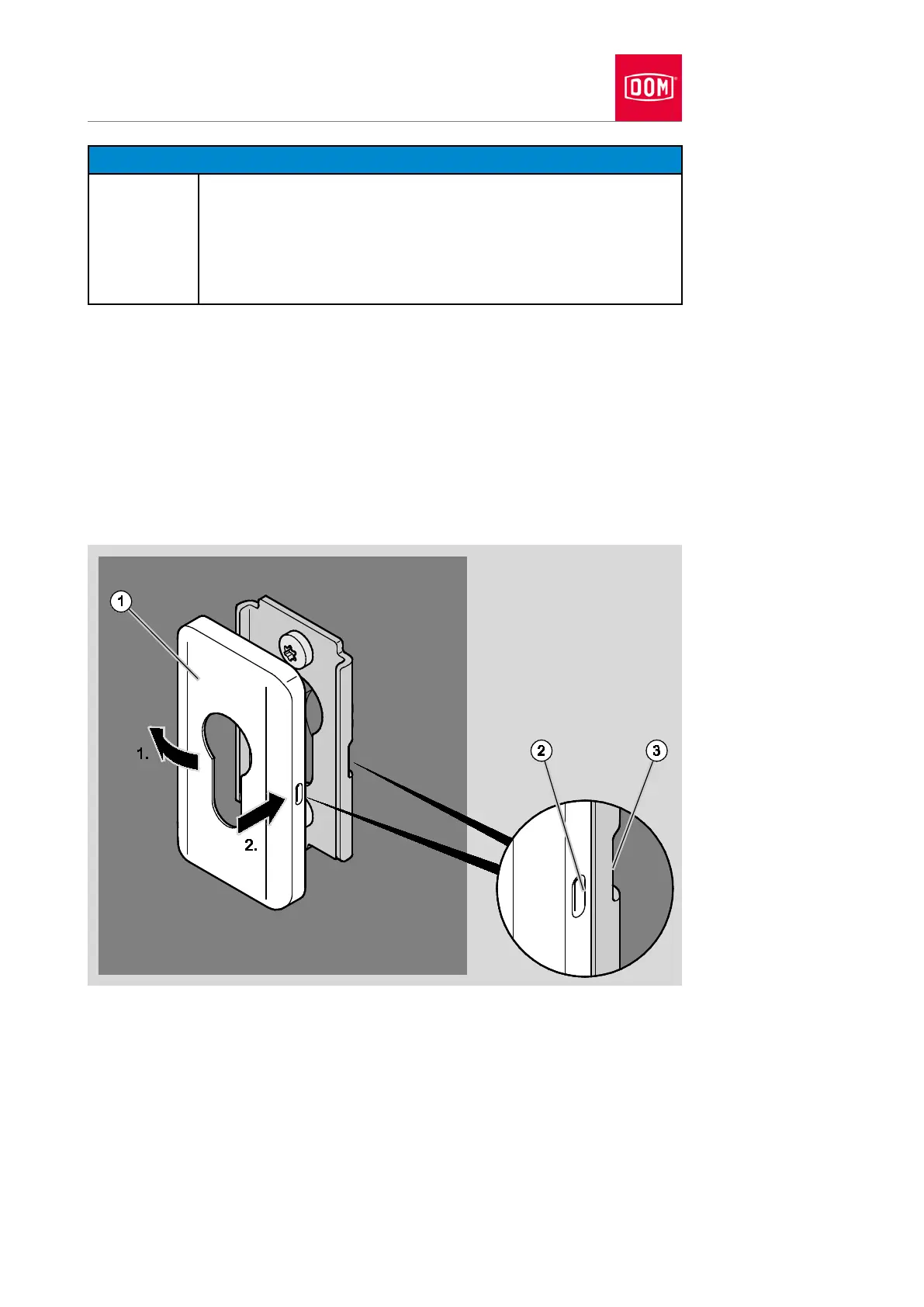
Place the cover of the cylinder rosette (1) on the assembly profile as shown.
You must twist the cover of the cylinder rosette when putting it in position if
this is necessary.
Press the cover of the cylinder rosette laterally onto the assembly profile (1.)
until the locking point of the cover (2) is in contact with the locking point of
the assembly profile (3) (1.).
Press the other side of the cover onto the assembly profile in such a way
that the locking point audibly clicks into place (2).
Check the outer lever handle for flawless functioning (coupling).
If the outer lever handle does not couple flawlessly, align it as follows:
Remove the cover of the outer handle as described in section “Removing
handle” from page 234 onwards.


 To Next Page