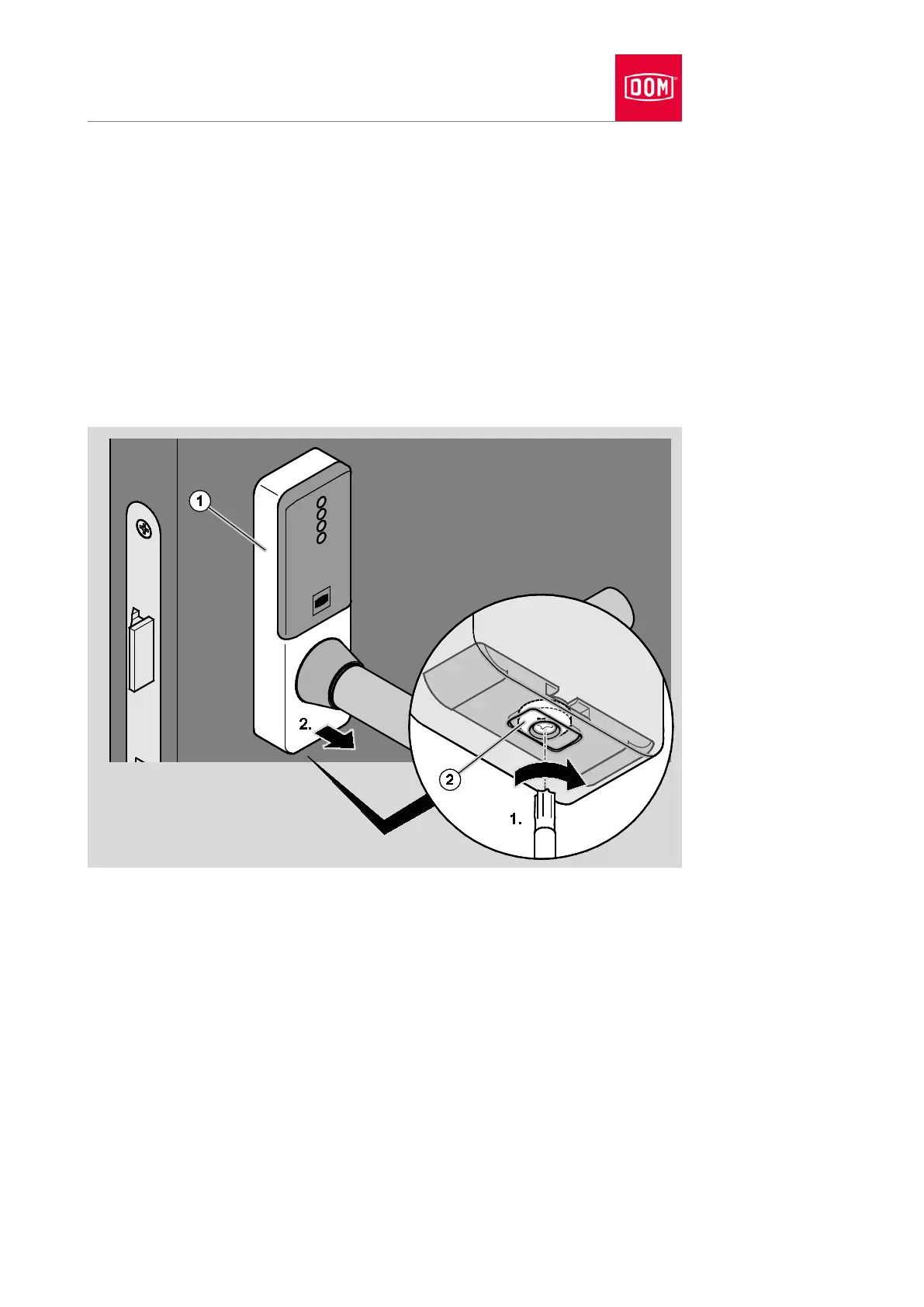
You will require a Torx10 screwdriver to release the screw on the cover
closure.
Proceed as follows to remove the cover from the electronic handle:
Turn the screw (2) on the underside of the cover as seen from below in a
clockwise direction (1) to open the cover closure.
The locking block moves inwards.
Lift the cover (1) away from the assembly profile at the bottom (2.).
Lift the cover away from the assembly profile at the top.
Pull the cover carefully over the lever handle while rotating it.
Removing assembly profiles
The assembly profiles of the handle are removed in the reverse order to
assembly.
Remove the attachment screws of the assembly profiles.
Remove the assembly profiles from the door.
Remove any adapter sleeves which may be present with long nose pliers.


 To Next Page