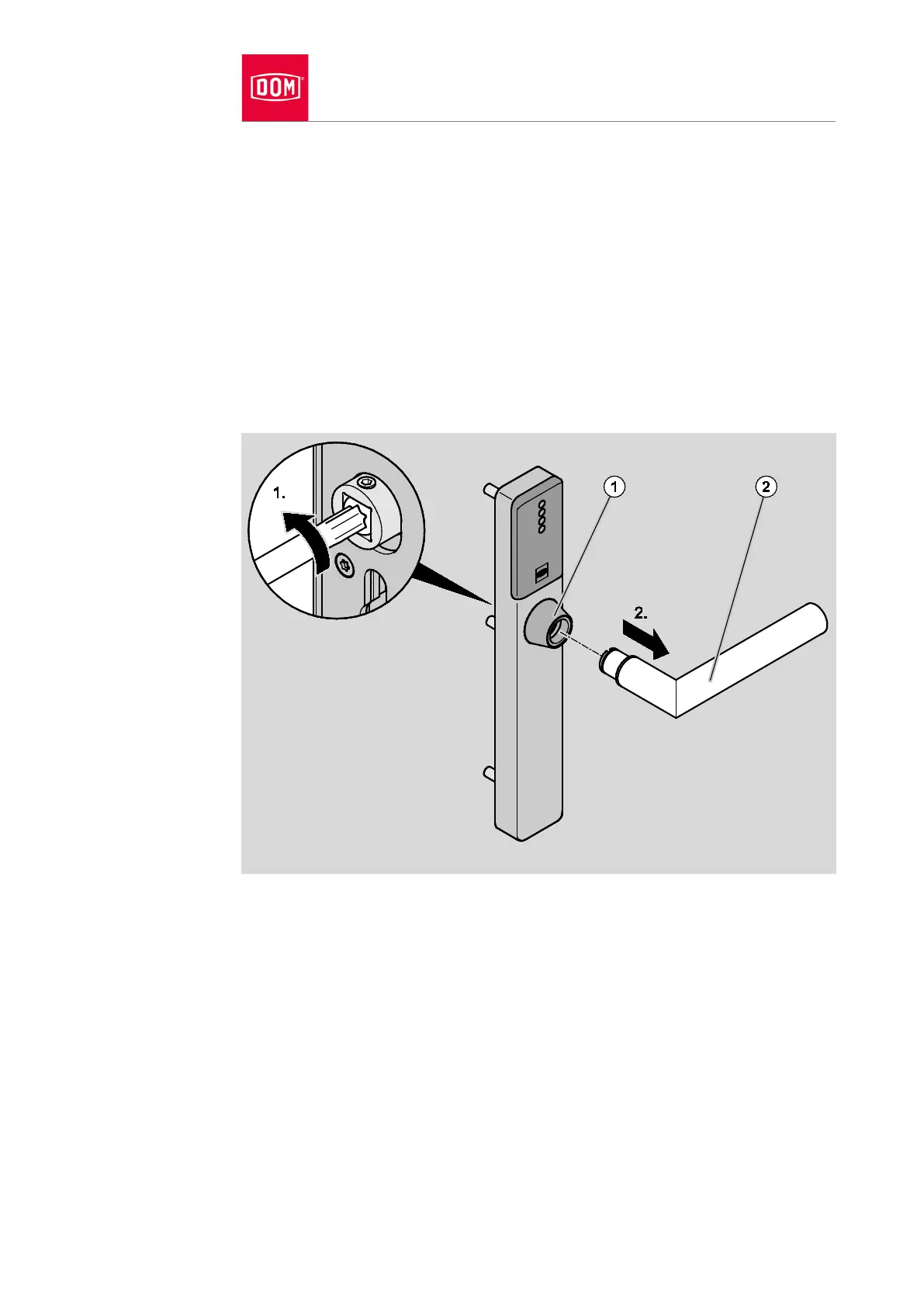
Undo the grub screw on the spindle.
Pull the spindle out of the coupling nut.
Remove any adapter sleeves which may be present with long nose pliers.
Screw the grub screw in a little once you have removed the outer lever
handle.
Removing outer lever handle
Release the TORX screw TX25 on the inside of the coupling nut (1).
Pull the handle (2) out of the lever handle bearing.
Screw the grub screw in a little.
Please proceed as follows to store the handle prior to assembly or following
use:
Store the handle in the original packaging so that it is dry and free of dust.
Store the handle and its electronic circuit in particular at least 15 cm away
from metal objects, transponder and card coils.


 To Next Page