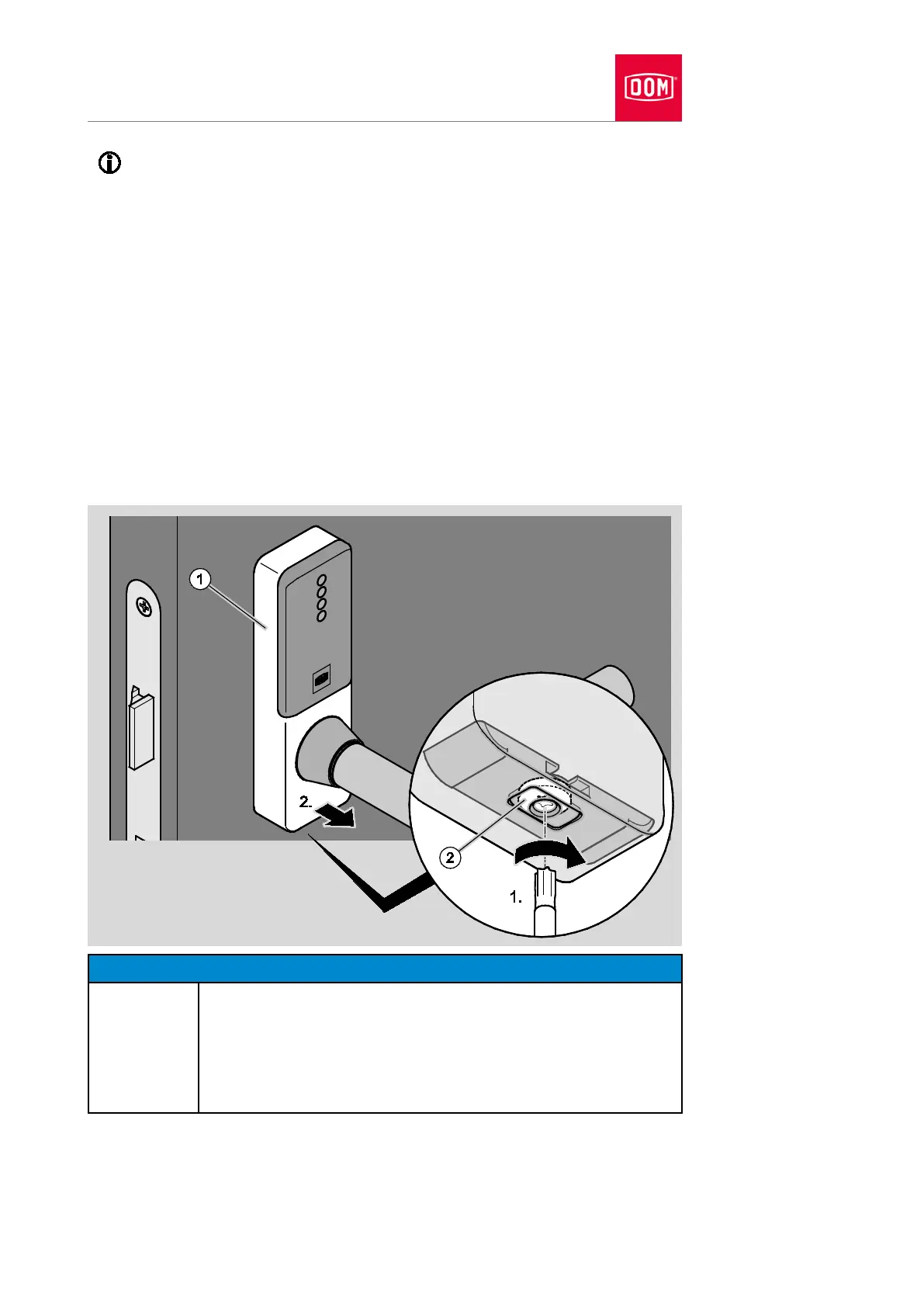
An electronic GUARD Slimline Compact is presented in the following
section. The procedure for other electronic handles is the same as the
one described here.
You will require a Torx10 screwdriver to release the screw on the cover
closure.
Proceed as follows to remove the cover from the electronic handle:
Turn the screw (2) on the underside of the cover as seen from below in a
clockwise direction (1) to open the cover closure.
The locking block moves inwards.
Lift the cover (1) away from the assembly profile at the bottom (2.).
Lift the cover away from the assembly profile at the top.
Pull the cover carefully over the lever handle while rotating it.
Damage to the electronic components of the handle due to
contact possible.
Do not touch the electronic components of the handle.
Touch an earthed object made of metal to discharge any
electrostatic charge before continuing work.
A heater or tap are examples of suitable earthed objects.


 To Next Page