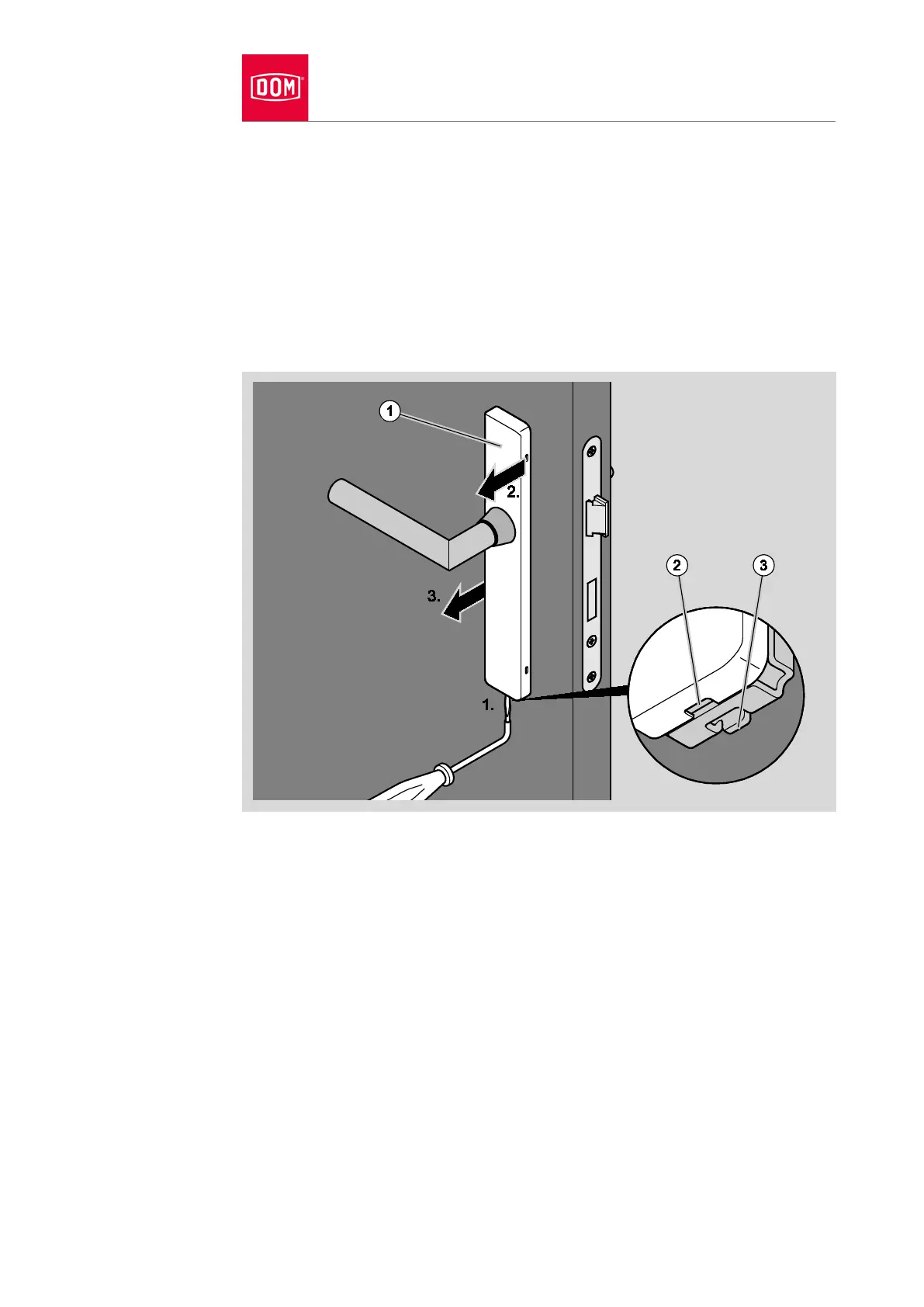
The cover is attached to the assembly profile with lateral catches. To release
the catch, insert a rosette lifter between the recess (2) in the cover and the clip
(3) on the assembly profile.
Release the lateral locking points of the cover (1) from the locking points of
the assembly profile with a rosette lifter (1.).
First of all release the catches on one side of the cover (2.)
Then release the catches on the other side of the cover (3.)
Take the cover away from the assembly profile while twisting carefully.


 To Next Page