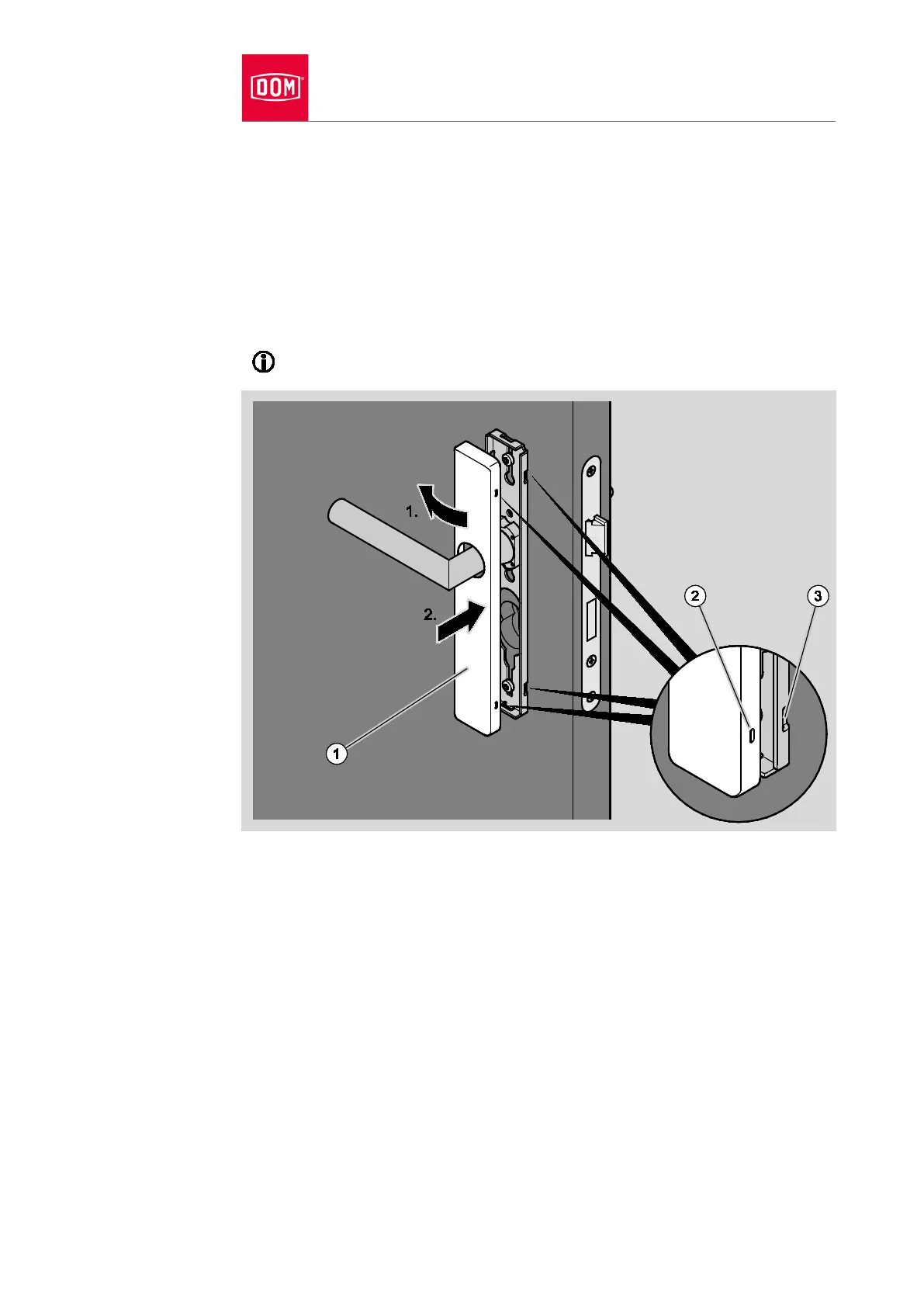
Place the cover (1) over the lever handle as shown.
You must twist the cover when putting it in position if this is necessary.
Press the cover laterally onto the assembly profile (1.) until the locking
points of the cover (2) are in contact with the locking points of the assembly
profile (3) (1.).
Press the other side of the cover onto the assembly profile in such a way
that the locking points audibly click into place (2.).
The diagram which follows shows an example of the attachment.


 To Next Page