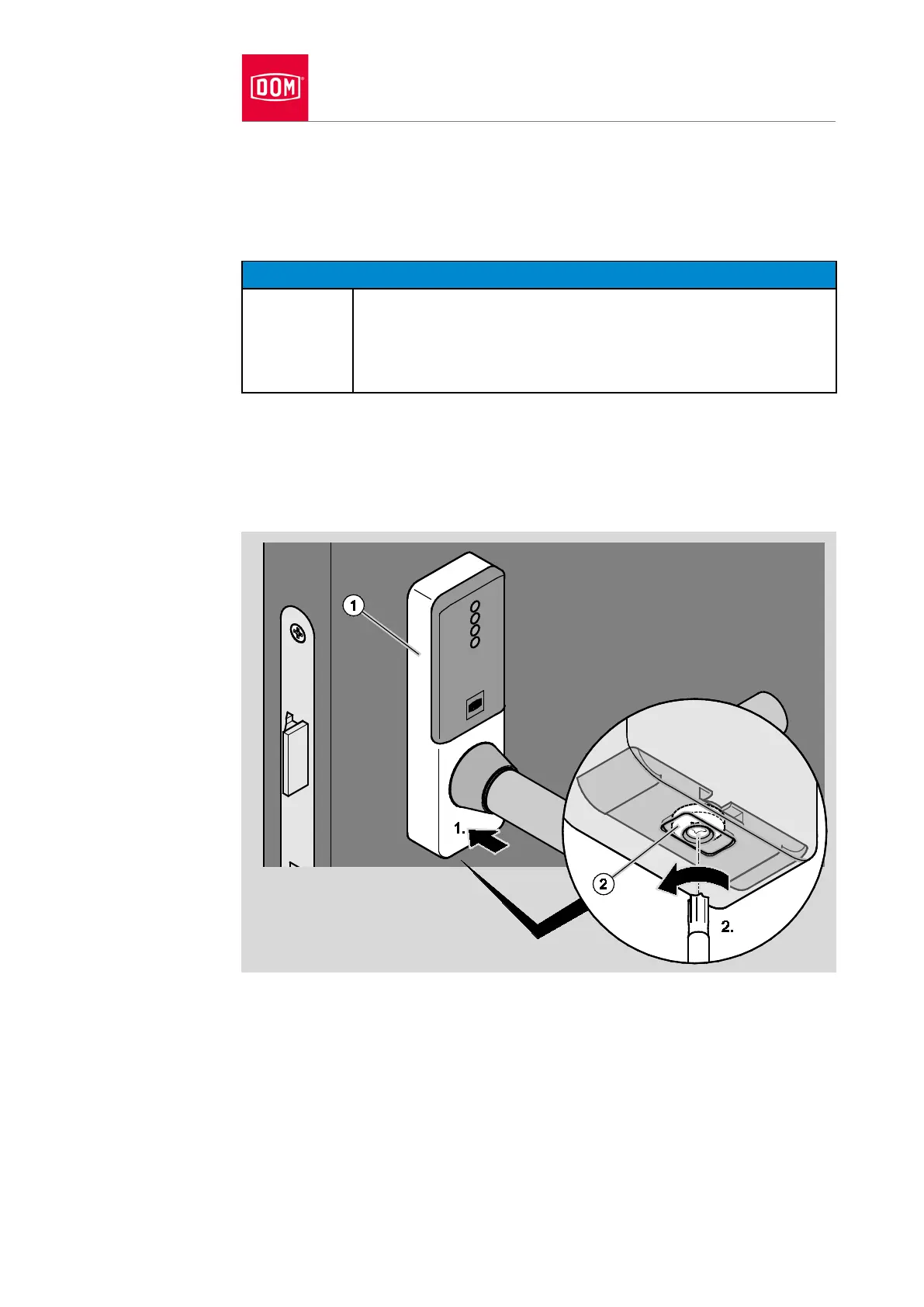
Place the cover (1) on the assembly profile from above first of all as shown.
Then press the cover onto the assembly profile from above and below (1.).
Ensure that the recess at the bottom of the cover is correctly positioned on
the cover closure.
Damage to the cover possible due to excessive tightening of
the screw.
Only tighten the screw (2) so that the plate of the cover
closure holds the cover securely.
Turn the screw (2) on the underside of the cover in an anticlockwise
direction to close the cover closure (2.).
The plate of the cover closure is pushed into the recess on the cover and it
locks the cover.
Check the outer lever handle for flawless functioning (coupling).
If the outer lever handle does not couple flawlessly, align it as follows:
Remove the cover of the outer handle as described in section “Removing
handle” from page 234 onwards.


 To Next Page