28
4. Machine Power-up
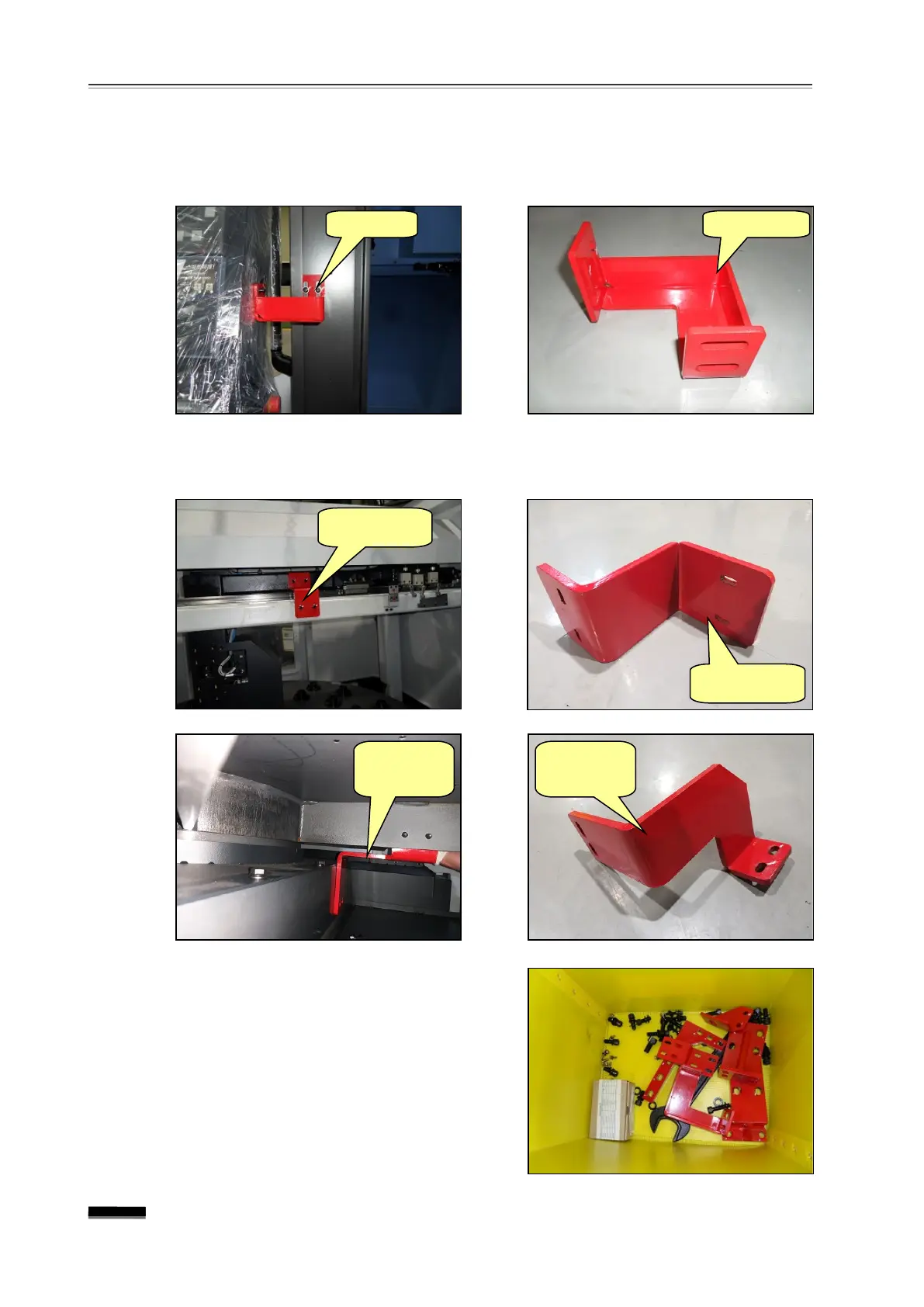
the O.P (Operation Panel) fixing jig
Disassemble and take out the O.P. shipping fixture which secures the O.P. and the
splash guard.
the AWC (Automatic Work Changer) fixing jig (Option)
Disassemble and take out the AWC Gantry Loader and the Pallet Support fixture.
Gather all fixing jigs and fixing bolts to a safe
place and keep them for future use.
▪ If the machine needs to be relocated later
on, be sure to secure the axes using the
fixtures before moving the machine. Store
the fixtures in a safe place for future use.
Support
Support


 To Next Page