87
7. Adjustment of reference points of respective axes and manual TCP adjustment
⑧ By moving the cursor to the stored Table, it is possible to enter the measurement
value stored to the NC.
⑨ A function used to “LOCK” the stored measurement table value. It is displayed as “L
when activated.
⑩ A function used to
UNLOCK
the “LOCKED” Table. If activated, “L” disappears.
ations before using DCP-i
① Checking of the machine accuracy
▪ All items of the feeding level and static precision of the machine must be within the
permissible range.
▪ Pitch error measurement and correction on X, Y, and Z axes must be completed.
▪ The machine origins of X, Y, Z, B, and C axes must be correctly set.
② Touch Probe Preparation
▪ Prepare and install the “Touch Probe” and the “Mast Ball”
with the
setting.
▪ Change the tools with the Touch Probe.
③ Rotation axis reference point return
▪ Perform the C-axis and B-axis reference point return.
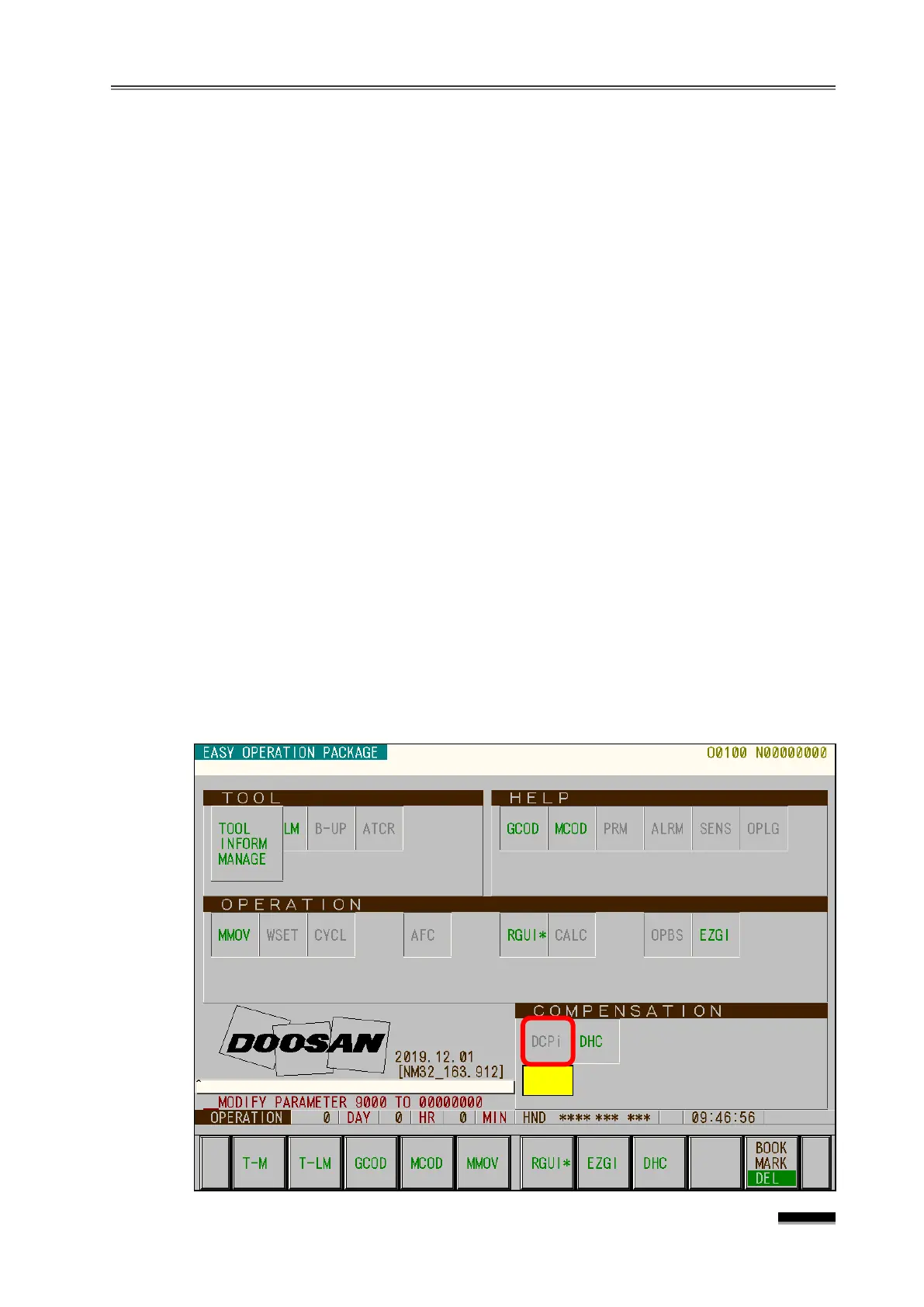
① Press the [CUSTOM1] key to enter the EOP main menu, and press the [DCP-i] soft
key to display the DCP-i screen.
▪ If the DCP-I Soft Key is not activated, move the cursor to “ DCP-i ” during
“ COMPENSATION” and press “ ENTER “. ( “ A ” )


 To Next Page