S
S
o
o
c
c
i
i
a
a
l
l
L
L
o
o
g
g
i
i
n
n
a
a
n
n
d
d
P
P
I
I
N
N
L
L
o
o
g
g
i
i
n
n
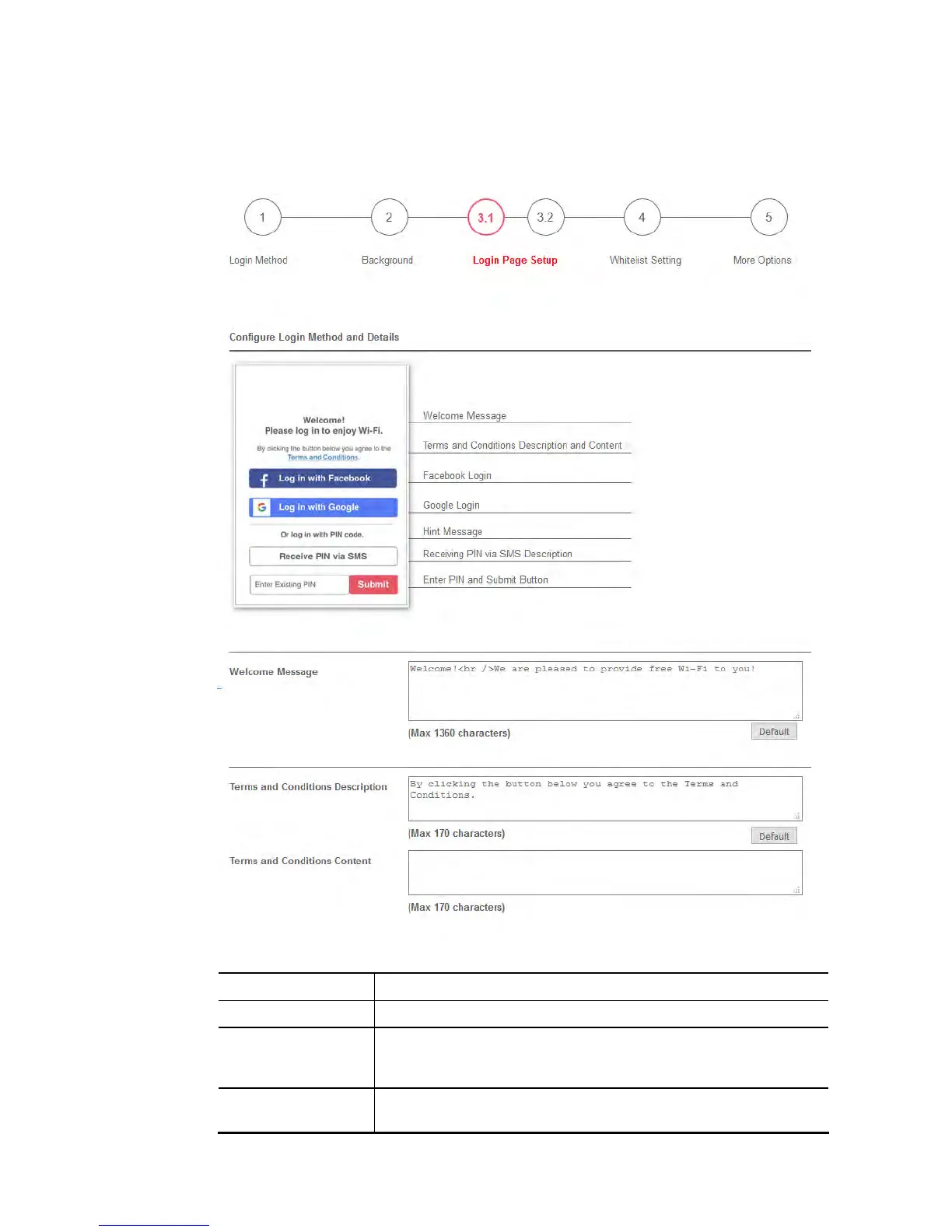
This section describes the Login Page setup step if you have selected PIN Login and/or Social
Login as the Login Mode. You will see only settings that are relevant to the selected login
mode(s).
Settings that are common to Facebook, Google and PIN authentication are:
Item Description
Welcome Message Enter the text to be displayed as the welcome message.
Terms and
Conditions
Description
Enter the text to be displayed as the Terms and Conditions
hyperlink text.
Terms and
Conditions Content
Enter the text to be displayed in the Terms and Conditions pop-up
window.














 To Next Page