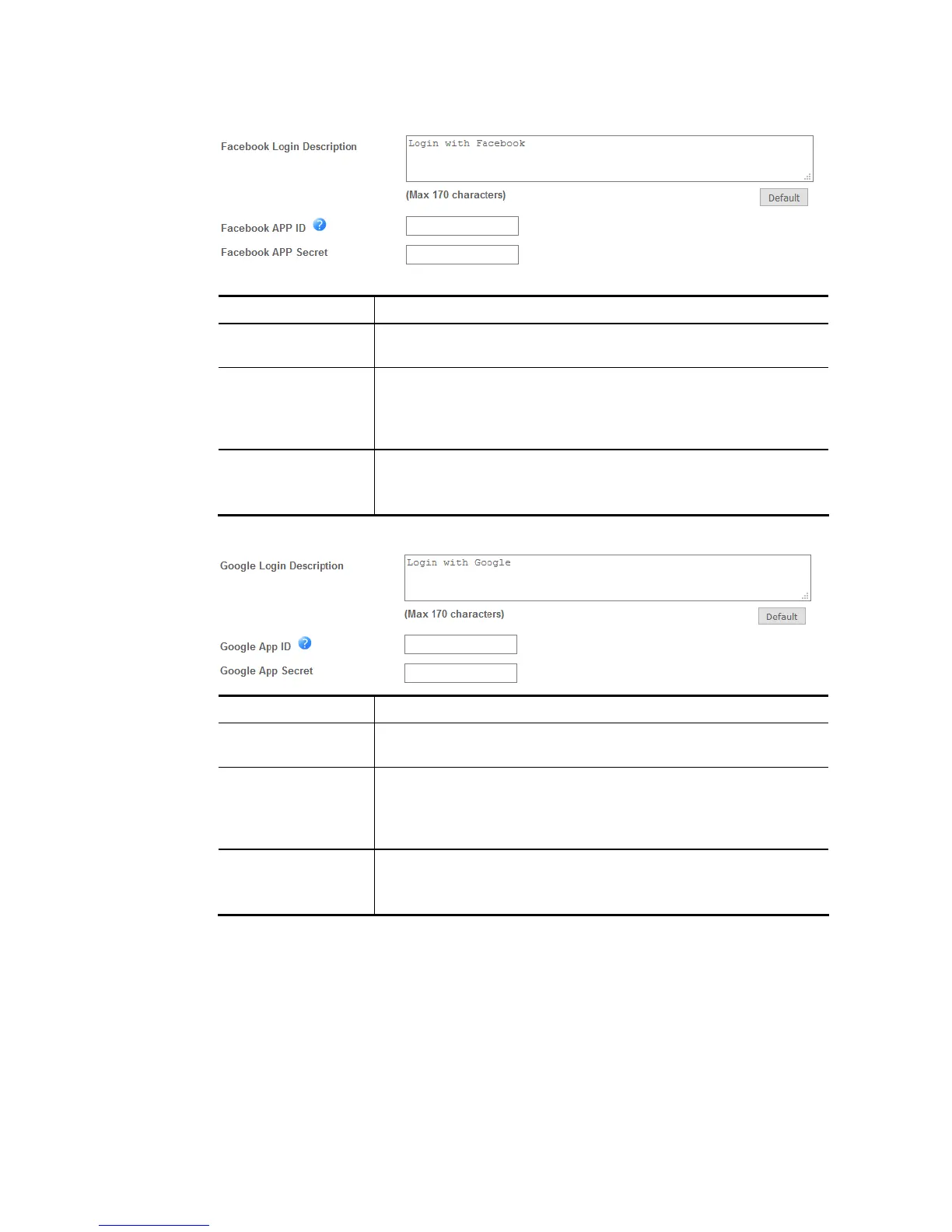
If you have selected Facebook login, these settings will appear:
Item Description
Facebook Login
Description
Enter the text to be displayed on the Facebook login button.
Facebook APP ID Enter a valid Facebook developer app ID.
If you do not already have an app ID, refer to section A-1 How to
create a Facebook App ID for Web Portal Authentication for
instructions on obtaining an APP ID.
Facebook APP
Secret
Enter the secret configured for the APP ID entered above.
Refer to section A-1 How to create a Facebook App ID for Web
Portal Authentication for details.
If you have selected Google login, these settings will appear:
Item Description
Google Login
Description
Enter the text to be displayed on the Google login button.
Google App ID Enter a valid Google app ID.
If you do not already have an app ID, refer to section A-2 How to
create a Google App ID for Web Portal Authentication for
instructions on obtaining an APP ID.
Google App Secret Enter the secret configured for the APP ID entered above.
Refer to section A-2 How to create a Google APP ID for Web Portal
Authentication for details.
If you have selected PIN login, these settings will appear:














 To Next Page