D 4.7 16
D_4.7_01_GB.fm 16-34
Screed stop with prestressing
Similarly to the screed charging and relieving function, a pressure between 2 and 50
bars can be generated with the lifting cylinders of the screed. This pressure will act
against the weight of the screed in order to prevent its lowering into the freshly laid
material and so the screed stop function is assisted if the screed works with relieving.
The pressure to be applied depends on the load-bearing capacity of the material. If
necessary, the pressure must be readjusted or changed as required during the first
stops until the lower edge of the screed no longer leaves any marks when the paver
finisher moves on again.
A pressure greater than 10-15 bar neutralizes the screed weight, thus preventing the
screed from sinking into the material.
A
In case of the combination of „screed stop“ and „screed relieve“ functions, make sure
that the pressure difference between the two functions should not be more than 10–
15 bar.
Especially in those cases where the ”screed relieving” function is only briefly used as
a start-up aid, there is a danger of uncontrolled floating when starting up again.
A
If paving is performed with the „screed charge“, do not use the „stopping of screed
with pretensioning“ function.
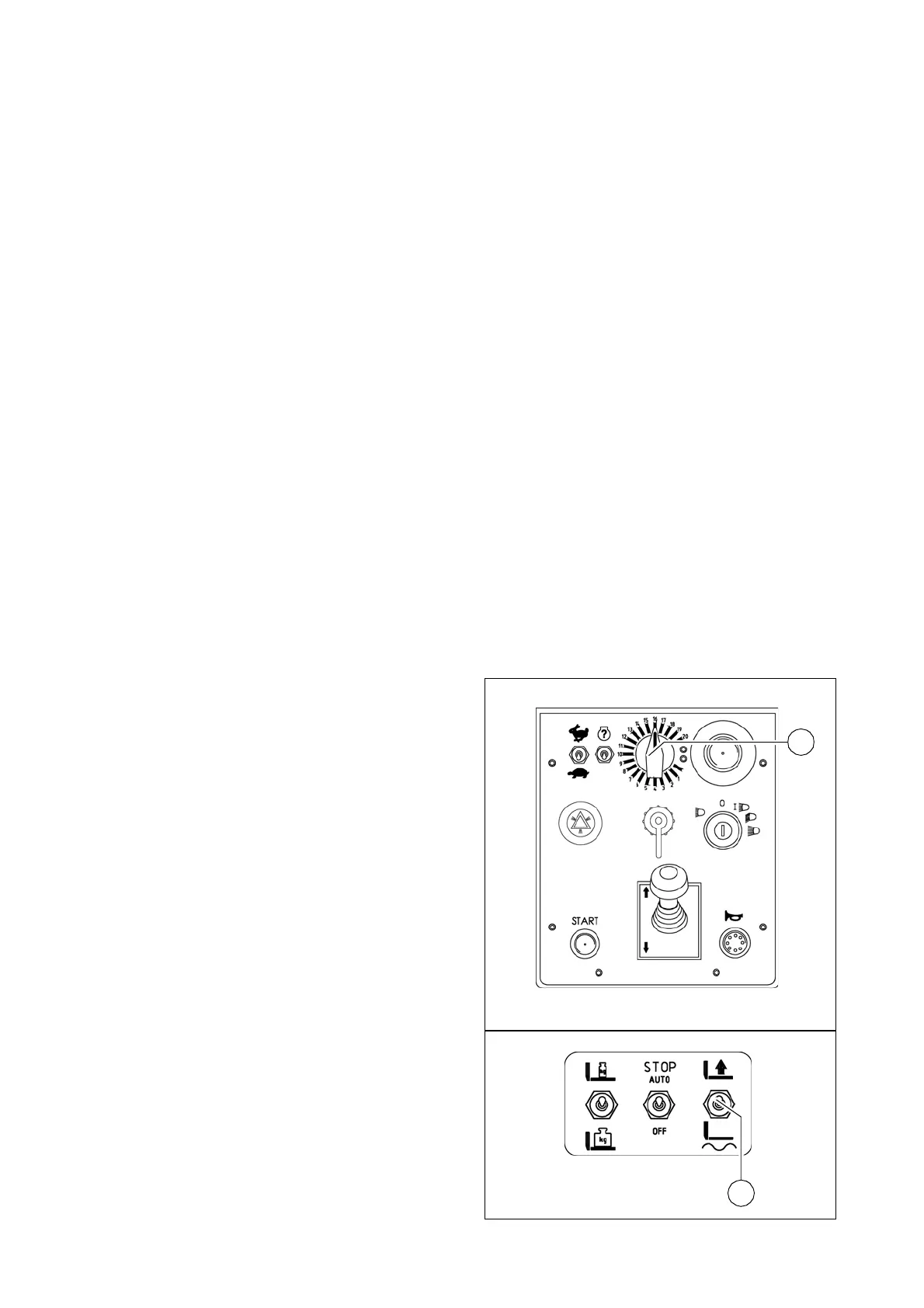
Adjusting the pressure
Pressure adjustments can only be made
while the diesel engine is running.
Therefore:
- Start the Diesel engine, turn the feed
regulator (1) down to zero.
- Set switch (2) to the "floating position".
Element2_konv_Rad_656.bmp
1
Screedswitch_al_oldl.bmp
2
B
A
C



 To Next Page