Guangzhou EC-PACK Packaging Equipment Co., Ltd.
EC-JET 1000Pro Continuous Inkjet Printer
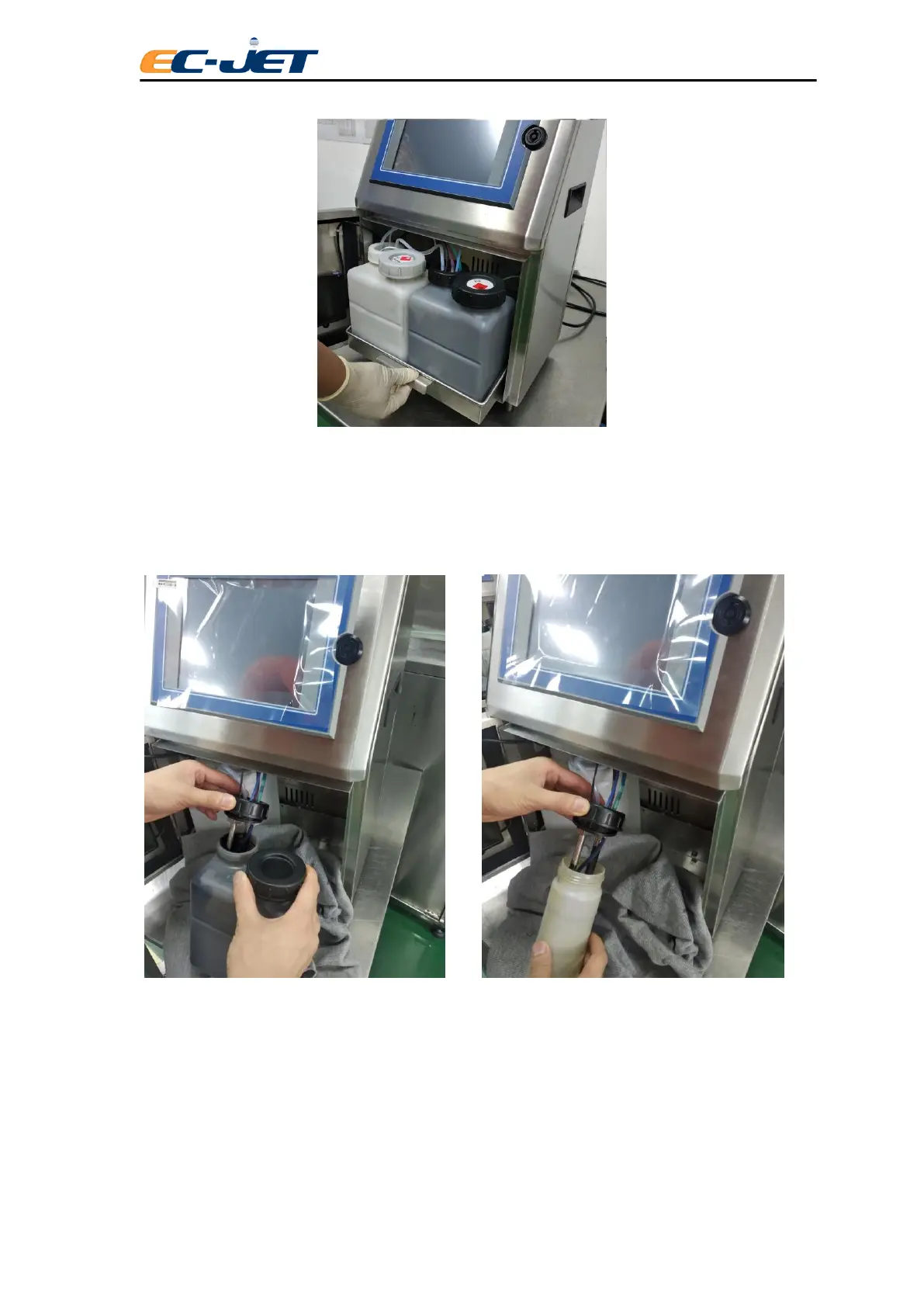
3. Take out the ink tank, put a clean cloth or paper under the ink tank, unscrew the
connector of the ink routine, take out the ink dip tube and level sensor carefully then put
into the SMART bottle, show as following picture, screw the connector of routine.
4. Follow the same instruction, replace the solvent tank with SMART solvent bottle.
5. Screw the ink tank and solvent tank cap, then store in case avoiding high
temperature and fire.
6. Clean the SMART ink and solvent bottle and put in the ink-system bracket, setup
the bracket, screw the thumb and close the ink-system door.
7. Pack the machine, send back to agents or resellers, EC-JET and agents or
resellers will provide you more dedicated service.



 To Next Page