150
150
Audio Operations
How to Use XM Satellite Radio
When an optional XM satellite radio tuner is
connected, XM satellite radio broadcasts can
be received.
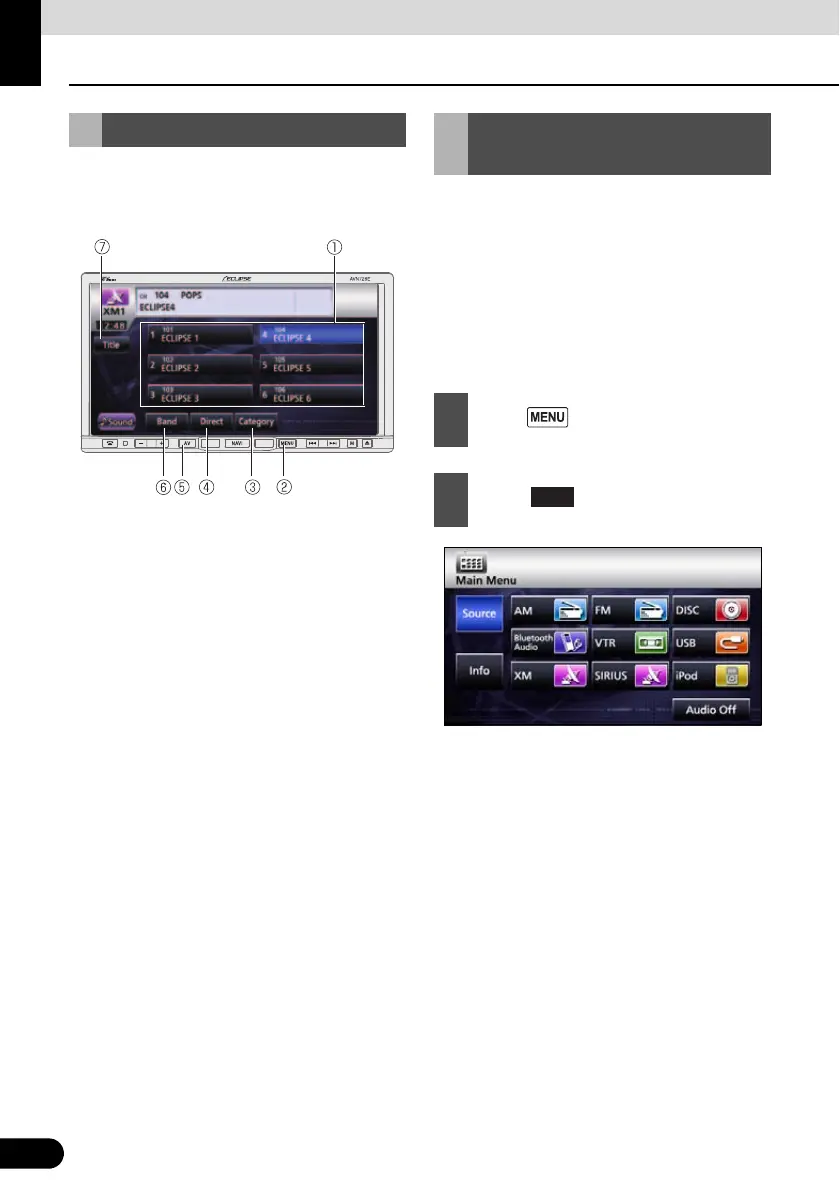
a Preset switch
b MENU button
c Category switch
d Direct switch
e AV button
f Band switch
g Title switch
With XM satellite radio, over 100 channels
are available including music, news, and
entertainment programs.
You can select the channel you want from
categories such as DANCE and ROCK, or
you can select a channel by entering it
directly.
XM satellite radio is a subscriber service.
Using XM Satellite Radio Listening to XM satellite
radio
1
Press .
2
Touch .
XM



 To Next Page