25
25
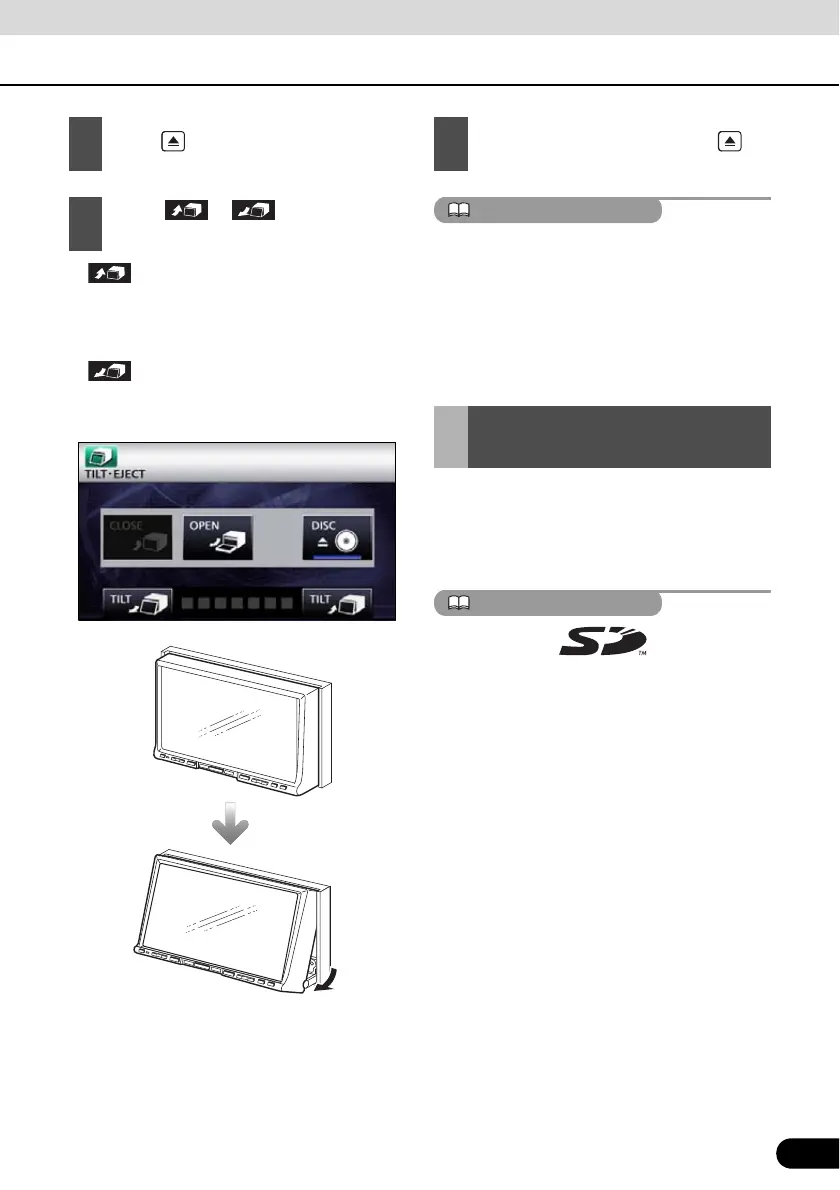
● :
Each touch returns the display from the
tilted state by 1 step (5°). (Maximum 7
steps, 35°)
● :
Each touch tilts the display by 1 step (5 °).
(Maximum 7 steps, 35°)
● You can open the display even when it is
tilted. When you close the display, it returns
to the preset angle.
● If you tilt the display and turn the ignition key
OFF, the display will return to the upright
position. However, when you turn the
ignition key to the ACC or ON position, the
display returns to the preset angle.
● “SD memory card” slot of this unit is used
for map update.
● Once all our map update service are set,
we will announce it on our homepage.
SD Logo is a trademark.
1
Press .
2
Touch or of the angle
adjustment.
3
After adjusting the angle, press
About “SD memory card”
slot



 To Next Page