90
90
Navigation Guidance
Navigation Guidance
If you know at least a part of the address, this
is the quickest way to select the destination of
the route.
Using the same screen, you can find an
address by entering:
● The exact address, including house
number
● A city center
● An intersection
● The midpoint of a street
● Any of the above, starting the search with
the ZIP code (See page 95)
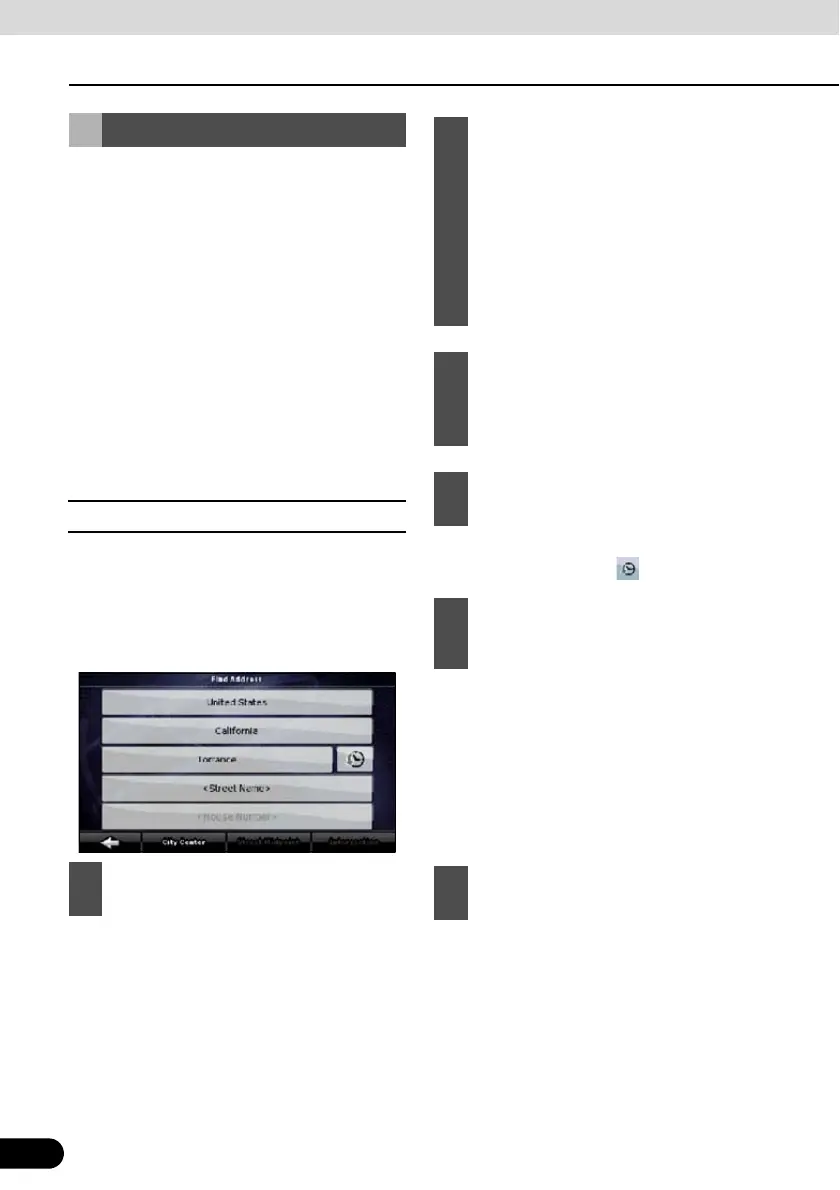
■ Entering Address
In some countries, a state name may be
included in the address. If any of these
countries or a country from the list of country
names is selected, 5 lines appear on the
screen.
● To select the city from the list of recently
used ones, touch the switch.
● Start entering the city name on the key
board.
● After entering a couple of characters, the
names that match the string appear in a
list.
● Touch [Done] to open a list of results
before one appears automatically.
Setting from Address
1
Touch the following switches: [Find
Address] (Advanced mode)
2
By default, Navigation proposes the
country/state and city where you are. If
needed, touch the switch with the
name of the country on it, and select a
different one from the list. When
selecting a new country, you need to
either select a state or, to search for a
city regardless of your current state,
touch [<All states>].
3
Even when you do not change
countries, you may change state.
Touch the state name switch, and
select from the list.
4
If needed, change the city.
5
Touch the following switches. After
changing the country/state, touch
[<City Name>] .
6
Pick the city from the list.



 To Next Page