48
48
Operation
Navigation Overview
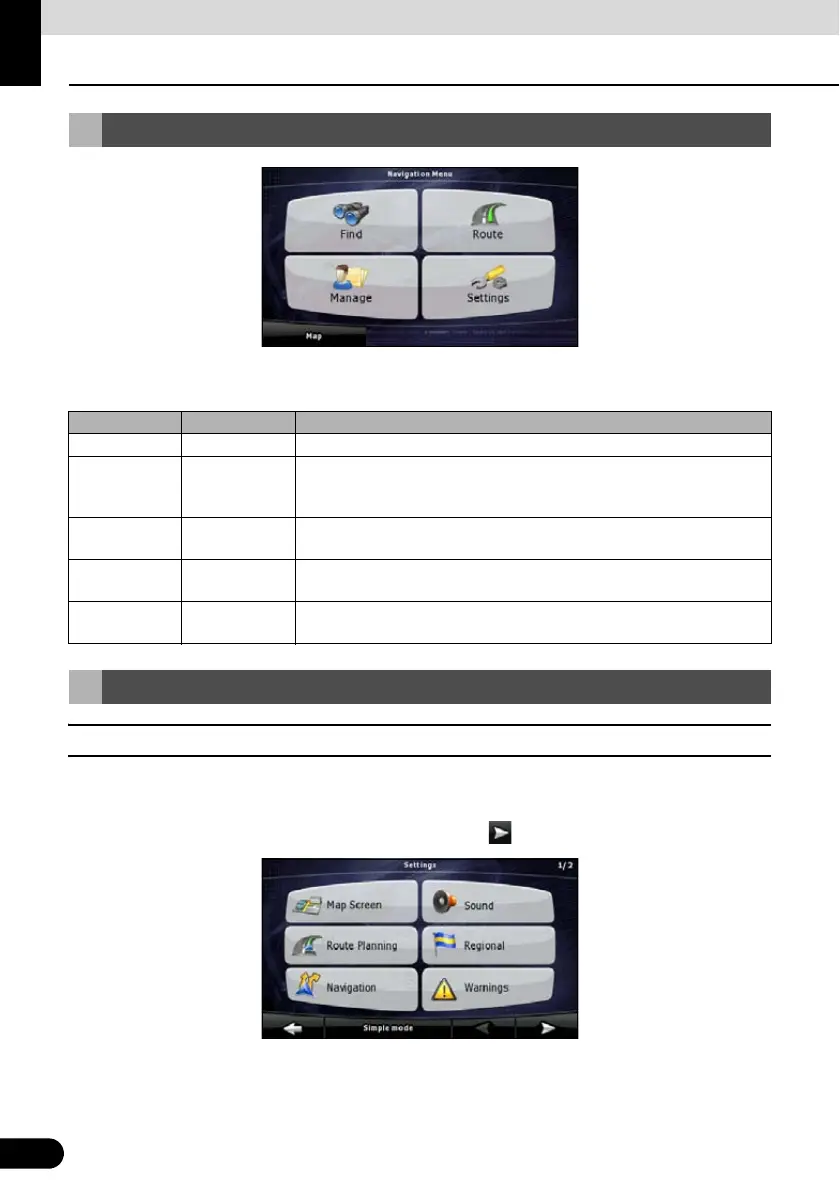
This is the Navigation menu. From here, you can access the following screens. Touch the
following switch on map screen: [Menu]
■ Settings menu
You can configure the program settings, and modify the behavior of Navigation. Touch the
following switches: [Menu], [Settings]
The Settings menu has two pages of submenus. Touch to access the other options.
Navigation Menu
Screen Touch switch Description
Map [Map] The Map screen.
Find [Find] Select destination (for example an address or a POI) or use the search
engine of Navigation for any other reason (for example to look for the
phone number of a POI).
Route [Route] Manage an active route (obtain information relating to route, modify or
delete route or part of route.) Also, plan route without GPS reception.
Manage [Manage] Manage user data such as saved locations (POI, Favorites, Pins, and
History), saved routes, and Track Logs.
Settings [Settings] Manage the behavior of Navigation, including the map layout during
navigation, language and warnings.
Navigation Details Setting Screen



 To Next Page