EasyManua.ls Logo

Eclipse AVN726E - Page 49

Eclipse AVN726E
230 pages
Print Icon
To Next Page IconTo Next Page
To Previous Page IconTo Previous Page
Loading...
47
47
Type
Example
Description How to use
Touch
switch
a Touch to
initiate a
function, to
open a new
screen, or to
set a
parameter.
Only one touch
is required.
Icon b Shows status
information.
Some icons
also function
as switches.
Only one touch
is required.
List c When you
need to select
from several
options, they
appear in a list.
Move between
pages by
touching the
switches of c.
Slider d When a feature
has several
different
unnamed
values,
Navigation
shows an
indicator on a
gauge for
displaying and
setting a value
from a range.
Drag the
handle to
move the
slider to its
new
position.
Touch
position of
handle on
slider. Move
your finger.
Check
switch
e When there
are only two
options, a
checkmark
shows whether
the feature is
enabled.
Touch to turn
the switch on
or off.
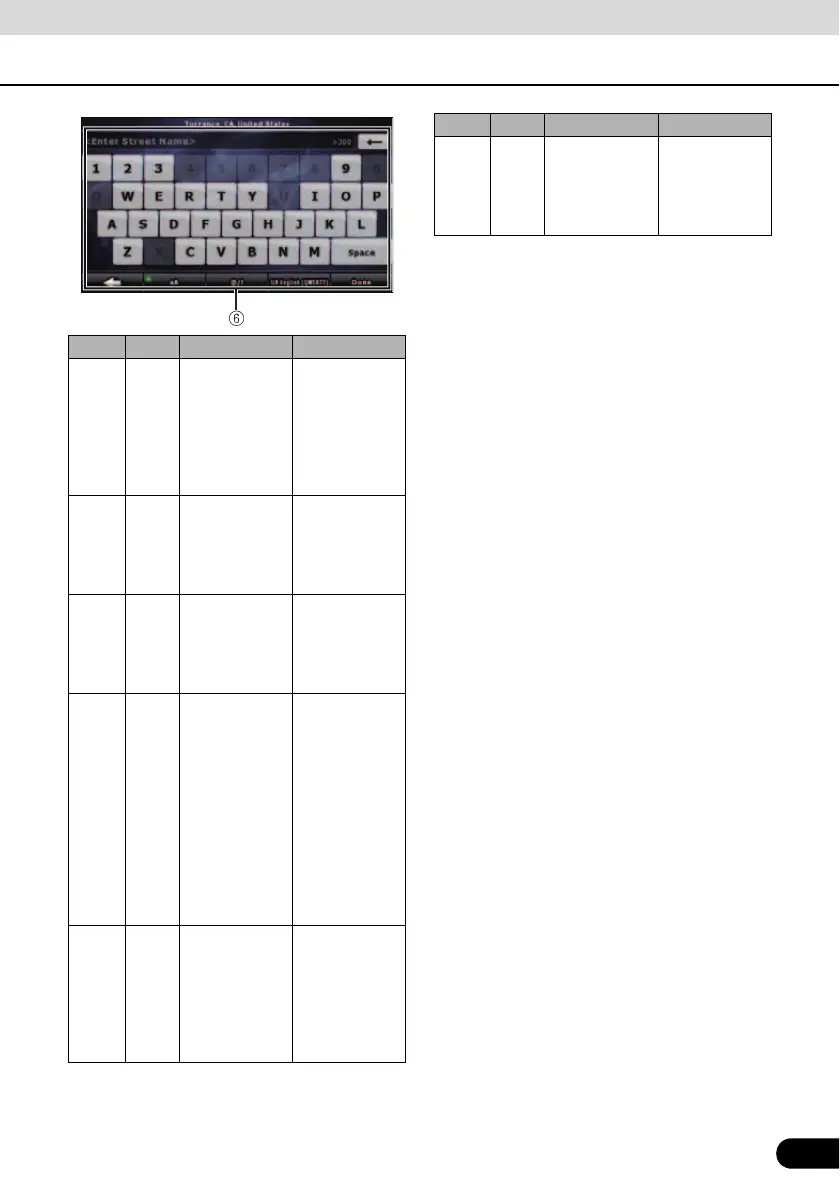
Virtual
keybo
ard
f Alphabetic and
alphanumeric
keyboards to
enter text and
numbers.
Each key is a
touch screen
switch.
Type
Example
Description How to use

Table of Contents

Other manuals for Eclipse AVN726E

Related product manuals