205
205
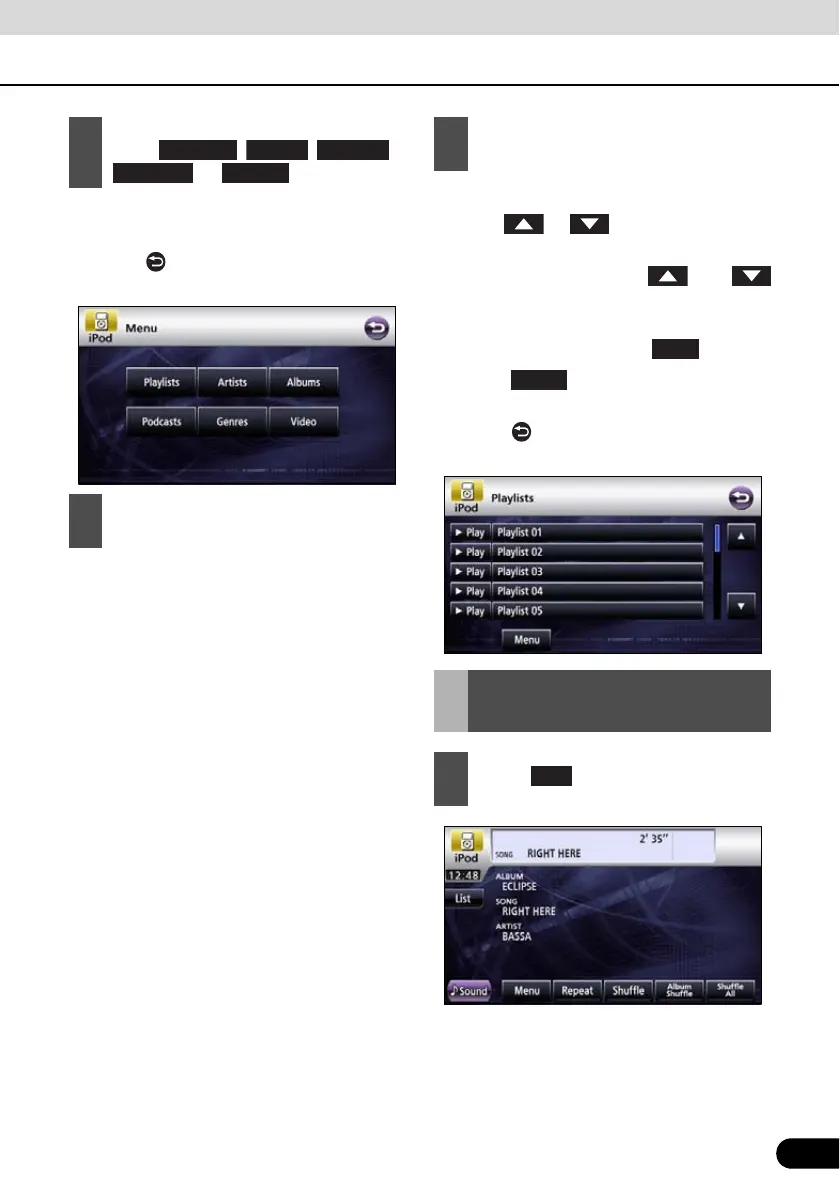
● This displays the list screen of the selected
mode.
● Touch to return to the immediately
preceding screen.
● Repeat until the track screen is displayed.
The order depends on the selection modes
as follows.
Playlist:
Playlist J track screen
Album:
Album screen J track screen
Artist:
Artist screen J album screen J track
screen
Podcasts:
Podcasts screen J Podcasts screen J
track screen
Genre:
Genre screen J artist screen J album
screen J track screen
● This plays the selected music file.
● When or appears, touch them
to change the page of the music file list.
● You cannot operate the and
switches when your car is running.
● Music file in the list is played from the
beginning by touching the .
● Touch and the menu screen is
displayed.
● Touch to return to the immediately
preceding screen.
2
To select a track or program to play,
touch , , ,
, or .
3
Touch the list to listen.
Playlists
Albums
Podcasts Genres
4
Touch the name of the music file to be
played.
View the list of playing
back
1
Touch .
Play



 To Next Page