83
83
When a POI group is open for editing:
When a POI item is open for editing:
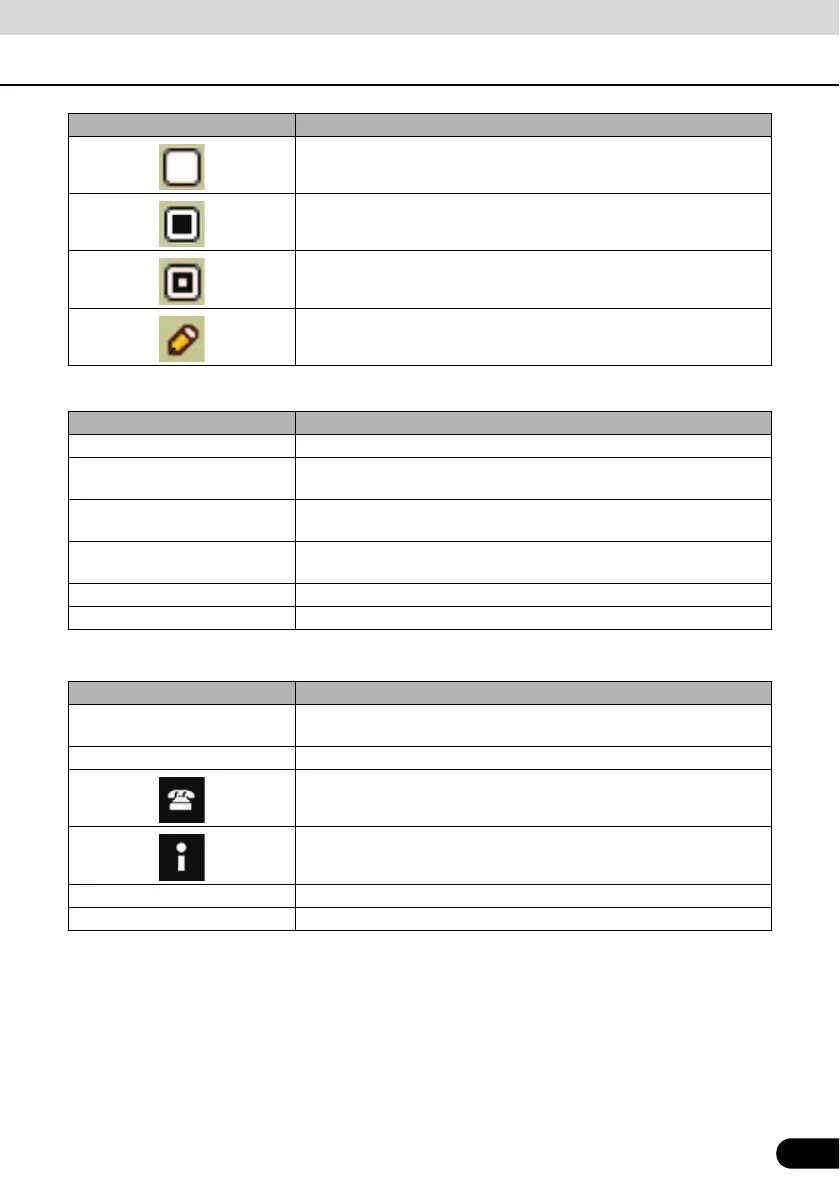
This POI group is not shown on the map.
This POI group and all its subgroups are shown on the map.
This POI group and some of its subgroups are shown on the map.
This POI group contains POIs that you saved.
Touch switch Description
[Off] Items in the POI group will not be shown on the map.
[Close], [Medium], [Far Ahead],
[Satellite]
The distance switches set the zoom level at which to show the items in
the POI group on the map.
[Same Visibility in Subgroups] Subgroups under the edited POI group will inherit the visibility settings
of the POI group.
Switch including icon of POI
group
Touch this switch to select a new icon for the POI group.
[Rename] Rename edited POI groups.
[Remove] Delete edited POI groups. Created POI groups can only be deleted.
Touch switch Description
Switch including name of POI
group
Touch this switch to rename the POI.
Switch including POI icon Touch this switch to select a new icon for the POI.
Touch this switch to enter a telephone number for the POI.
Touch this switch to enter additional information for the POI.
[Delete] Touch this switch to delete the selected POI.
[Change Group] Touch this switch to move the POI to another POI group or subgroup.
Touch switch/icon Description



 To Next Page