Operating panel devices
EST2 System Operations Manual 2.17
“0” indicates a normal condition for the associated parameter;
“1” indicates a fault.
Table 2-6: General status legend
Legend Cause
ACp AC Power
Gnd Ground Fault
Bat Battery
Ann Remote Annunciator
MPw NAC Power
Prn Printer
Spw Smoke Power
Dia Dialer
Viewing the loop status screens
To view the loop status screens:
1. At the 2-LCD, press Status.
2. Enter a level 1, 2, or 3 password.
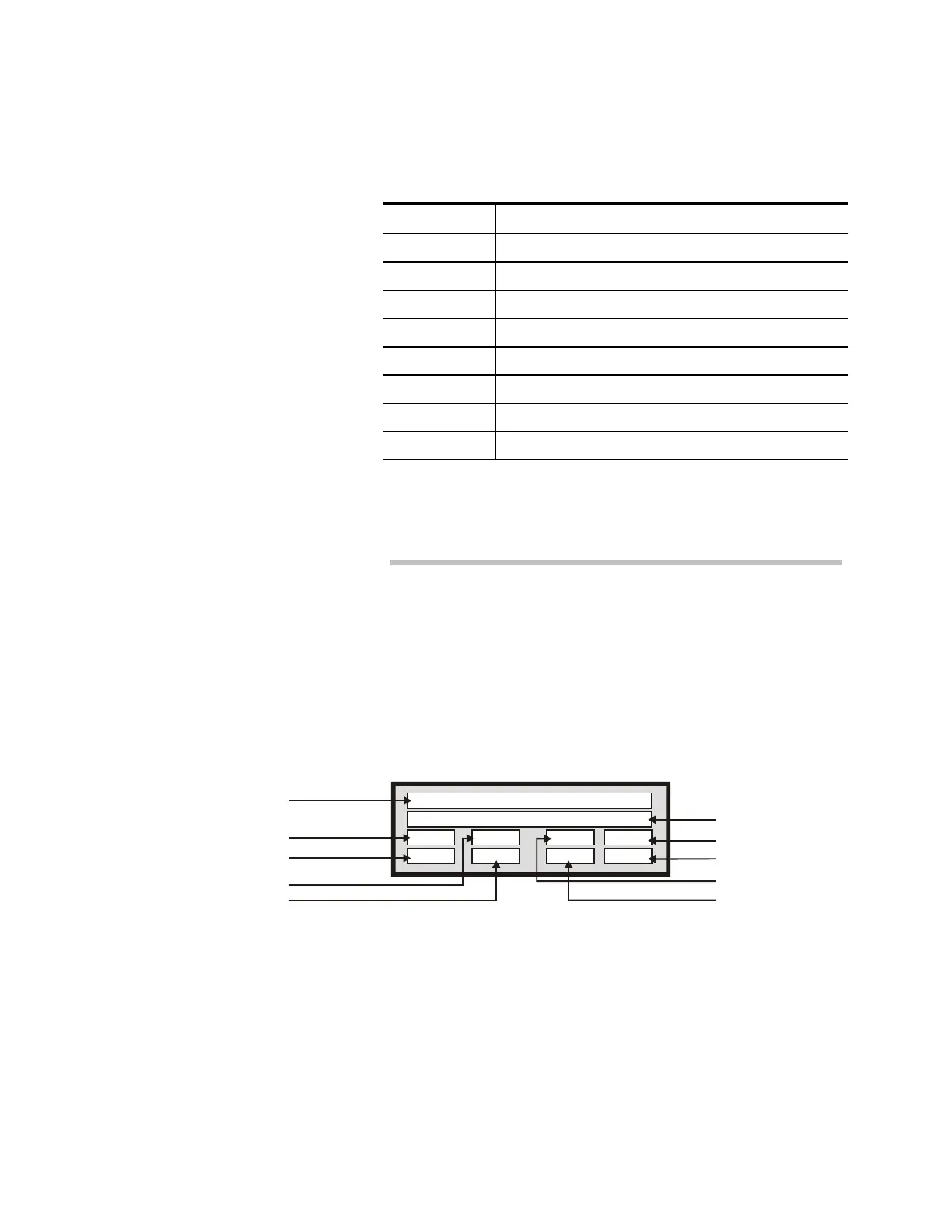
3. Press Enter until you see the loop 1 status screen (Figure
2-6).
4. Press Enter one more time to see the loop 2 status screen.
The loop 2 status screen displays the same items as the loop 1
status window.
Circuit ID
Communications
Programming
Circuit Reset
Circuit Ground Fault
Status Legend
Mapping in Progress
Map Fault
Balanced Map
Class A Line Fault
Loop 1 status:
1= flt/act, 0=ok/inact.
Com0
Res0 Bal0
Mpg0
Prg0 Gnd0 Lin0 Map0
STDOP005.CDR
Figure 2-6: Loop status screen
“0” indicates a normal condition for the associated parameter;
“1” indicates a fault.



 To Next Page