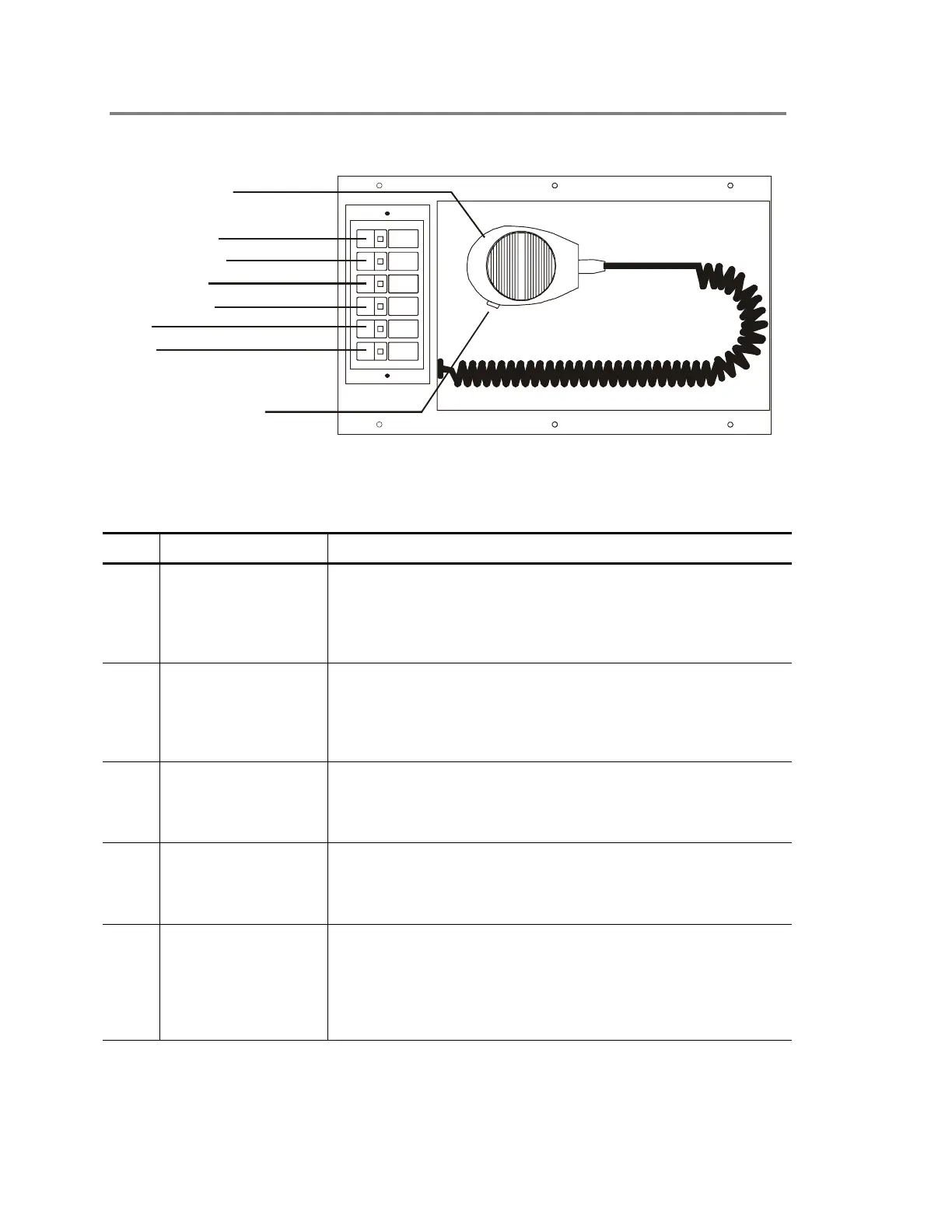
Operating panel devices
2.42 EST2 System Operations Manual
Operating the 2-MIC
PHONE TO EVAC
PHONE TO ALERT
PAGE TO EVAC
PAGE TO ALERT
EVAC
ALERT
Push-to-Talk (PTT) switch
STDOP037.CDR
Microphone handset
Figure 2-27: 2-MIC microphone module
Table 2-10: 2-MIC controls and indicators
Item Control Description
1 Phone to Evac switch When pressed, the Phone to Evac switch immediately connects
the firefighter telephone (2-TEL) to the building's evacuation area
through the paging system. The Phone to Evac switch features
an integral LED, which lights when it is active. See Table 2-11
(item 4) for the application of this switch to the 2-TEL.
2 Phone to Alert switch When pressed, the Phone to Alert switch immediately connects
the firefighter telephone (2-TEL) to the building's alert area
through the paging system. The Phone to Alert switch features
an integral LED, which lights when it is active. See Table 2-11
(item 5) for the application of this switch to the 2-TEL.
3 Page to Evac switch When pressed, the Page to Evac switch enables the microphone
and directs its output to the building's evacuation area through
the paging system. The Page to Evac switch features an integral
LED, which lights when it is active.
4 Page to Alert switch When pressed, the Page to ALERT switch enables the
microphone and directs its output to the building's alert area
through the paging system. The Page to ALERT switch features
an integral LED, which lights when it is active.
5 Evac switch When pressed, the Evac switch manually activates the
evacuation signal. The Evac switch features an integral LED,
which lights when it is active. The Evac switch requires manual
activation of the desired evacuation areas on the LED
annunciator/switch modules. See the site-specific instructions for
information on selecting specific areas within your facility.



 To Next Page