Operating panel devices
2.44 EST2 System Operations Manual
Operating the 2-TEL
STDOP036.CDR
Telephone handset
2-MIC controls
SILENCE CALL IN PHONE CALL IN SILENCED
PHONE TO EVAC
PHONE TO ALERT
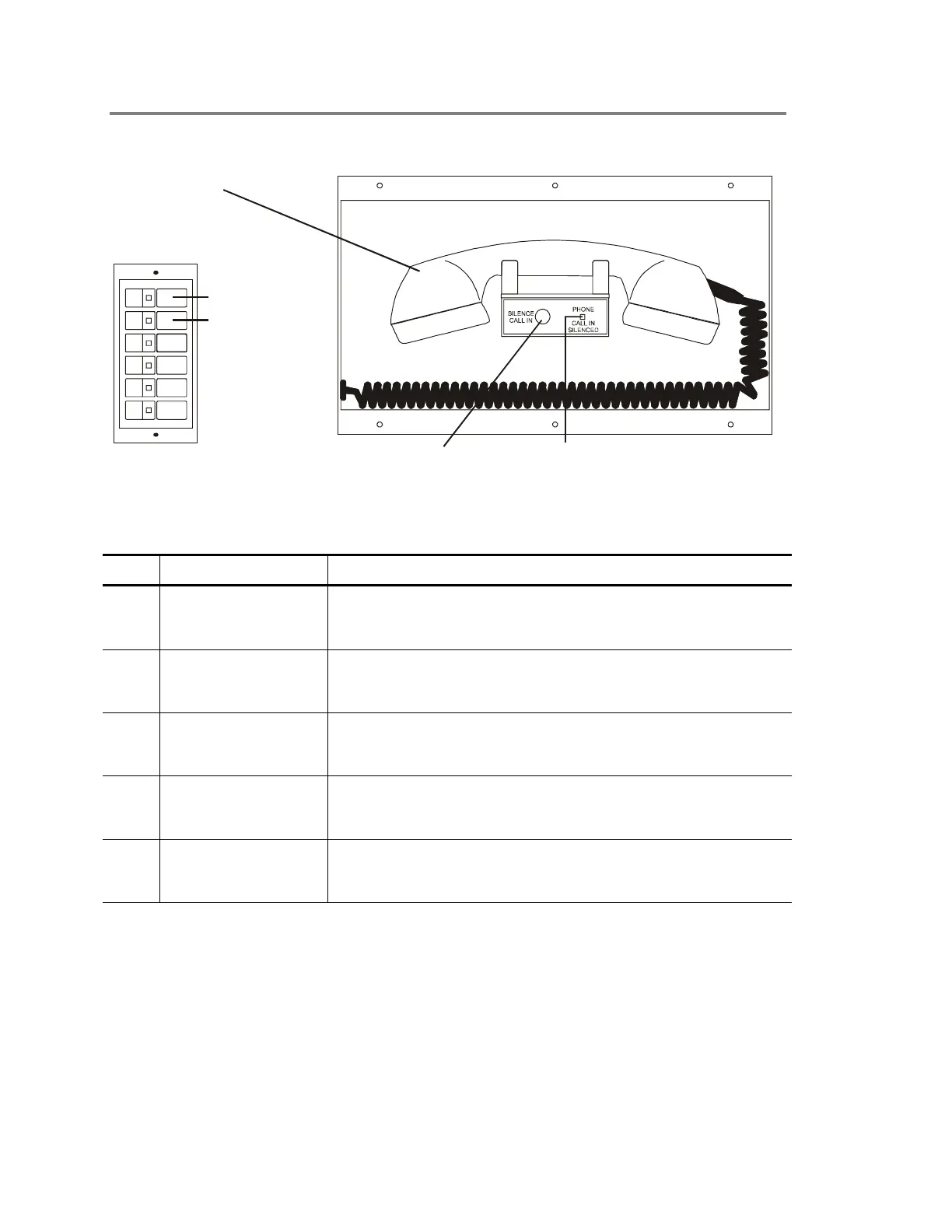
Figure 2-28: 2-TEL telephone module
Table 2-11: 2-TEL controls and indicators
Item Control/Indicator Description
1 Master handset The master handset provides two-way communication for
firefighter telephones located throughout the facility. Replace the
handset on the hook when not in use.
2 Silence Call-In switch When pressed, the Silence Call In switch turns off the internal
call-in buzzer. Any attempt to call the master handset from a
remote firefighter telephone will sound the buzzer.
3 Phone Call-In
Silenced LED
When lit, the Phone Call In Silenced LED indicates that someone
pressed the Silence Call-in switch to silence the internal call-in
buzzer.
4 Phone to Evac switch The Phone To Evac switch is a part of the 2-MIC. Use this switch
with the 2-TEL to page the evacuation area. See the description
in Table 2-10 (item 1).
5 Phone to Alert switch The Phone To Alert switch is a part of the 2-MIC. Use this switch
with the 2-TEL to page the alert area. See the description in
Table 2-10 (item 2).



 To Next Page