Operating panel devices
EST2 System Operations Manual 2.41
LED 10% duty cycle: device turning on LED on Steady
LED off
Upper LED on
Upper LED on
Device off
Upper LED off
Upper LED off
Activating a device
Restoring a device
LED 90% duty cycle: device turning off
STDOP010.CDR
Device on
An operator presses the switch. The device responds.
Time
Figure 2-25: LED/switch module activation and restoration duty cycles
Canceling commands at the front panel
If you change your mind while a device is turning on, you can
cancel the command to turn it on. Before the command is
executed, press the switch a second time. The duty cycle will
stop and the LED will return to its previous state. See the upper
half of Figure 2-26.
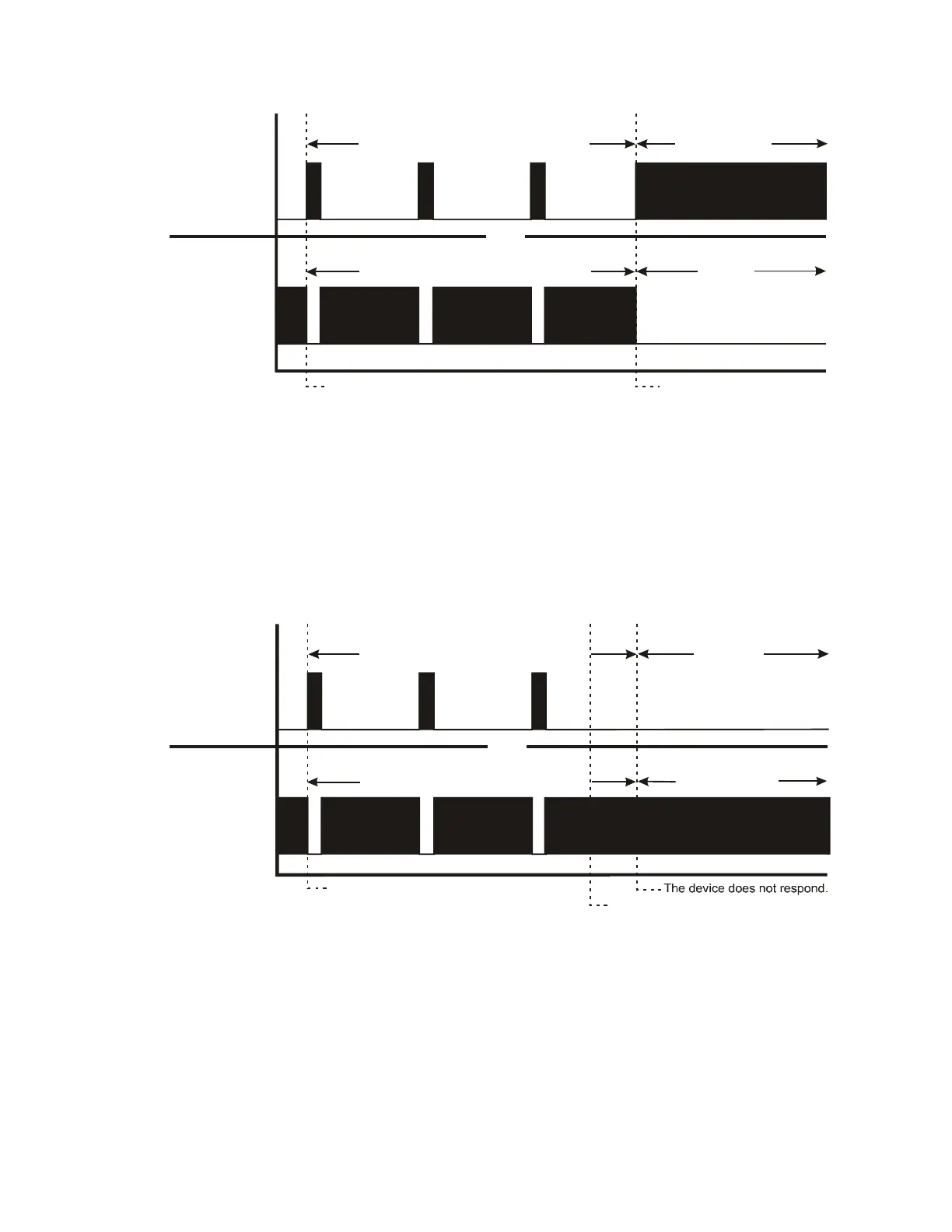
The operator presses the switch again.
LED 10% duty cycle: device turning on
LED on Steady
LED off
Upper LED on
Upper LED on
Upper LED off
Upper LED off
Canceling the activation of a device
Canceling the restoration of a device
LED 90% duty cycle: device turning off
STDOP011.CDR
Device remains off
An operator presses the switch.
Time
Device remains on
Figure 2-26: LED/switch module cancellation duty cycles
You may also cancel a command if you change your mind while
a device is turning off. Before the command is executed, press
the switch a second time. The duty cycle will stop and the LED
will return to its previous state. See the lower half of Figure
2-26.



 To Next Page