22
Cable Installation:
Bat
tery Communication Cable Connection:
1. Use the included battery communication cable to connect the battery to the inverter and
choose “Lithium” as the battery type. For inter-battery communication and battery setup with
EG4
®
batteries, refer to the respective battery manual.
2. Select the “Lead-Acid” setting if the lithium battery cannot communicate with the inverter.
Ensure battery settings are within the battery’s specifications to prevent damaging the battery
bank. Put the inverter in standby mode to protect batteries until values are set.
3. The battery communication port on the inverter is an RJ45 socket with the pinout for the
RJ45 plug shown in the following image.
4. The inverter supports both CAN and RS485 communication.
NOTE:
If using EG4
®
LifePower4 batteries in the system, a firmware update may be required
for closed-loop communications. Contact the distributor for this file or navigate to
https://www.eg4electronics.com/ for the most recent updates and documentation.
For communication with EG4 batteries, select “Lithium” under “Battery Type” and
then select “0:EG4” under “Lithium Batteries”
1. Place all breakers in the OFF position
before connecting or disconnecting wires.
Ensure that there is no voltage present with
a voltmeter.
2. Strip 1/4 in. – 5/16 in. (6 mm – 8 mm)
insulation from the cable end. If required,
assemble a battery ring terminal to the
battery cable based on recommended wire
size and terminal size (see table above).
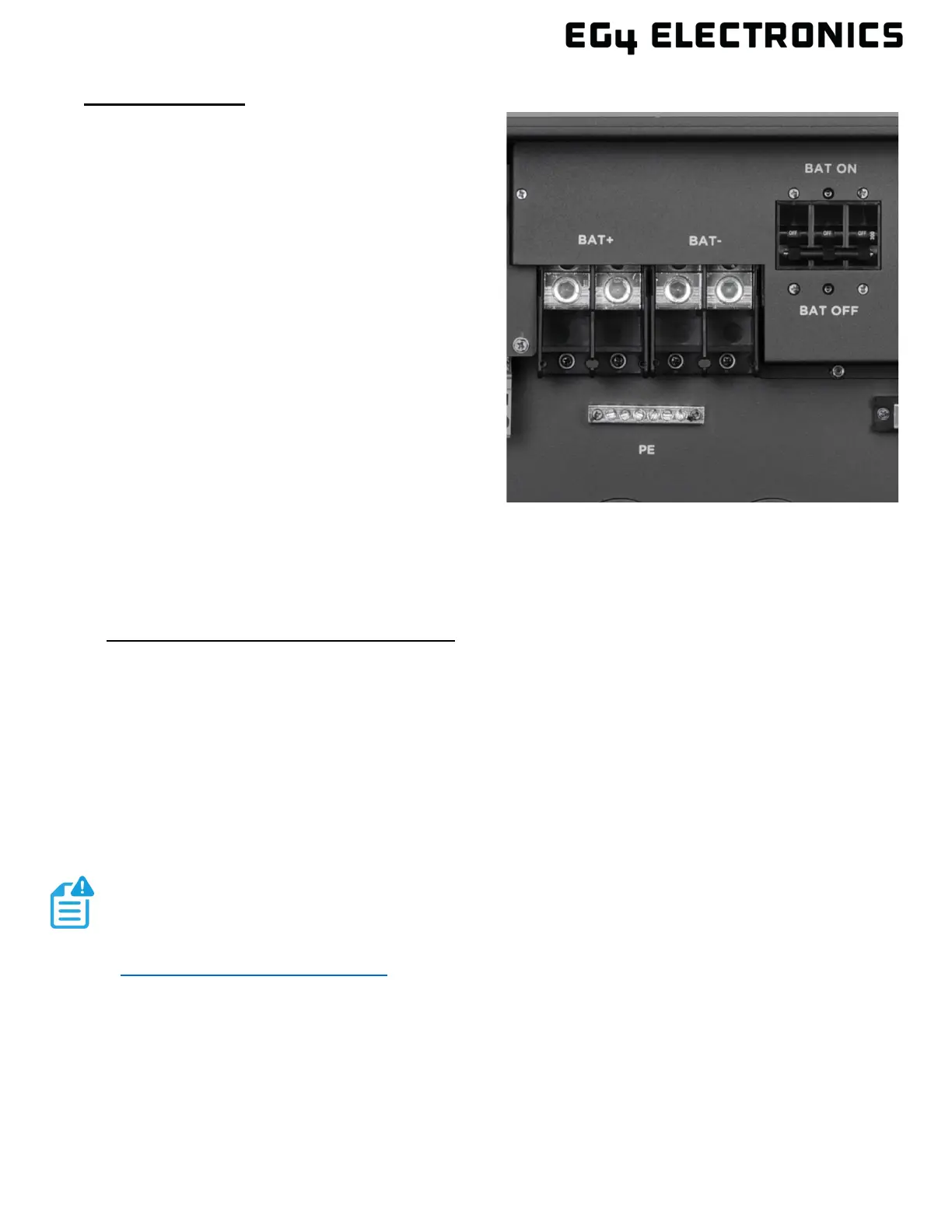
3. Route the battery power cable, connecting
positive (red) to BAT +, and negative
to BAT -.
4. Secure the conduit fitting to the enclosure
using the counter nut.
5. Fasten battery positive and negative cables
to the mechanical terminals according to the
markings with an M8 hex wrench, see
torque values above.
6. Verify the positive and negative battery cables are properly connected to the battery bank,
and the battery bank total amp hours meets or exceeds 300Ah.
7. Connect the included communications cable between inverter and battery communication
ports.



 To Next Page