36
10.3 EG4® MONITOR APP SETUP
Register a monitoring account and set the Wi-Fi password for the Wi-Fi dongle
before using EG4's monitoring system.
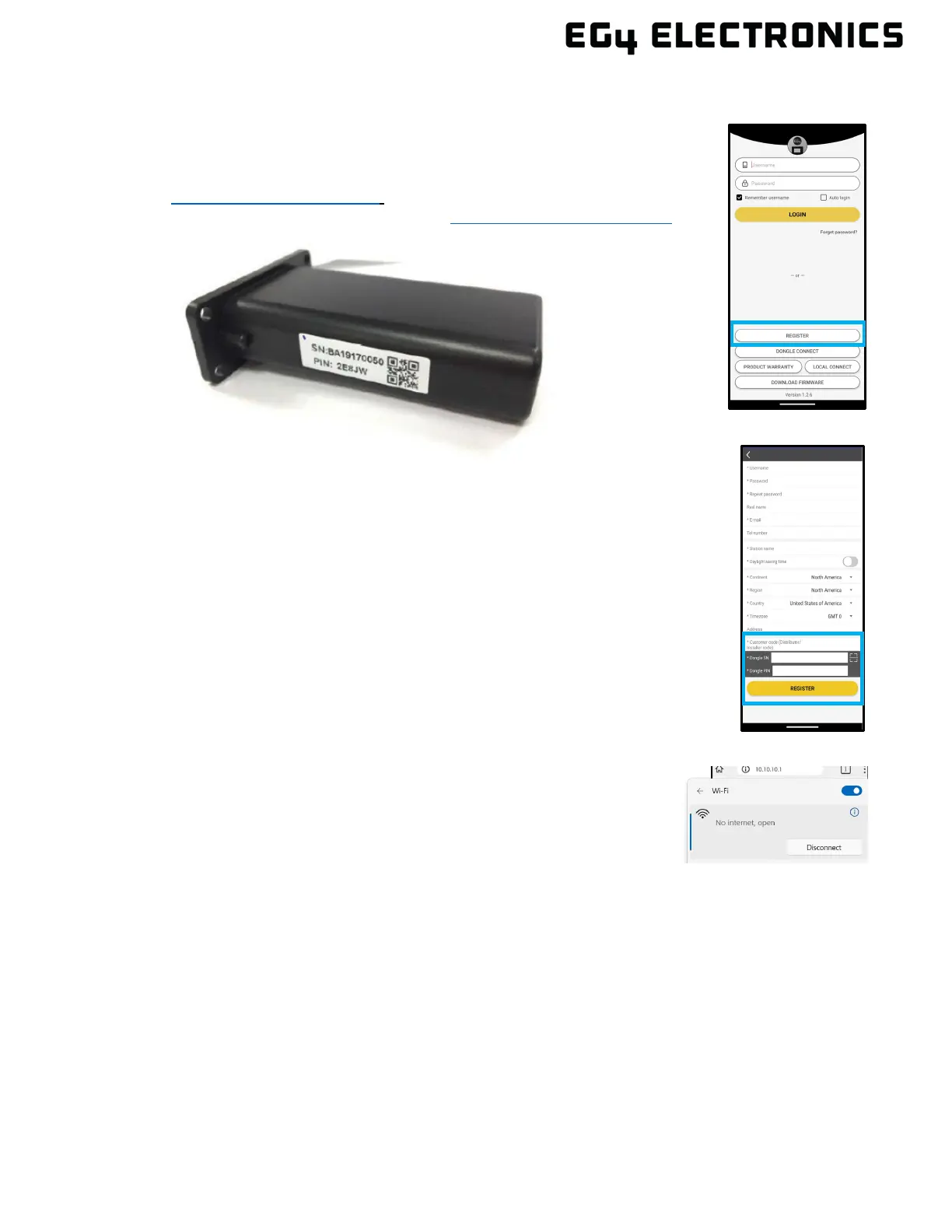
1. Register an account:
Visit monitor.eg4electronics.com or download the “EG4
®
Monitor” app to
register for an end-user account. Contact support@eg4electronics.com for
distributor or installer accounts.
2. When r
egistering the account, provide the following information:
a. Customer code: Contact the distributor or installer to obtain this code.
b. Dongle SN: The serial number is attached to the dongle shell.
c. Dongle PIN: PIN is attached to the dongle shell below the SN.
3. Set
the Wi-Fi password:
a. Plug in the Wi-Fi dongle and power on the inverter.
b. Wait until the INV LED on the Wi-Fi module is solid on, then
connect the mobile device to the Wi-Fi hotspot. The hotspot name
is the same as the Wi-Fi dongle serial number.



 To Next Page