23
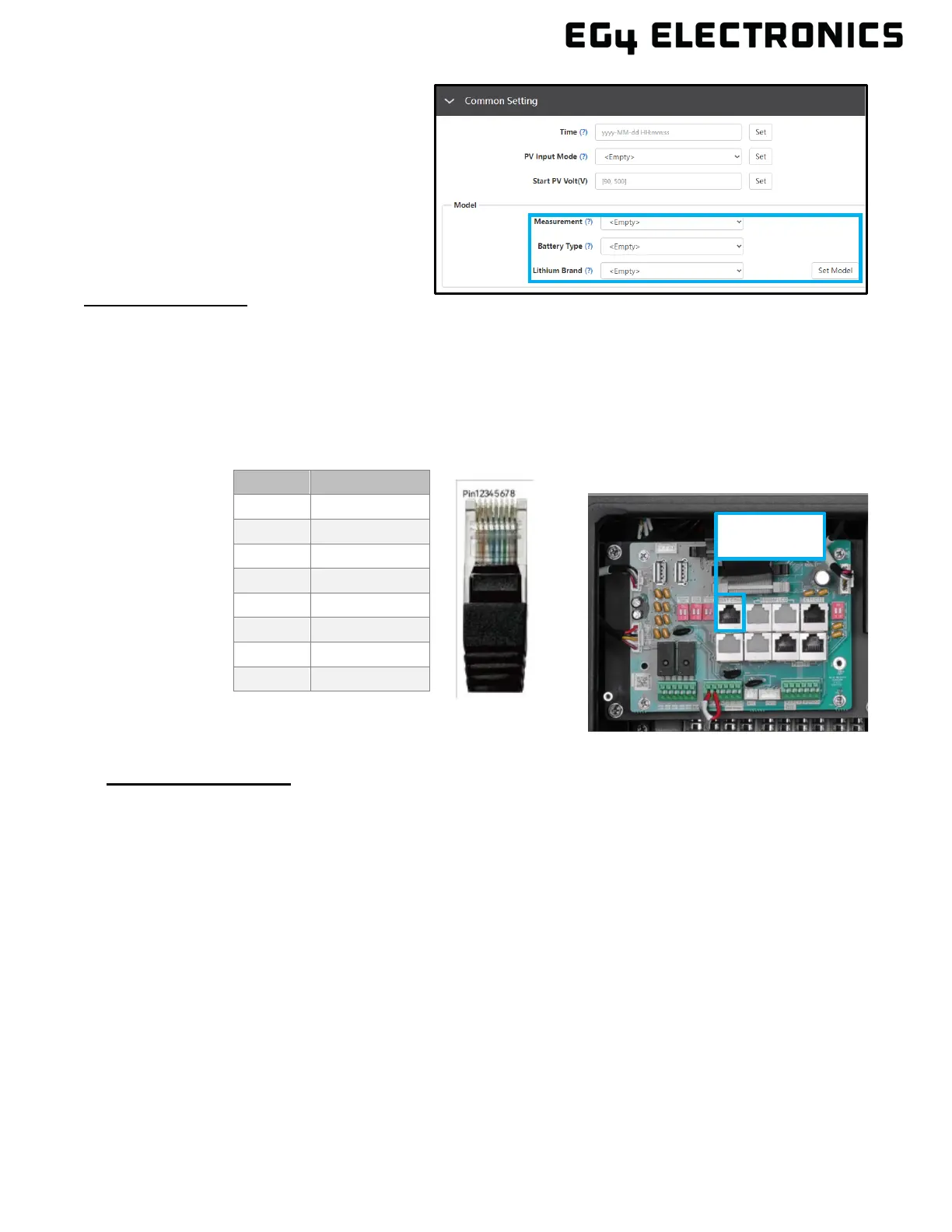
5. After connecting the battery
power and communication
cables, go to the Monitor Center
app or website. Select
“Maintenance”, “Remote Set”,
and choose battery type under
“Common Settings.”
For Li
thium Battery:
• Be sure that the lithium battery being used is compatible with the inverter. EG4
®
strongly
recommends using closed-loop communications between the battery bank and inverter.
Contact the distributor or support@eg4electronics.com for an updated list of 3
rd
party
batteries capable of closed-loop communication.
• If using multiple battery modules with the inverter, the inverter communication cable must be
connected to the master battery. Check with the battery supplier for battery master and slave
settings.
For Lead
-Acid Battery:
Closed loop communication is not available with lead-acid batteries, however, an optional
external temperature sensor will enable the inverter to control the charge/ discharge of the
battery. Follow the battery manual to determine setting parameters and for more information.
Pin Description
1 BAT RS485 B
3 NC
5 BAT CAN L
6 NC
7 NC



 To Next Page