37
10.4 ENABLE APP NOTIFICATIONS
The EG4
®
Mobile App allows the end-user to easily check real-time system information regarding the
inverters, batteries, and other informative values.
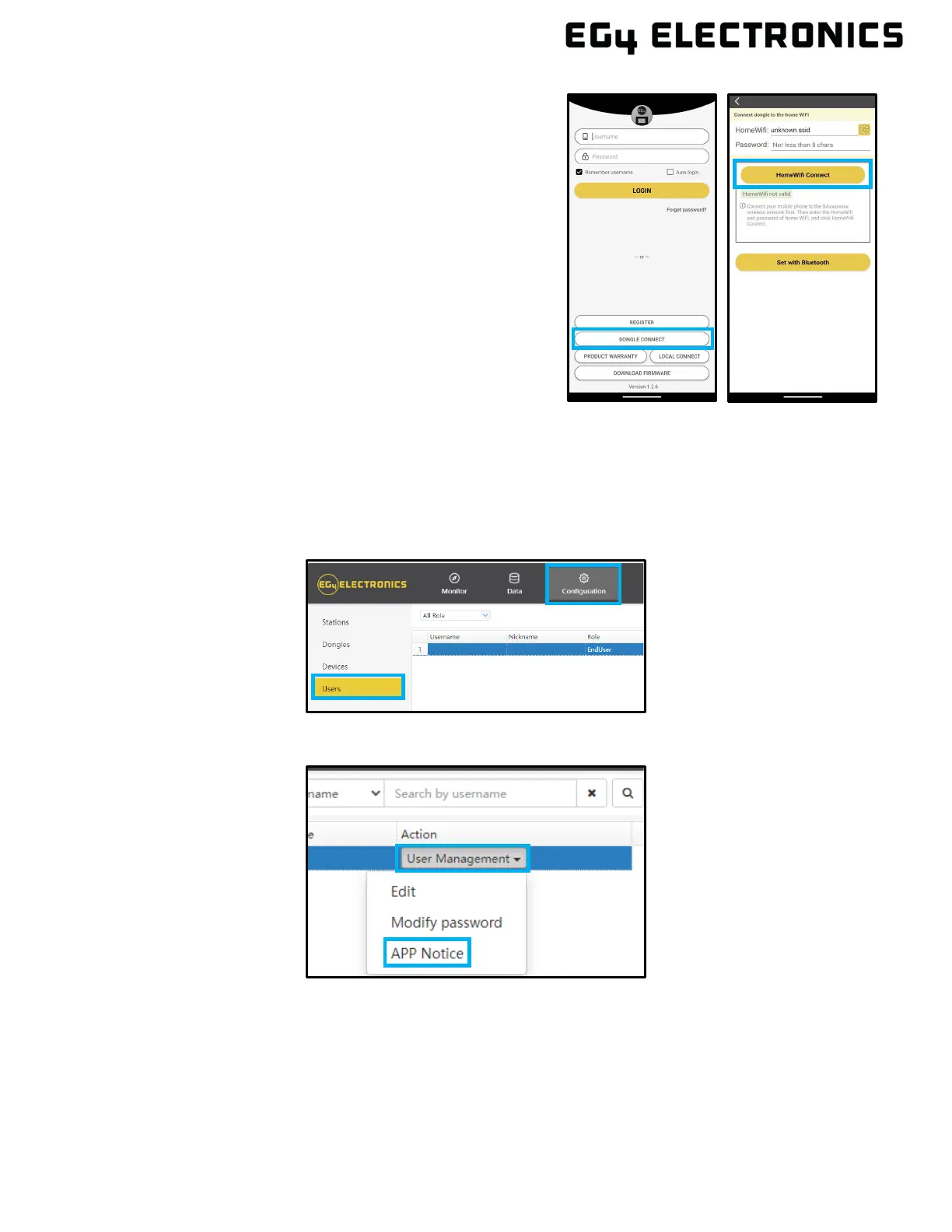
Enable Notifications in Monitor Center:
1. Go to monitor.eg4electronics.com and log in.
2. At the top of the screen, select “Configuration”, then “Users”
3. Sel
ect “User Management”, then “APP Notice”
c. Open the app. Select on "DONGLE CONNECT".
d. Select the Yellow refresh button to display a list of
available networks. Select the wireless network
name and enter password.
e. After selecting Home Wi-Fi Connect, the Wi-Fi
dongle will reset. After the correct password is set,
three lights will be solid on, which means the
inverter is connected to the server. Return to the
login page and input account and password to
begin monitoring the system.



 To Next Page