28
Parallel Configuration:
• Before commissioning the system, verify that all inverters are updated to the latest firmware.
View www.eg4electronics.com for latest firmware version.
• Make sure the power cables and parallel communication cables have been wired correctly
and verify the DIP switch configurations are correct.
• Power on the inverters.
• Login to the Monitor Center Website or the EG4
®
Electronics app. See section 10 for more
information on how to access these and detailed information on how to use the app and
website.
• Ensure all dongles are on one station, contact the installer or distributor for more information.
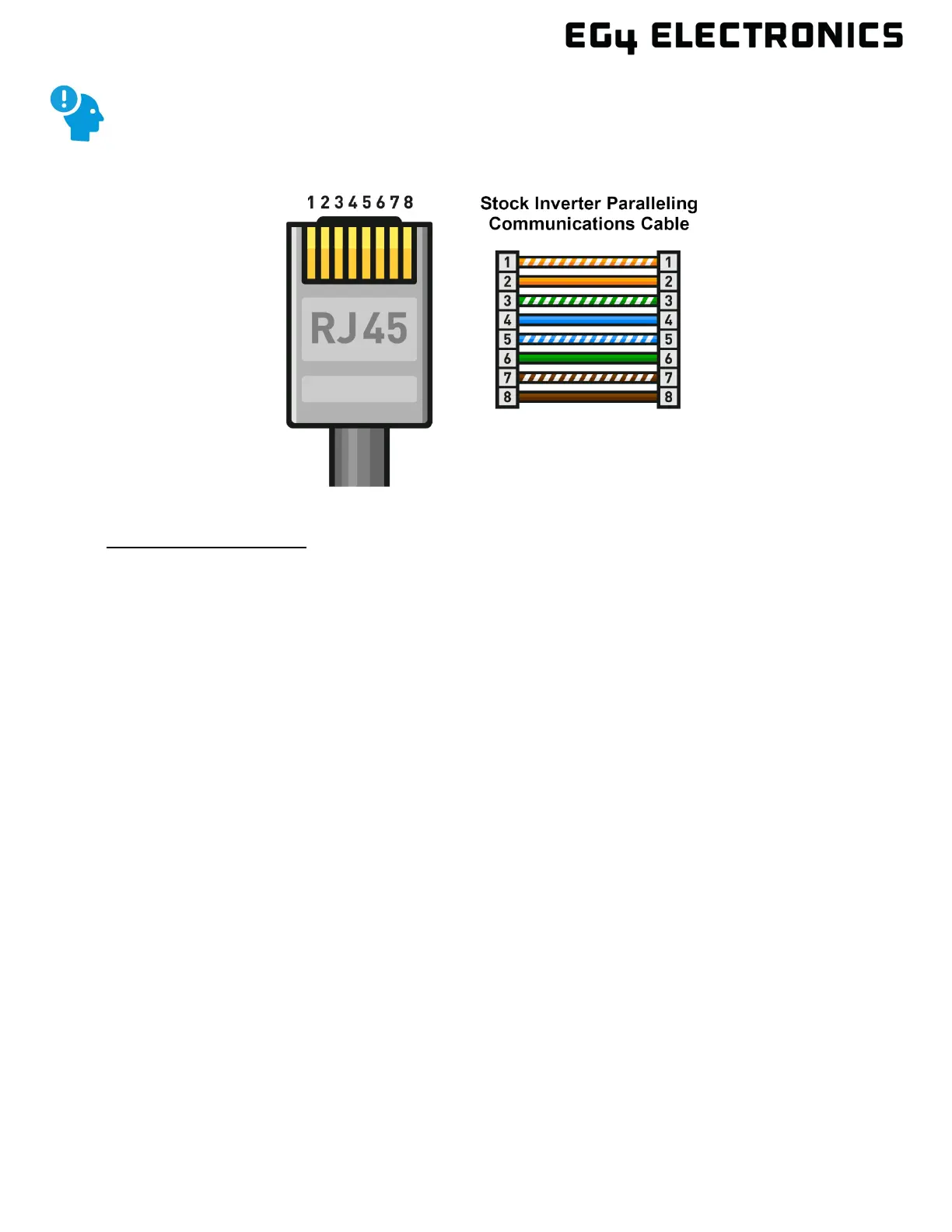
If the inverter-to-inverter paralleling cable needs to be extended, ensure the cable is
a straight-through CAT5 or higher CAT-rated cable. See image below for reference.



 To Next Page