48
Working Modes:
Working modes are pre-set priority systems that allow users to configure the system to meet their
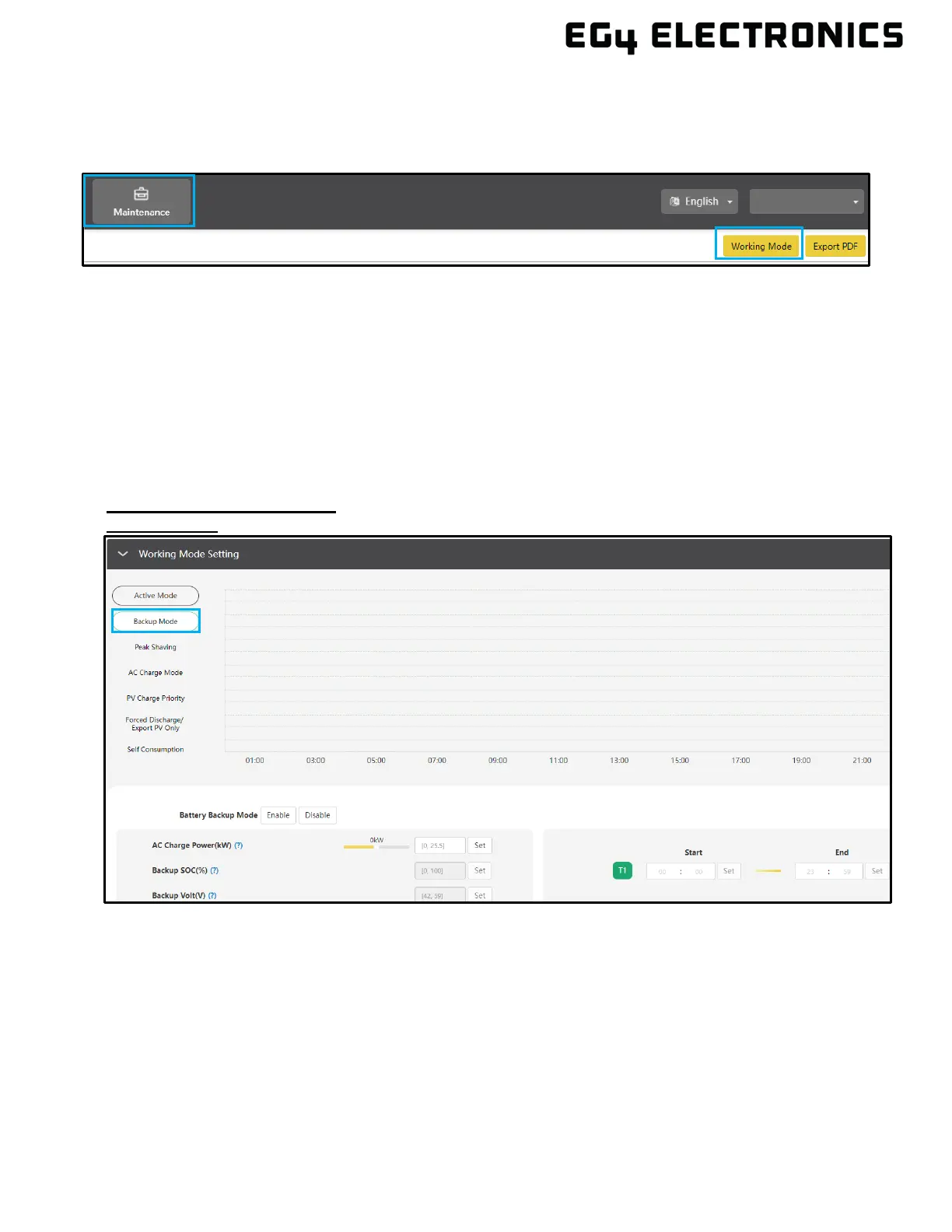
demands through extensive customizations. These modes can be found under the Maintenance tab
by clicking “Working Mode.” Scroll past “Application Setting” to the “Working Mode Setting” section.
Working Mode Definitions:
• Peak Shaving: Used to avoid peak demand charges from the grid by using a combination of
settings to limit the power drawn from the grid.
• Backup Mode/AC Charge Mode: Used to save battery power as a last resort. The solar
arrays power the loads, and when PV is insufficient, loads will pull from the grid. The inverter
will only power loads with battery when there are no other options.
• PV Charge Priority: Used to charge battery bank with PV; once battery bank is charged, then
PV will be used to power loads.
• Forced Discharge/Export PV Only: Used to sell PV and/or battery power back to the grid.
• Self-Consumption: Used to significantly lower grid consumption. Solar arrays to power loads,
when PV is insufficient, batteries power loads, and AC is only used as a last resort.
Working Mode Setting
Backup Mode
• Battery Backup Mode:
When enabled, the system will use the batteries as a last resort during the set timeframes.
• AC Charge Power (kW)
The maximum charging power from grid.
• Backup SOC(%)
Set the maximum SOC for backup. This parameter is the same as Stop AC Charge SOC.
• Backup Volt(V)
Set the maximum Voltage for backup. This parameter is the same as Stop AC Charge Volt.
• Start/End Times
Set time to begin and end Backup Mode



 To Next Page