47
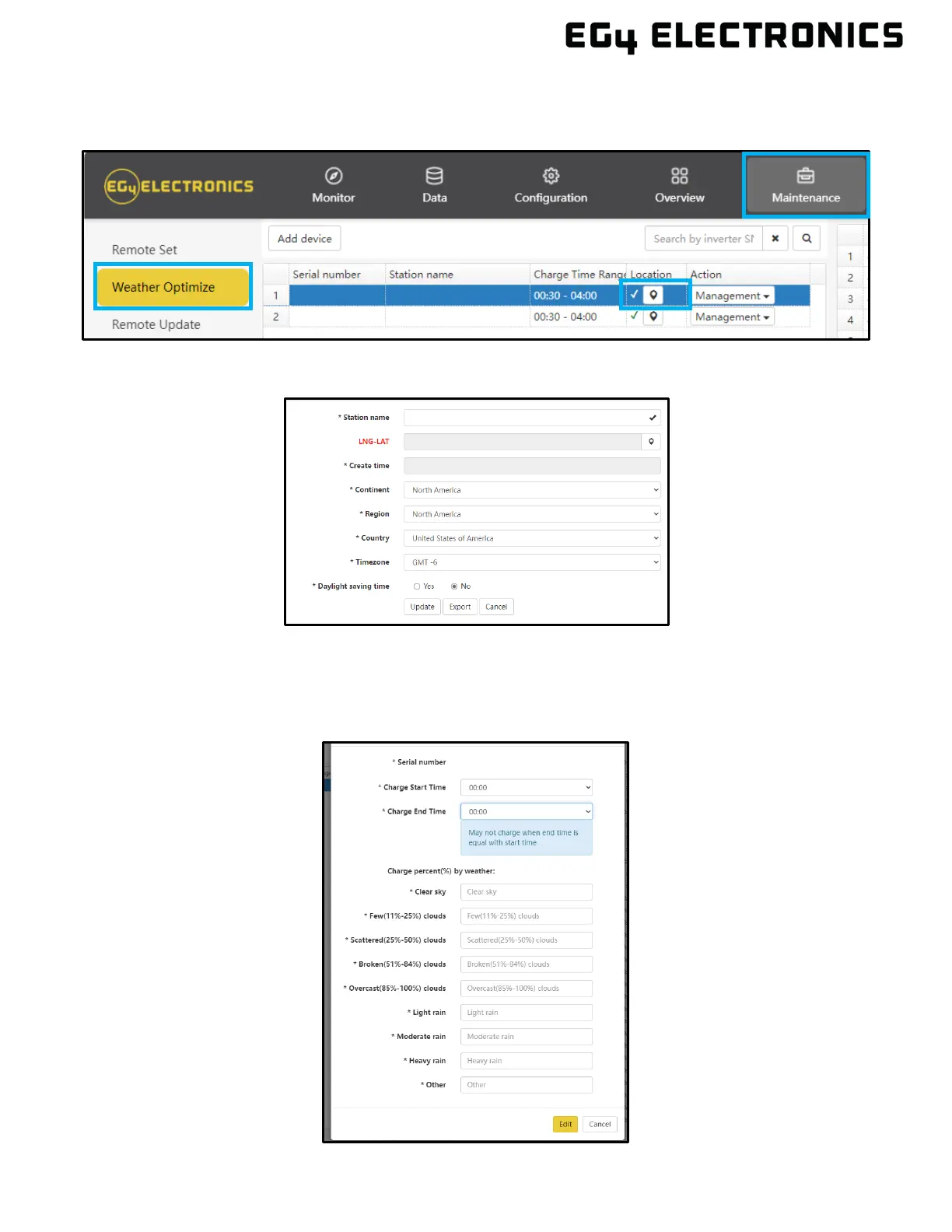
To enable this feature, select “Maintenance” at the top of the Monitor Center Webpage. Select
“Weather Optimization” to the left of the screen. Select the desired inverter and click the location
button.
• Input the inverter’s information on the next screen and select update.
• Af
terwards, select “Management” and click “Edit”. There, users can set charging times and
percentages based on their electricity use patterns and weather conditions. The platform
sends user settings to the inverter, and the inverter provides feedback, confirming the receipt
of setting and executing charging operations according to user-defined parameters.



 To Next Page