46
Peak Shaving
• Grid Peak-Shaving: Peak-Shaving is used to avoid peak demand charges from the grid.
Peak shaving can be accomplished by halting Grid Charging at specific times. For example,
during periods of peak demand (i.e., high grid rates), or when the batteries are fully charged
based on SOC/Voltage. See Section 10.1 for more information regarding Peak-Shaving
settings.
• Grid Peak-Shaving Power(kW): Used to set the maximum power that the inverter can draw
from the grid.
• Start Peak-Shaving Volt/SOC 1(V): The point at which Peak-Shaving starts.
• Start Peak-Shaving Volt/SOC 2(V): The point at which Peak-Shaving stops
• Peak-Shaving Start Time 1-2: The time of day at which charging by the grid will be halted.
• Peak-Shaving End Time 1-2: The time of day at which charging by the grid will resume.
• Reset: Reset all settings to default.
12. WORKING MODES AND RELATED SETTINGS
Time of Use:
Used to maximize cost savings by flexibly adjusting the battery’s usage pattern, establishing a real-
time connection with the grid, and providing live updates on current electricity prices. This enables
the system to meet energy demands across different time periods, provide real-time system status,
and provide detailed reports. This feature is customizable to individual needs and fluctuations in
electricity prices.
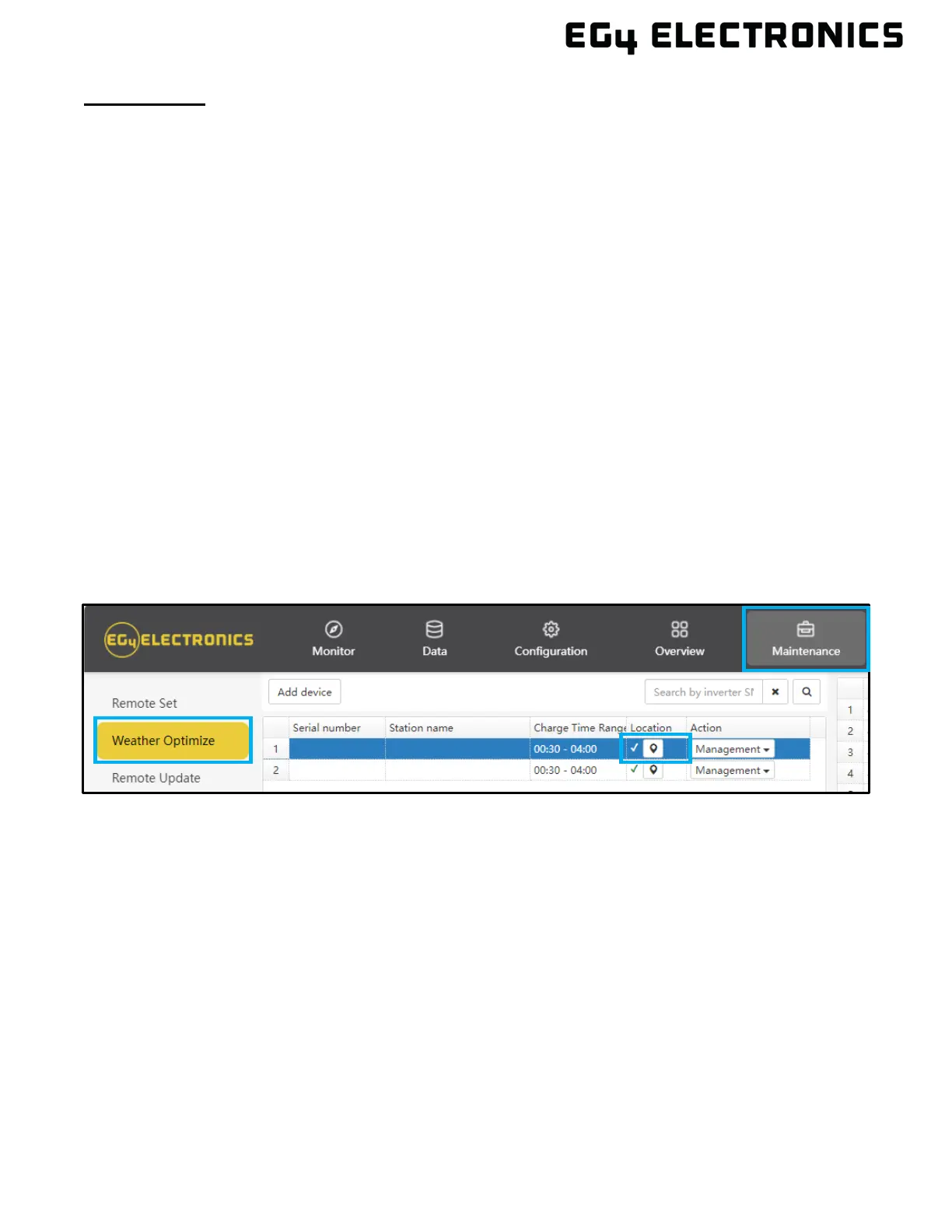
To enable this feature, select “Maintenance” at the top of the Monitor Center Webpage. Select
“Weather Optimization” to the left of the screen. Select the desired inverter and click the location
button. Input the inverter’s information on the next screen. Afterwards, enable the times of use for
battery charging/discharging under the Maintenance tab.
Weather Optimize Function:
Used to collect real-time weather data. There are multiple operating modes to adapt to various
scenarios:
• Charge Priority Mode prioritizes battery charging to ensure stable electricity usage, making it
ideal for areas with unstable power supply.
• Self-Use Mode prioritizes self-generated solar power to meet household electricity demands,
making it ideal for areas with high electricity prices.
• Forced Charge/Discharge Mode chooses to charge or discharge batteries based on
electricity pricing, making it ideal for time-of-use pricing areas.
• Intelligent Charging Control automatically adjusts the state of charge to maximize the efficient
use of solar energy based on real-time weather information.
• Stable Electricity Usage optimizes charging strategies based on weather conditions, ensuring
the battery remains adequately charged for stable electricity consumption.



 To Next Page