41
11. MONITOR CENTER SETTINGS
The fol
lowing settings are found on the Monitor Center Website at monitor.eg4electronics.com under
the Maintenance tab. For more information, scan the following QR code:
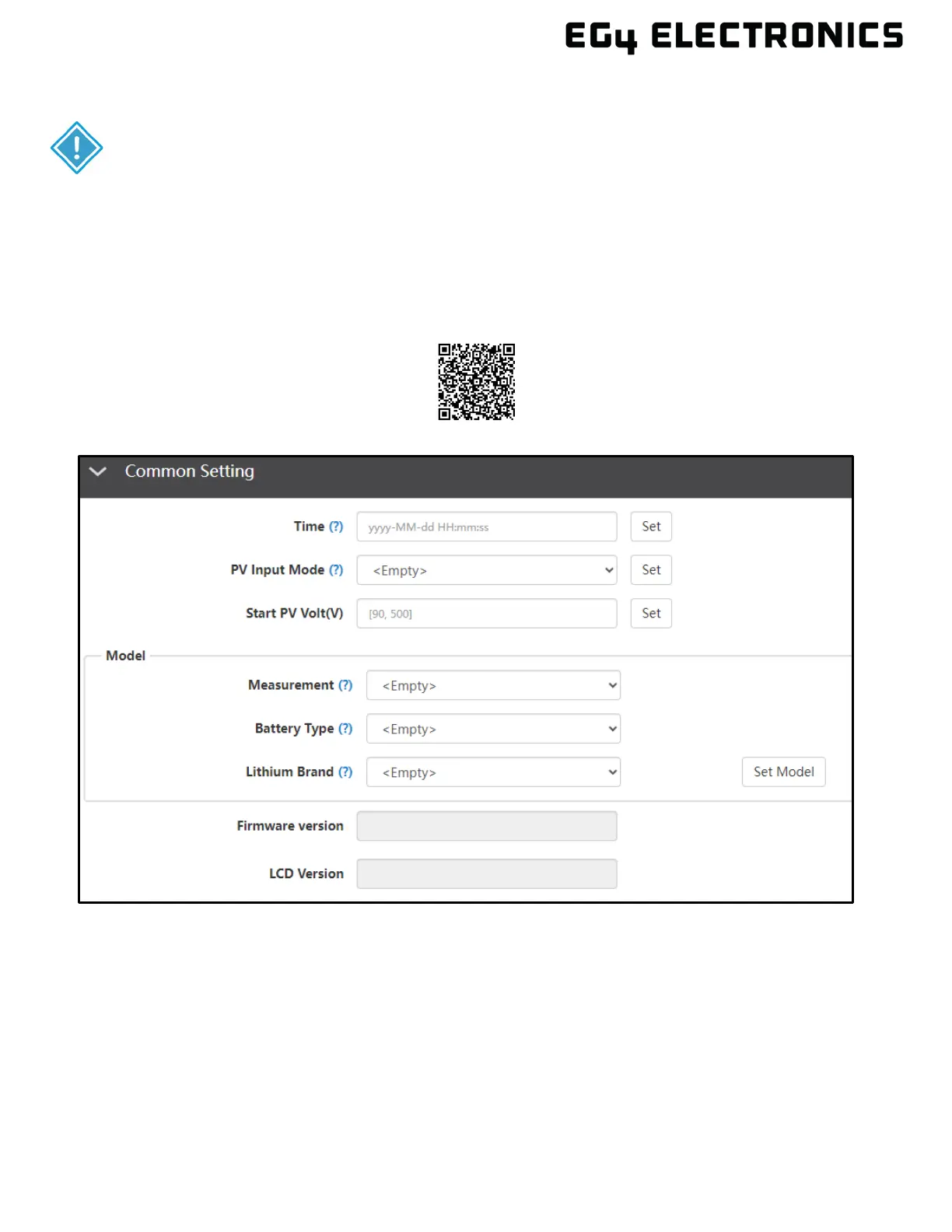
11.1 COMMON SETTING
• Time: Set the time/date of the inverter. The input format is 2019-02-14 14:44:00 (YYYY-MM-DD
HH:MM:SS).
• PV Input Mode: The connection type of solar modules.
• Start PV Volt (V):
• Measurement: Determines whether or not CTs or a Smart Meter are used to measure AC input.
• Battery Type: Choose the “Battery Type” and then select Lithium Brand (for closed-loop
communications), or battery capacity for lead-acid/lithium batteries with no communications.
Note: after setting the battery type, all other settings will reset to default.
• Lithium Brand: This setting allows the user to select from a list of compatible batteries for
closed-loop communications.
IMPORTANT:
These settings may need to be adjusted by the installer after installation. Consult with
the installer/distributor before making any changes to avoid conflicting settings or
Overview



 To Next Page