14
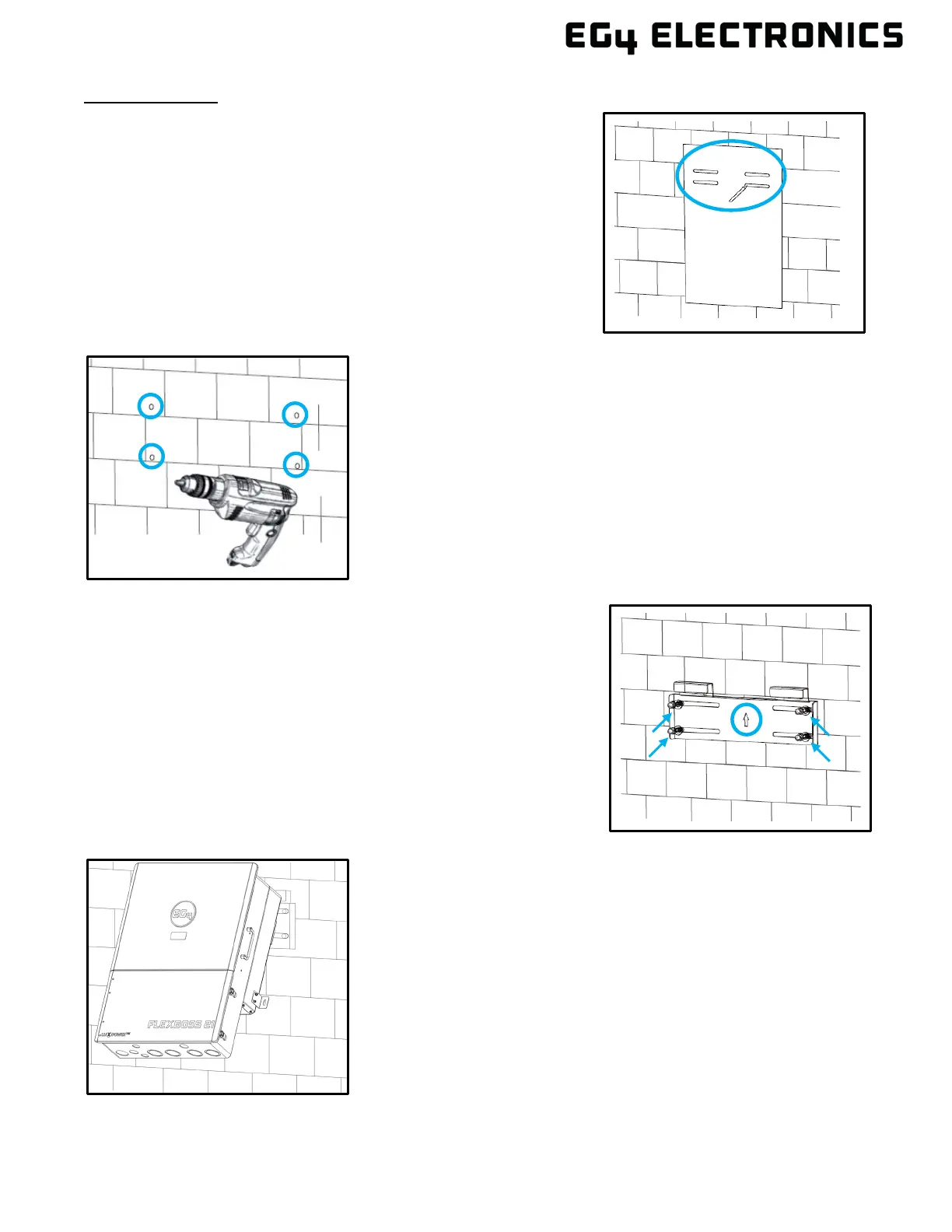
Mounting Steps:
1. Select a location for the inverter’s final placement.
2. Use the wall mounting template to mark where the
mounting bracket screws will be installed. Use a level
to ensure the bracket will be installed straight.
When installing the bracket to studs, verify the marks
for the screws (not included) are centered over a stud.
Ensure proper 12 in. (305 mm) or 16 in. (406 mm)
spacing
5. Using the team lift technique, place the inverter onto
the wall bracket, securing it to the wall.
3. When installing the bracket to concrete or brick, drill
5/16 in. (8 mm) diameter holes on the marks, making
sure the holes are deeper than 2 in. (50 mm) when
using the included expansion bolts.
When installing the bracket to studs, drill a pilot hole
recommended for the screw diameter used. Ensure
studs are spaced 12 to 16 in. apart.
4. For concrete or brick wall installation, insert the
expansion bolts into the drilled holes. Install the bracket
to the wall, ensuring the arrow is pointing up. Use the
corresponding nuts and washers (packaged together
with the expansion bolts) to affix the bracket to the wall.
For stud wall installation, use the proper screws and
affix the bracket to the wall.



 To Next Page