44
11.4 CHARGE SETTINGS
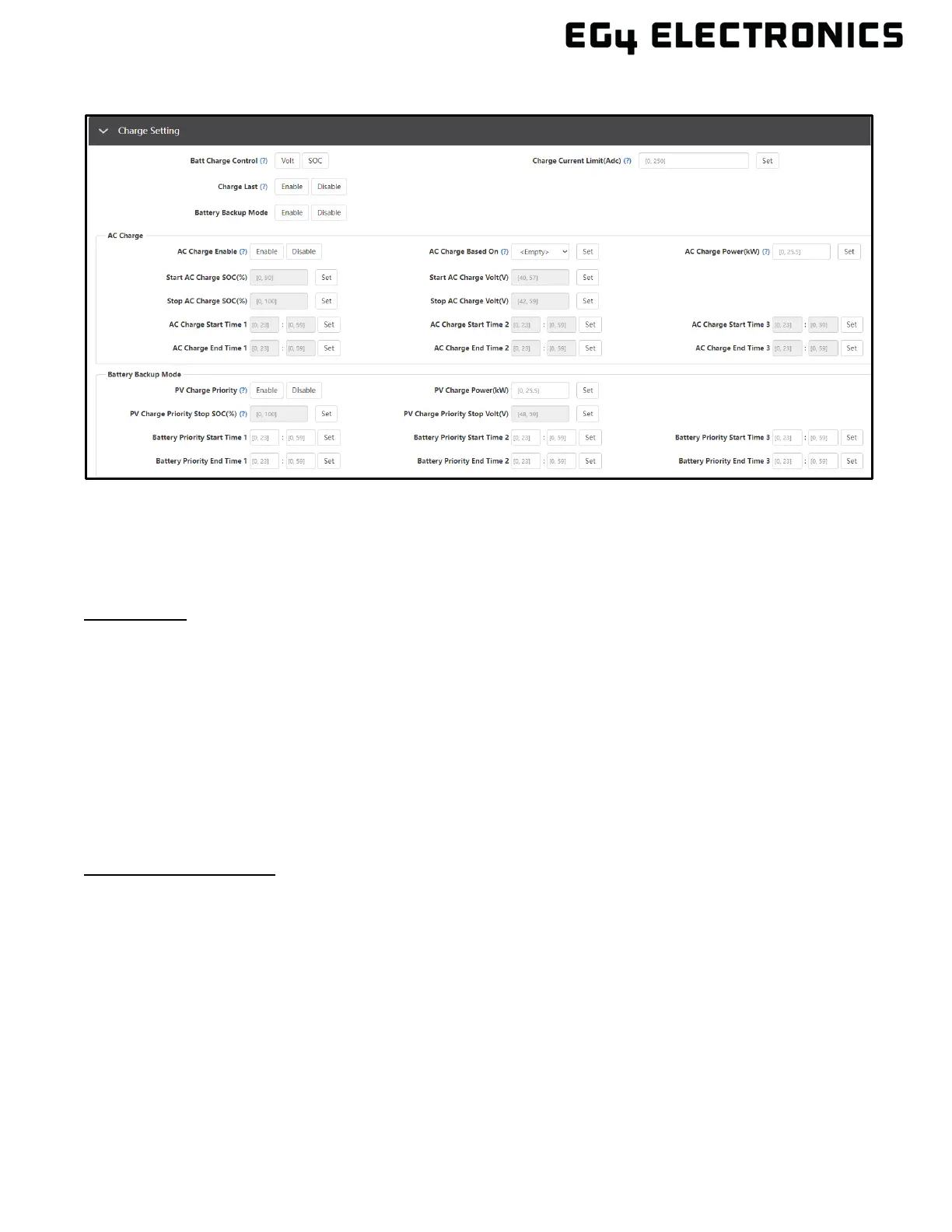
• Batt Charge Control (Volt/SOC): Batt Charge Control will charge the battery bank according
to Voltage/SOC% depending on selection.
• Charge Last: Charges battery as a last priority
• Charge Current Limit (Amps DC): Users can set the maximum battery charge current.
• Battery Backup Mode: Enable to access Battery Backup Mode settings below.
AC Charge:
• AC Charge Enable: Grid charge configuration. To use grid power to charge the battery bank,
enable “AC Charge” and set up to three different time periods when AC charging can
happen. Set “AC charge power (kW)” to limit grid charging power.
• AC Charge Based On: Set AC charging according to Time or Volt(V)/SOC (%).
• AC Charge Power(kW): The maximum charging power from grid.
• Start AC Charge SOC(%)/Volt(V): Percentage or voltage at which system will start charging
batteries from Grid.
• Stop AC Charge SOC(%)/Volt(V): Percentage or voltage at which system will stop charging
batteries from Grid.
• AC Charge Start Time 1-3: Start AC Charging according to timeframe.
• AC Charge End Time 1-3: Stop AC Charging according to timeframe.
Battery Backup Mode
For the inverter in default mode: if PV power is sufficient to cover the demands of home loads, then
PV power will prioritize home loads first. If there is excessive PV power, the remainder will be used
to charge the battery bank. If there is still PV power after powering loads and battery charging, the
remaining PV power will be sold back to the grid. In some situations, the customer would want solar
power to charge the battery bank first, and if there is more energy than needed, it will then power
loads. For this situation, enable “PV Charge Priority (PV)” function. “PV Charge Priority power CMD”
is the maximum power percent when charging the battery bank in “PV Charge Priority” mode. If both
time and battery SOC are within the parameters set by the user, PV will be used to charge the
battery bank first.
• PV Charge Priority: Enable this setting to prioritize Solar for charging batteries.
• PV Charge Power (kW): The maximum charge power from PV.
• PV Charge Priority Stop SOC (%)/Volt (V): The inverter will stop charging the batteries if
the battery SOC or Voltage exceeds these limits.



 To Next Page