E L A N H O M E S Y S T E M S S1616A AMPLIFIER MODE
© ELAN Home Systems 2012 | All rights reserved.
Output View Menu
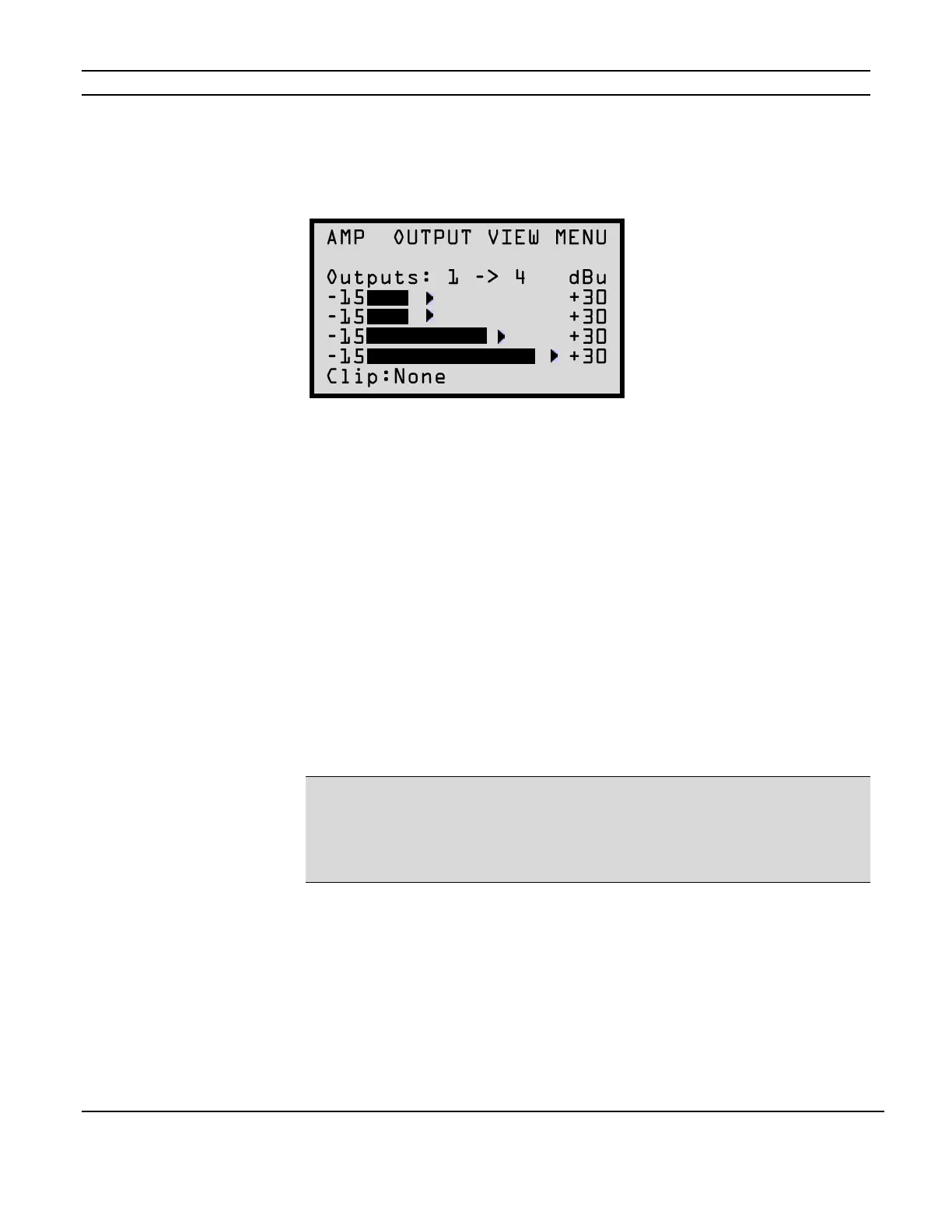
For information relating to the amplified outputs for the S1616A press the MENU button to cycle
through the setting options until the following screen appears:
This menu selection displays four bar graphs which correspond to the output channel levels for
each of the 16 channels. Press the UP and DOWN arrow buttons to see information for the next
group of four channels. Press the CHANNEL button to move forward one channel at a time.
A clipping indicator is located in the bottom left of the screen. The indicator will show if any of the
four currently displayed channels are clipping.
Utility Sub-Menu
The S1616A features a Utility sub-menu that is designed to provide easy access to the amplifier’s
operational functions.
Once the Utility sub-menu has been accessed by cycling through the MAIN Menu functions until
you see “UTILITY” at the top of the display, use the CHANNEL button to cycle to the next sub-
menu option. Pressing the MENU button will return the S1616A to the MAIN Menu options.
NOTE:
Whenever the LCD times out, the Utility menu will reset to display the Operating Mode screen
first. However, if you navigate to ANY OTHER screen in the Utility menu by pressing the Channel
button and then navigate through the Main menu by pressing the Menu button without an LCD
timeout, the first Utility screen displayed will be the previously selected Utility menu screen.
The Utility sub-menu options will be discussed in detail on the following pages.
Figure 2-14
Output View Menu



 To Next Page