E L A N H O M E S Y S T E M S S1616A AMPLIFIER MODE
© ELAN Home Systems 2012 | All rights reserved.
Channel Lock Menu
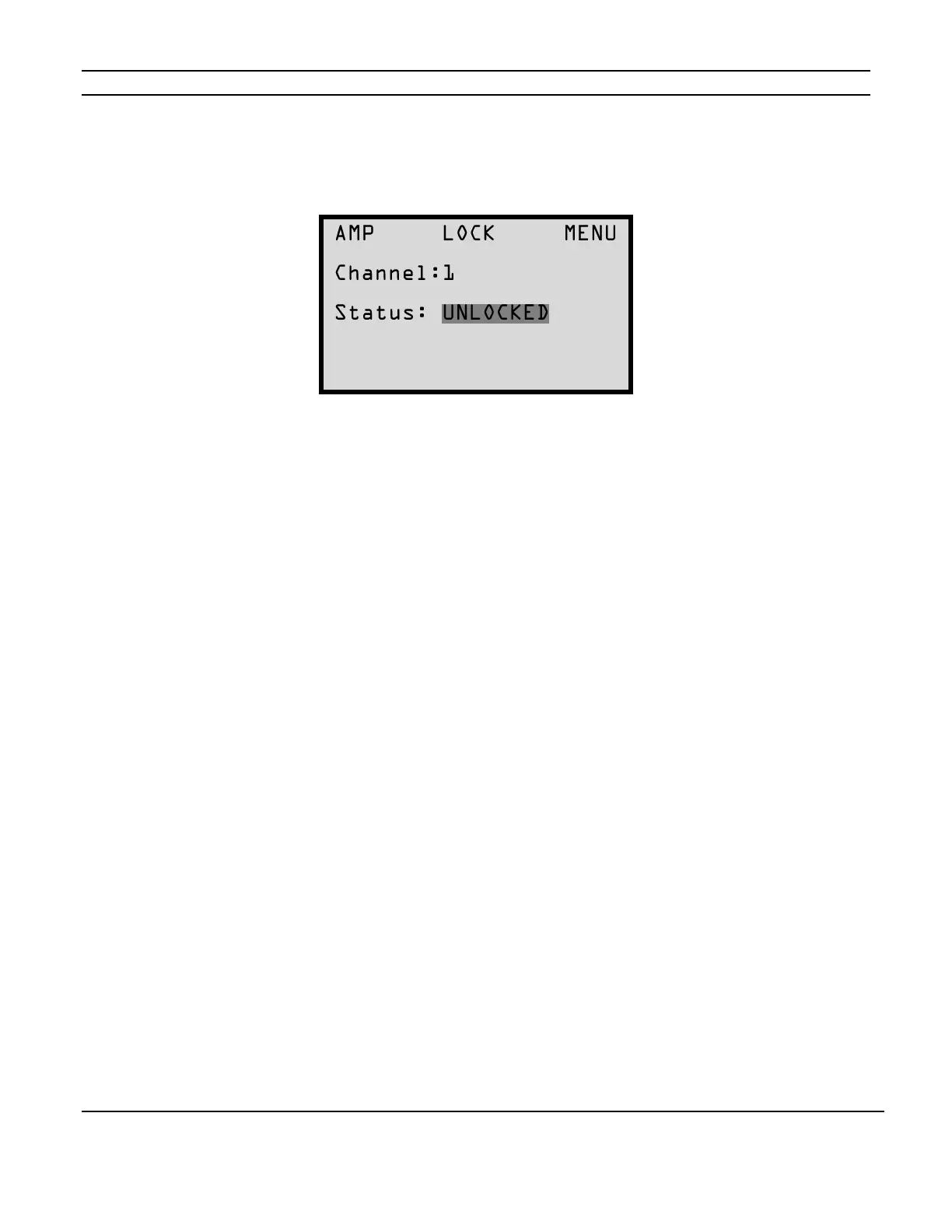
To LOCK or UNLOCK the settings for the channels press the MENU button to cycle through the
setting options until the following screen appears:
This menu allows any or all channels to be locked or unlocked after initial set-up selections have
been determined.
When locked, channel settings cannot be altered even by IR Commands in ELAN mode.
Individual channels 1 - 16 options are LOCKED or UNLOCKED.
When the All channel option is selected the possible status options displayed are MIXED,
LOCKED, or UNLOCKED. MIXED means that some channels are locked and some channels are
not locked.
Press the Channel button to change the channel.
Press the UP and DOWN buttons to LOCK or UNLOCK the selected channel.


 To Next Page