E L A N H O M E S Y S T E M S S1616A AMPLIFIER MODE
© ELAN Home Systems 2012 | All rights reserved.
ELAN Mode
The ELAN mode menu items are the same except for the following additional menu items that are
after Output View:
Absolute Max Volume, Min Turn On Volume, and Max Turn On Volume.
MAIN Menu Screens: Amplifier Status, Volume, Input Select, Lock, ACE, Input View, Output View,
Absolute Max Volume, Min Turn On Volume, and Max Turn On Volume and Utility
The Utility mode menu items are the same except for the following additional menu items that are
after Operating Mode:
Channel Range.
Utility Sub-Menu Screens: Operating Mode, Channel Range, LCD Contrast, LCD Brightness,
LCD Sleep Timer, BUS Input A, BUS Input B, Power Saving Mode, Firmware Version, Diagnostics,
Ambient Temperature, Save Dealer Defaults, and Restore Defaults.
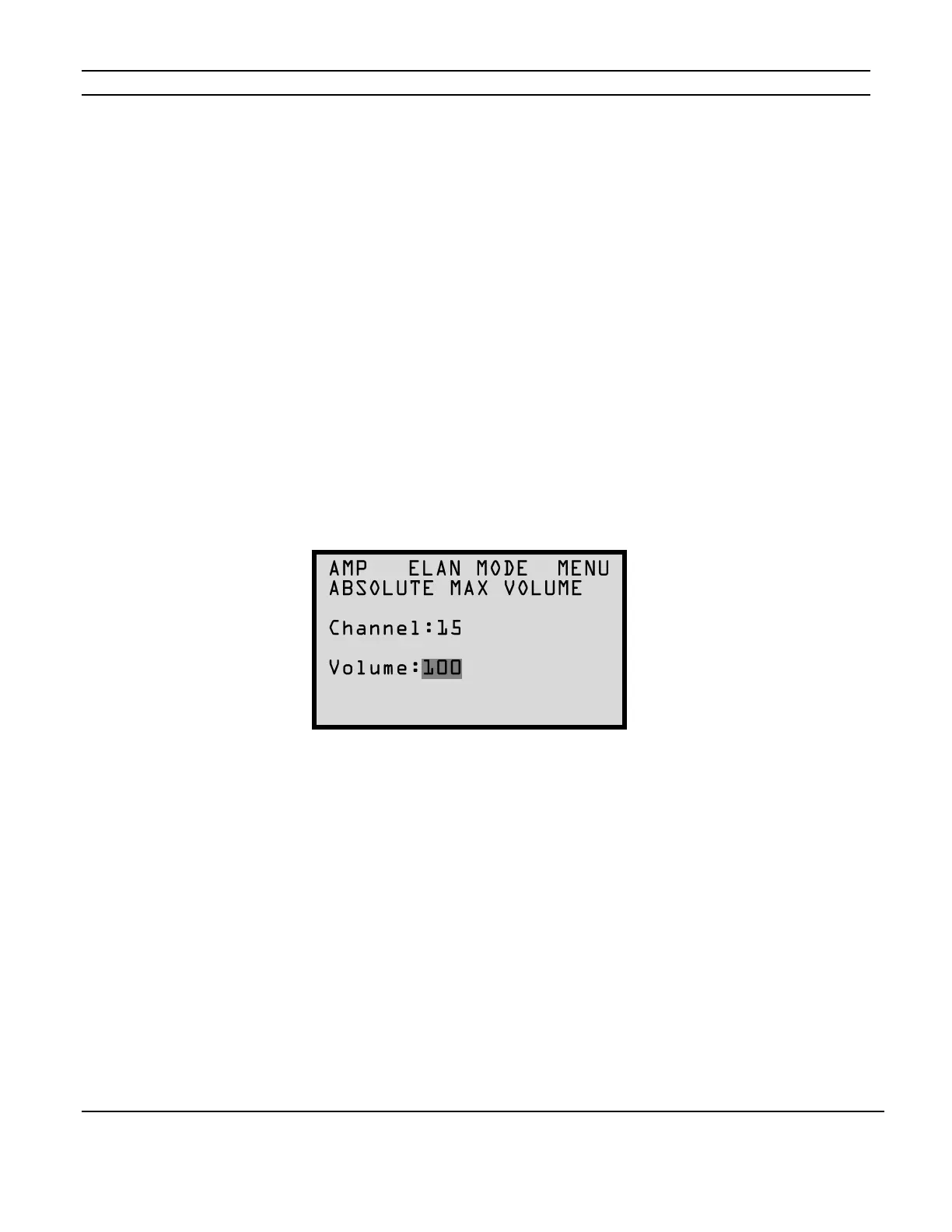
Absolute Max Volume Menu
To set the upper gain limits for the S1616A press the MENU button to cycle through the setting
options until the following screen appears:
Channel gain adjustments are performed by following the Volume Menu steps or by using IR
Commands.
When Absolute Max Volume is set to less than 100%, the gain will not adjust higher than the set
value.
(See Volume Menu on page 14.)
Use the CHANNEL button to select the desired channel and the UP and DOWN arrow buttons to
increment and decrement the gain setting. Selecting ALL with the CHANNEL button applies
settings to all 16 channels.
Figure 2-29
Absolute Max Volume Menu



 To Next Page