Aquastorm 200
2-6 System Preparation
SECTION 2 WEST 6700 TEMPERATURE
CONTROL SETUP
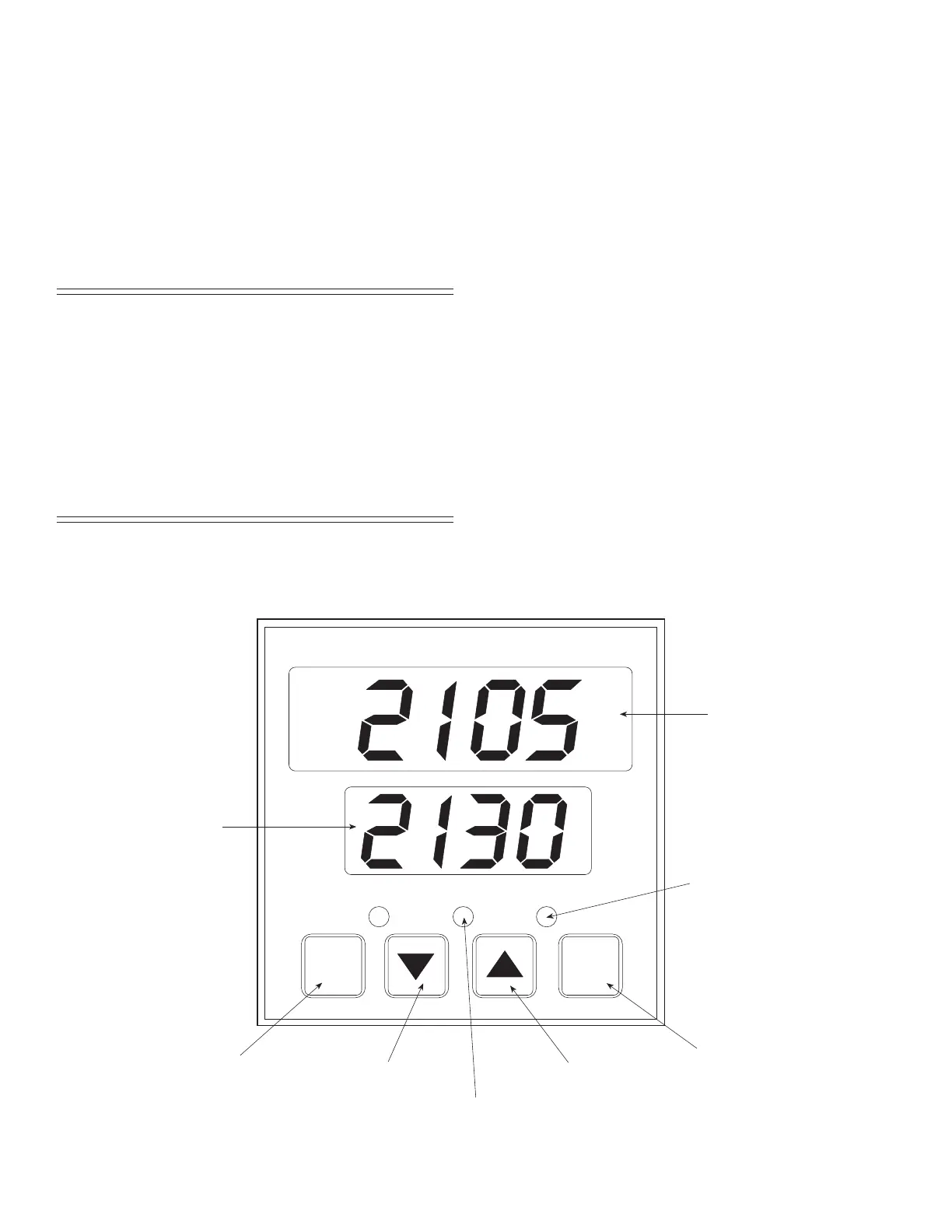
Refer to the West 6700 Temperature Control
illustration on this page to perform the
procedures outlined under the following headings:
• 2.2 To Enter Configuration Mode
• 2.3 To Enter Setup Mode
CAUTION The West 6700 controls are factory set
when installed into the Aquastorm
200™ system. Once installed, further
adjustment should not be required.
Improper adjustment could result in
damage to the equipment. This device
is a safety circuit. The procedures
outlined only apply to the replacement
of a defective unit, directly from stock.
WEST
6700
OUT
EXCEED
ALM
F
Function Key
Raise Key
Lower Key
Reset Key
Upper Display
Lower Display
Alarm Indicator
(NOT USED)
S
RESET
High or Low Limit
Exceed Indicator
West 6700 Temperature Control Illustration


 To Next Page