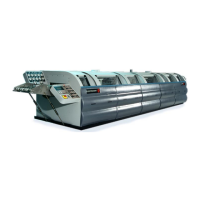
Aquastorm 200
27
27
Start-Up and Operation 3-27
1.4 EDITING THE
CONFIGURATION SCREEN
CAUTION System Lock-up is Possible
Use caution when configuring system
options. Selecting options that do not
exist on the system may lock-up the
system software.
The Configuration Screen permits the user to
configure the system's software to accept various
options that the system may be supplied with, as
well as removing options from the system. The
configuration screen also allows for future
upgrades to the system.
To access the Configuration Screen press the
MENU key on the LCD interface key pad.
The Configuration Screen is displayed with the
following information, and consists of three (3)
pages:
MODEL 200
TEMP_UNITS F
SPEED_UNITS F/ Min
CHECKMATE NO
pH MONITOR YES
WASH PUMP HURRICANE
RINSE PUMP HURRICANE
CONFIGURATION
RESISTIVITY NONE
IR HEATER YES
DRYER #3 NO
DRYER #4 NO
SUMP TANK STANDARD
SUMP TANK #2 NONE
C/I SPRAY YES
C/I BLOWER YES
C/I HEATER YES
LIGHT TOWER YES
BOARD_TRACKING YES
SYS_CLOCK SET
ALARM_PROCESS SET
WATCH_DOG TEST
To scroll between pages press the Page Up or
Page Down keys on the LCD interface key pad.
To move the cursor to the option requiring
configuration, press the Up or Down Arrow keys
until the cursor is in the required position.
To choose the next available configuration for
the option press the Enter key on the LCD
interface key pad.
The following chart represents the configuration
selections available for all options configurable:
CONFIGURATION SELECTIONS
SYSTEM COMPONENT SELECTIONS
MODEL 200/ 300
TEMP_UNITS C/ F
SPEED_UNITS F/ Min, M/ Min
CHECKMATE YES/ NO
pH MONITOR YES/ NO
WASH PUMP STANDARD/ HURRICANE
RINSE PUMP STANDARD/ HURRICANE
RESISTIVITY NONE/ YES
IR HEATER YES/ NO
DRYER #3 YES/ NO
DRYER #4 YES/ NO
SUMP TANK RECYCLE/ NONE/ STANDARD
SUMP TANK #2 NONE/ STANDARD
C/I SPRAY YES/ NO
C/I BLOWER YES/ NO
C/I HEATER YES/ NO
LIGHT TOWER YES/ NO
BOARD_TRACKING YES/ NO
SYS_CLOCK SET
ALARM_PROCESS SET
WATCH_DOG TEST
NOTE: Press the Enter Key to toggle configurations


 To Next Page