40#
3-40 Start-Up and Operation
Aquastorm 200
SECTION 4 SYSTEM ACTIVATION
NOTE Disregard optional features mentioned in this manual which do not
pertain to your system's configuration.
Before activating power to the Aquastorm 200
TM
complete the Pre-Start Checklist
and Set-Up procedures outlined in Division 2 of this manual.
Review the details of all Controls and Indicators prior to System Activation to
ensure a complete understanding of operation for all system Controls and Indicators.
See Division 3, Sections 1 thru 6.
4.1 FACILITY POWER
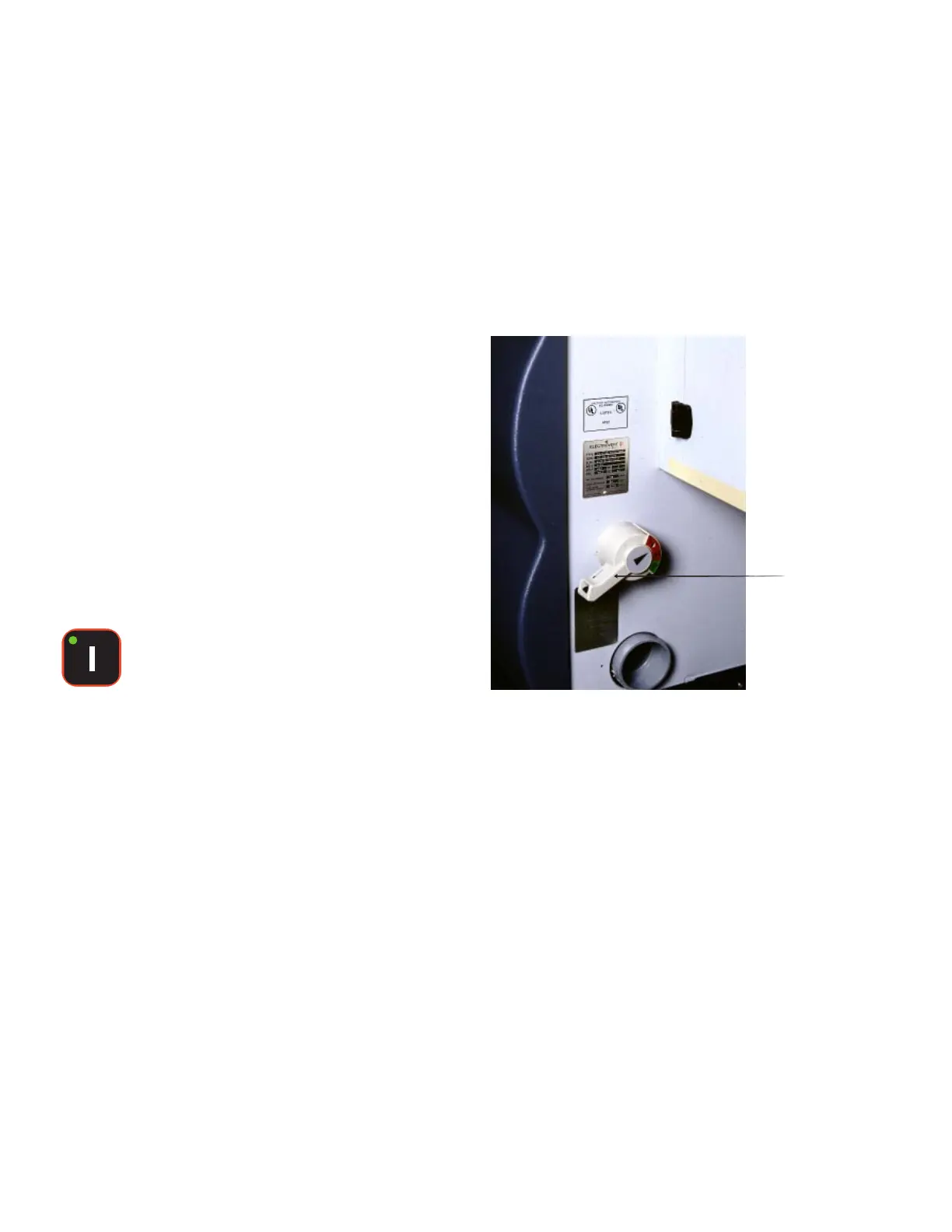
Turn on the facility power to the Aquastorm
200™ via the System Disconnect (located at the
exit end of the system on 380 and 460 volt
systems only).
Î Optional Halogen Lights illuminate
Î Computer boots up
Î Power to the controls is enabled
4.2 SYSTEM POWER
Press the Power On control via the
Membrane Keypad.
Power is now enabled to all Aquastorm 200™
sub systems.
Î Immersion heaters are activated if tank
levels are at operating level
Î Optional system status tower amber
indicator flashes
System
Disconnect


 To Next Page