Aquastorm 200
25
25
Start-Up and Operation 3-25
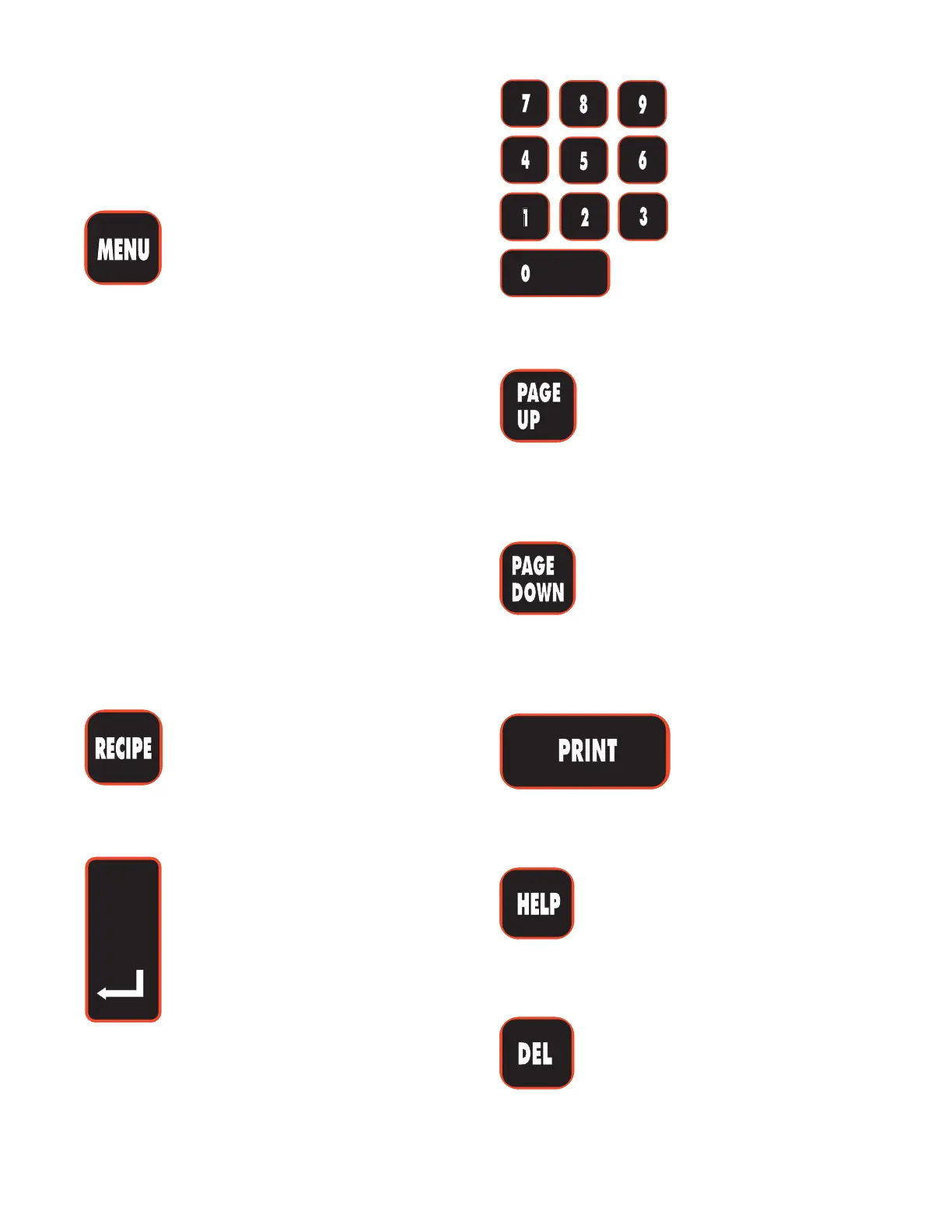
LCD Interface Keypad
Functions
The following information explains the use of
each of the controls as they appear on the LCD
Interface Keypad.
MENU
Press the MENU control to display the Main
Menu, Configuration, or Timer Screen. Pressing
the MENU control repeatedly will toggle between
the different screens.
The Main Menu screen displays system
information such as temperatures and conveyor
speed.
The Configuration Screen allows the user to
configure the system software with the hardware
options supplied on the machine, as well as setting
the Units (metric or English) for each of the
subsystems or their components.
The Timer Screen displays the Timer Option and
allows the operator to set start up and shut down
times for the Automatic start up feature.
RECIPE
The RECIPE control functions are not yet
applicable to the Aquastorm 200™.
Enter
The Enter key when pressed, accepts the
changes made to Main Screen set points,
System Configuration, Timer setup,
Clock and Date setup, and Alarm Process
values.
Number Keys
The Number keys are
used to enter Set Point
values, adjust Timer
settings, set System
Clock and Date, and
enter Alarm Process
values.
Page Up
Use the Page Up arrow key to scroll up the pages
of the Main, Configuration, and Alarm Process
screens.
Page Down
Use the Page Down arrow key to scroll down the
pages of the Main, Configuration, and Alarm
Process screens.
Print
The PRINT key functions are not yet applicable
to the Aquastorm 200™.
Help
The HELP key functions are not yet applicable
to the Aquastorm 200™.
DEL
The DEL (Delete) key control may be used to
delete any character entered incorrectly.


 To Next Page