34#
3-34 Start-Up and Operation
Aquastorm 200
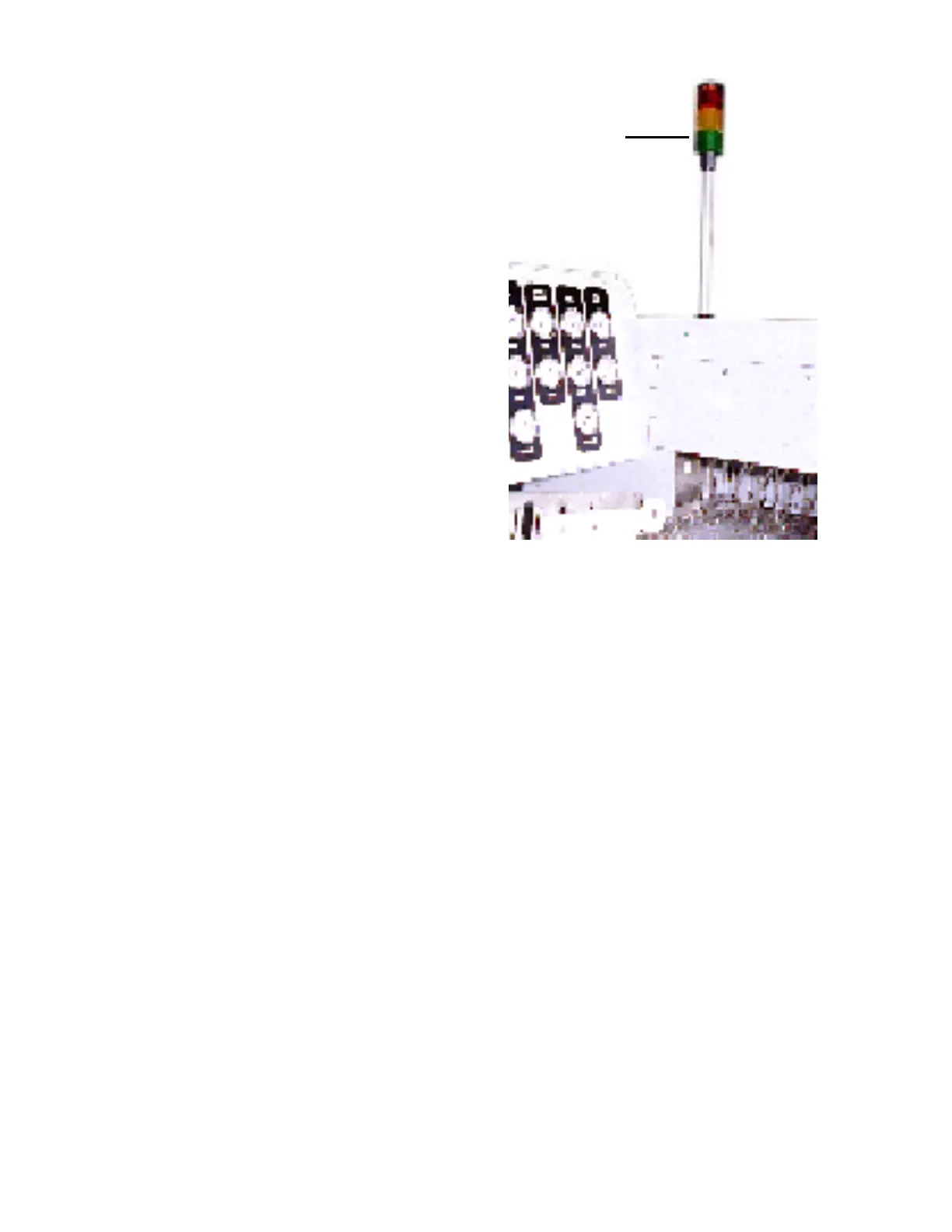
Status Tower
RED The Red Status Tower Light
FLASHES under the following
conditions and takes priority over
the Amber and Green Indicators:
Î Emergency Stop
Î Power Off with an alarm condition
Î Low Level condition in the Wash, Rinse, or Chemical Isolation tank
Î High Level condition in the Wash, Chemical Isolation, or Rinse tank
Î Low Temperature or Temperature Deviation in the Wash, Chemical Isolation, or Rinse tanks, and
Radiant Heater
Î High Temperature condition in the Wash, Rinse, or Chemical Isolation tanks or Dryer section
Î High Level in Optional Sump Pump Holding Tank
Î Checkmate error, i.e. a conveyor jam or a PWA detected in the upper photocell
AMBER The Amber Status Tower Light FLASHES under the following conditions and takes priority over the
Green Indicator:
Î Red Status Light Off
Î System is warming up and the conveyor is coming up to speed
The Amber Status Tower Light ILLUMINATES under the following conditions and takes priority over
the Green Indicator:
Î Red Status Light Off
Î Power is applied to the system, system is up to set point temperatures, but the Power Off control red
indicator is illuminated
GREEN The Green Status Tower Light FLASHES only under the following conditions:
Î System operating in the board tracking mode (photocell operation)
The Green Status Tower Light ILLUMINATES only under the following conditions:
Î Green Power On indicator illuminated
Î Conveyor On - forward or reverse
Î All temperatures reached setpoint
Î Amber Status Tower Light Off
Î Red Status Tower Light Off
2.2 OPTIONAL SYSTEM
STATUS TOWER


 To Next Page